System Disassembly
|
Components Replacement
32
Replacing the memory module (RAM)
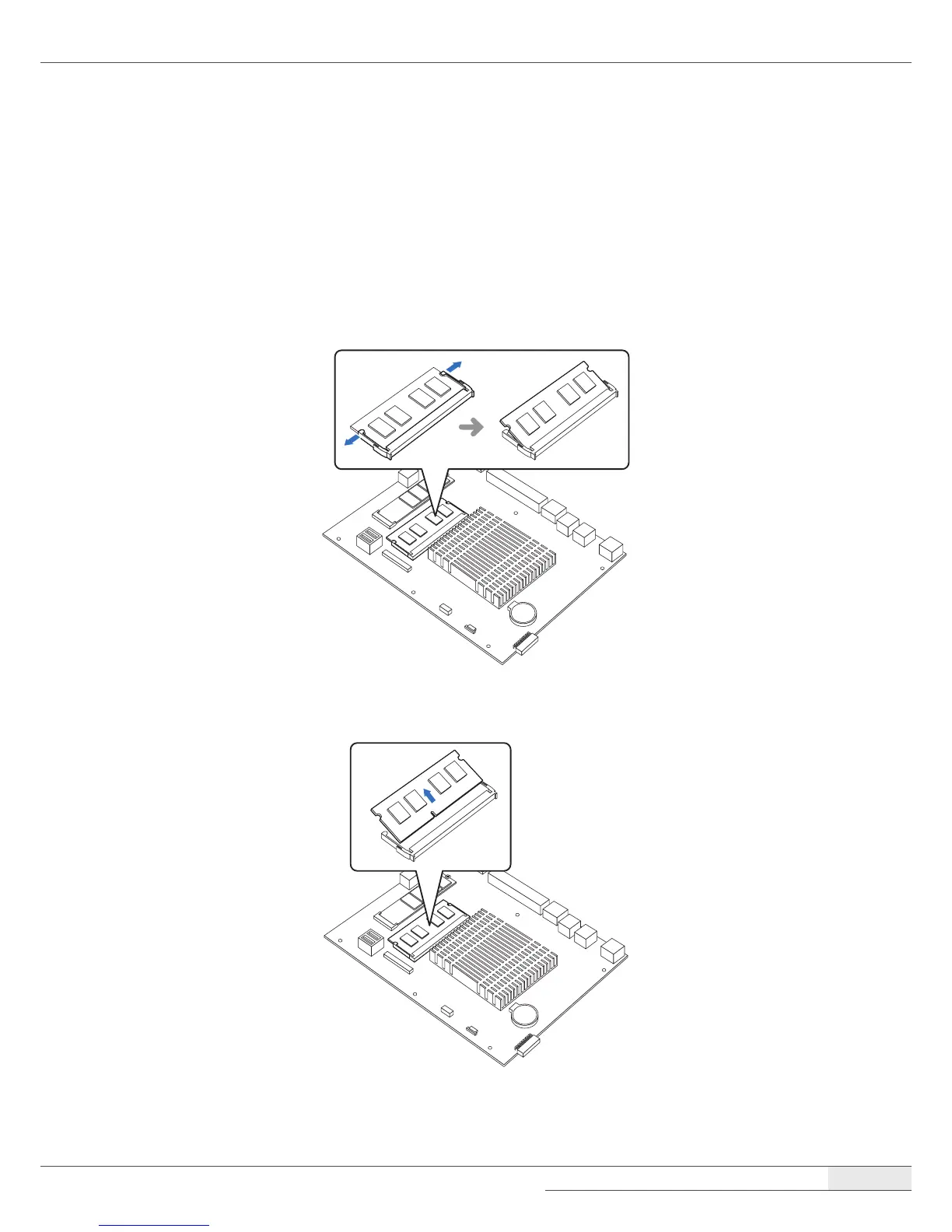
To replace the memory module, follow these steps:
1.
Remove the system cover by following the instructions in “➊ Removing the cover“ on page 22.
2.
Pull the clips on both sides of the memory slot outward to release the installed memory
module. One end of the memory module will pop up.
3.
Pull the memory module straight out from the memory slot.



 To Next Page