Application Programs
|
Setting Up the LCD Customer Display
46
Setting Up the LCD Customer Display
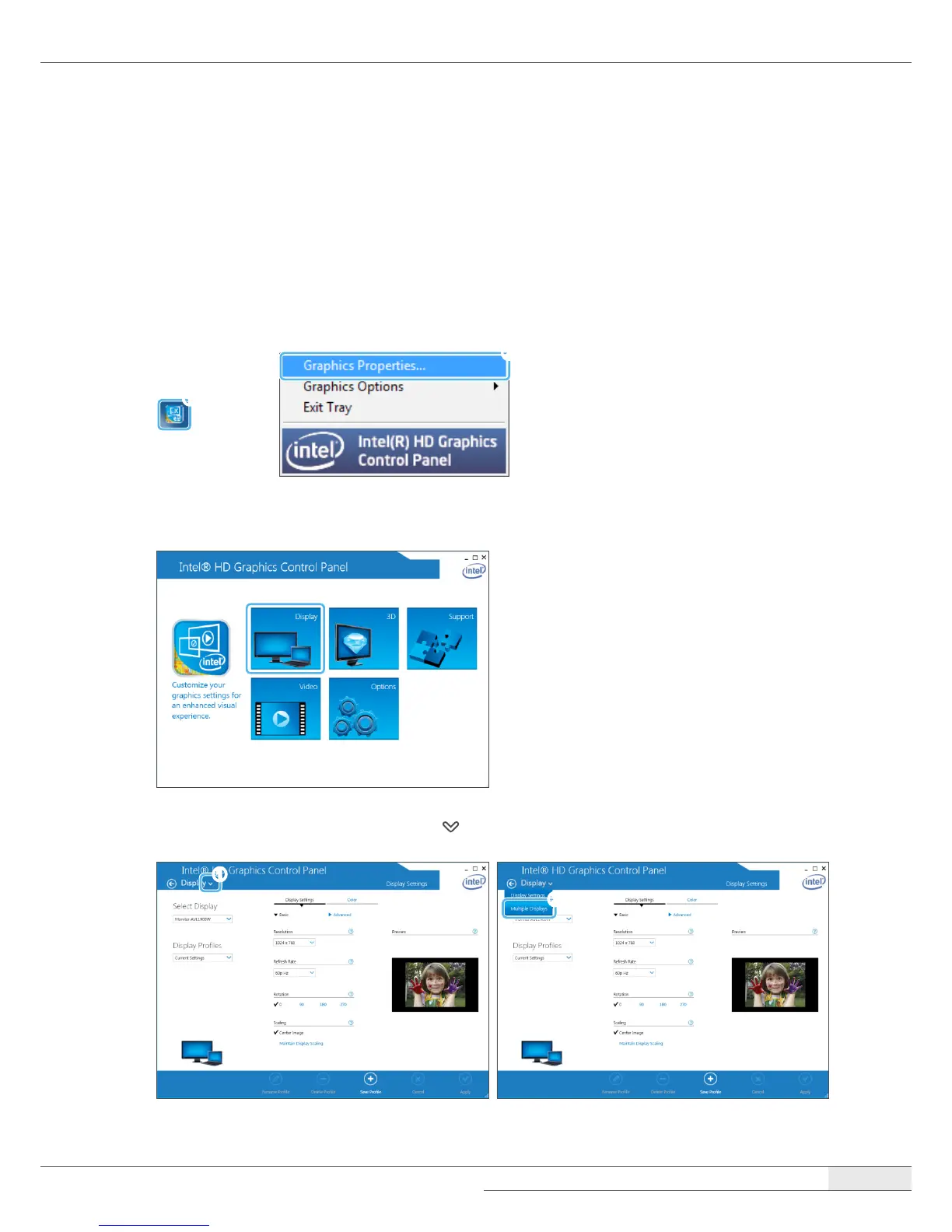
To set up the LCD Customer Display, please follow these steps:
1.
Turn on your system.
2.
Click Intel
®
HD Graphics on the task bar and select Graphics Properties….
➊
➋
3.
When the Intel
®
HD Graphics Control Panel screen appears, select Display.
4.
When the Display screen appears, click ( ) and select Multiple Displays.
➊
➋



 To Next Page