Installation
|
Installing Optional Devices
14
Installing Optional Devices
Card reader (IC & MSR)
Installing the card reader
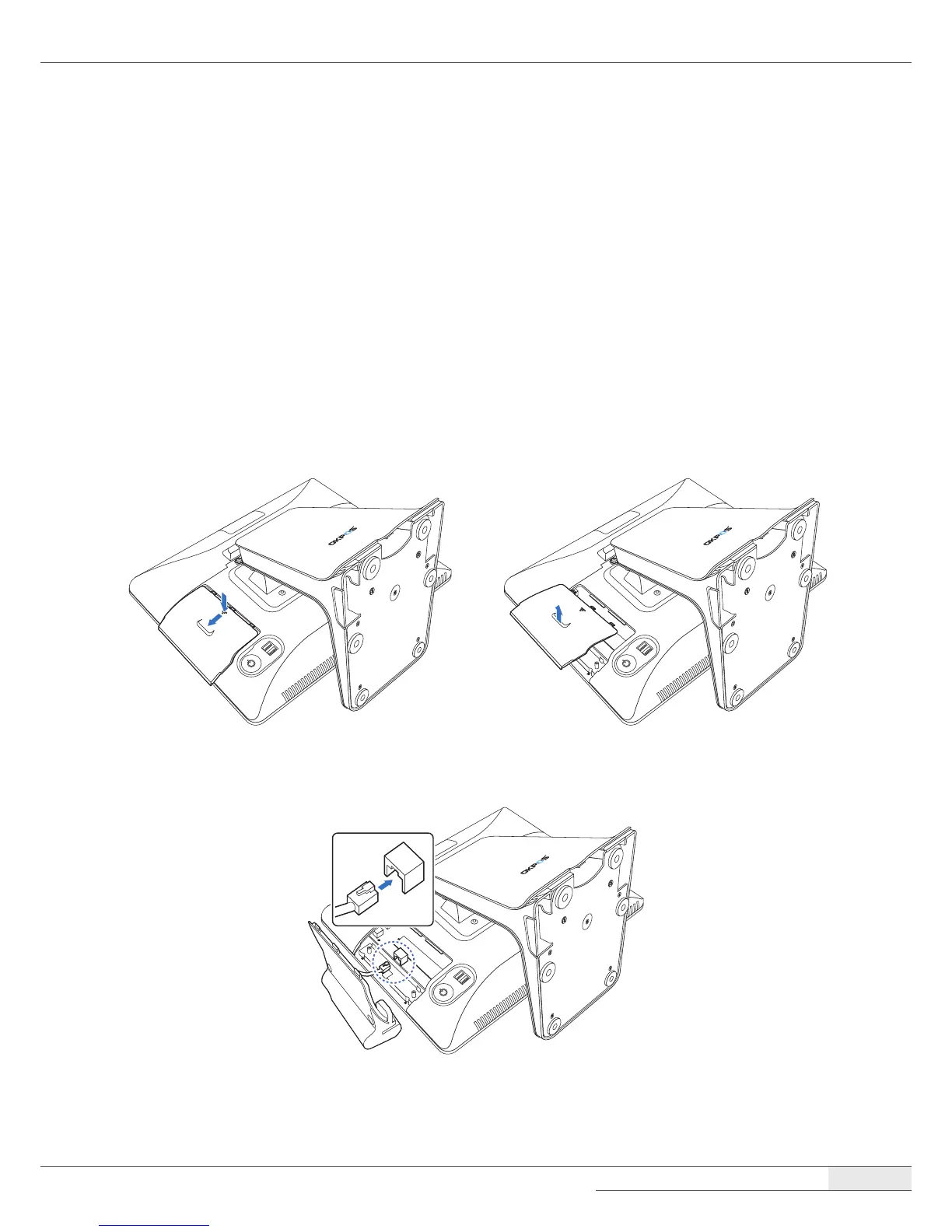
To install the card reader, follow these steps:
1.
Place the touch LCD panel side down on a soft, at surface. (Be careful not to damage the touch
LCD panel.)
2.
To remove the dummy cover, press the marked point and slide the dummy cover slightly, and
then lift it up.
3.
Connect the RJ-45 cable of the card reader to the main board.



 To Next Page