System Disassembly
|
Disassembling the System
23
NOTE:
⦁
This step is optional. If you do not need to disassemble the stand unit, go to step 7.
⦁
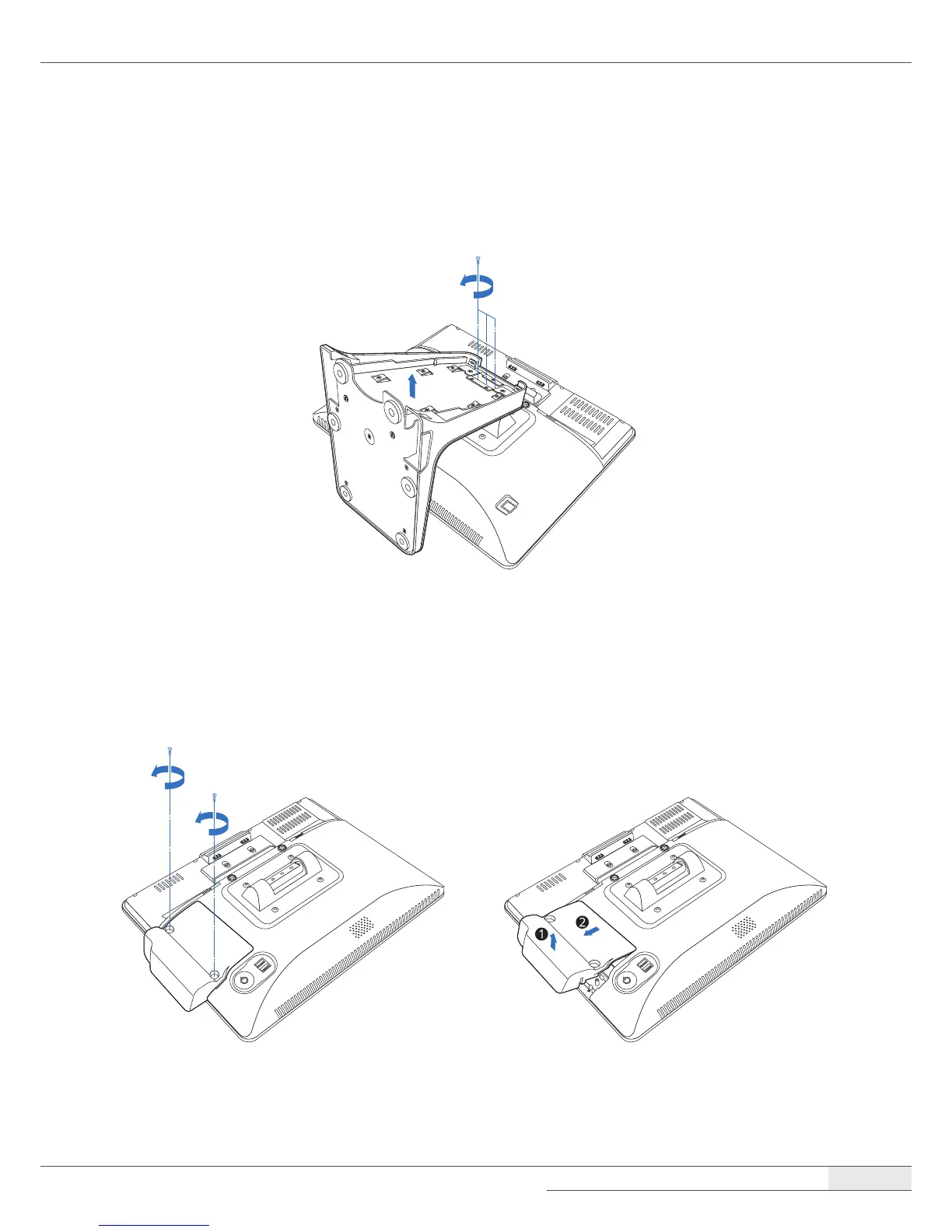
To disassemble the stand, remove the screws and separate the metal frame from the plastic case.
7.
Remove the card reader or dummy cover.
[When a card reader is installed]
① Remove two screws, hold one end of the card reader and lift up slightly, and pull it out.



 To Next Page