Operating Image Panel
6
6-14 d-Color MF360/280/220
6.3
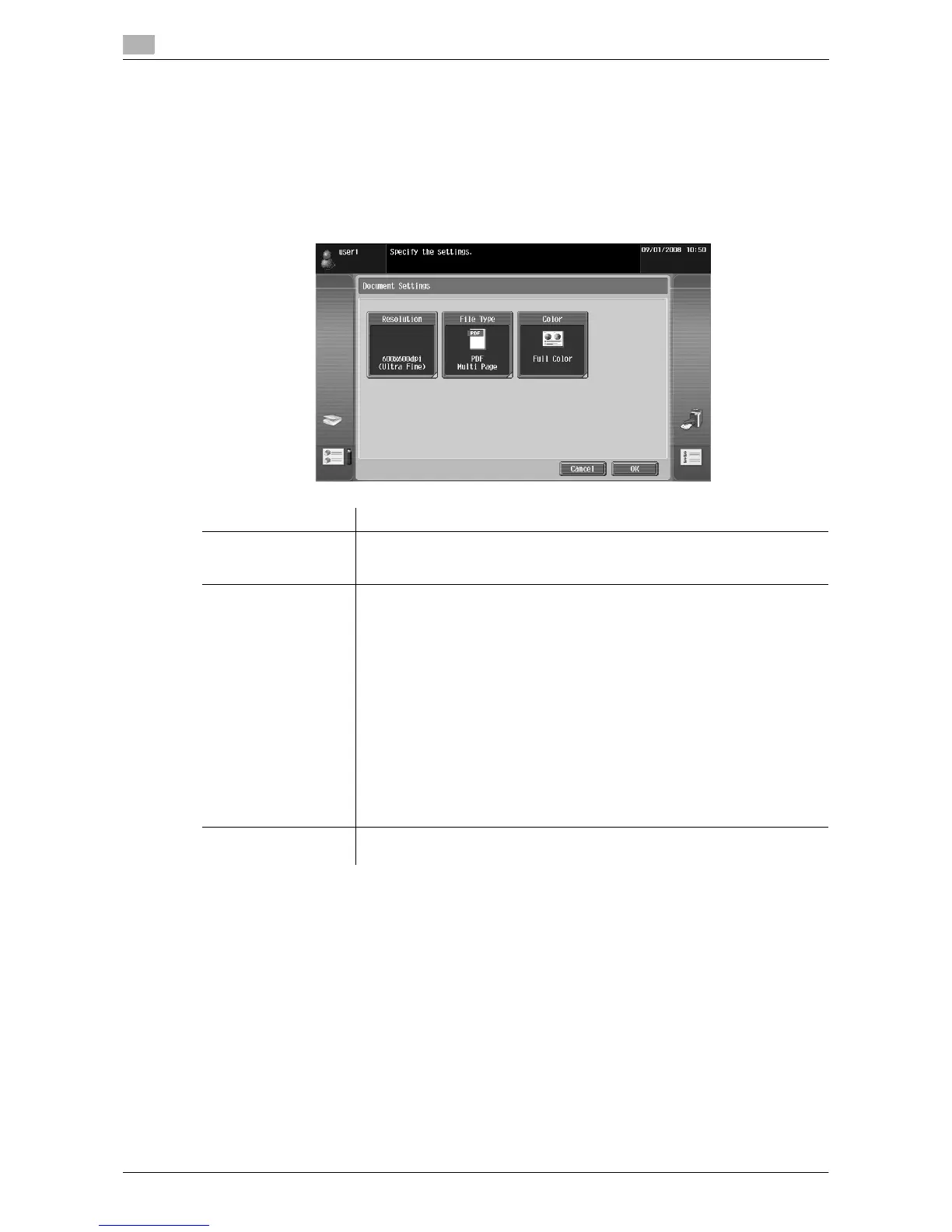
[Document/Page] - [Document Settings]
Configure settings for sending the selected document.
You can change the resolution of the document, file type, and color setting.
Reference
- If you have selected multiple documents, the document setting function is not available.
- If you have selected a document retrieved from an external memory, the document setting function is
not available.
[Return to Scan Dest.]
Press [Return to Scan Dest.] to restore the selected document to the source location.
- The scanned document is deleted from the MFP.
- The document retrieved from a User Box is restored to the source User Box.
Item Description
[Resolution] Select the scan resolution from [Settings when saving], [200 e 100dpi (Stand-
ard)], [200 e 200dpi (Fine)], [300 e 300dpi], [400 e 400dpi (Super Fine)] and [600
e 600dpi (Ultra Fine)].
[File Type] Select the file format for sending data from [PDF], [Compact PDF], [TIFF],
[JPEG], [XPS] and [Compact XPS].
Select whether to save the whole scanned pages as one file, or to divide a file
in specified number of pages in order to save data. You cannot select [Multi
Page] if [JPEG] is selected for file type.
To send divided files by attaching them to an E-mail, specify [E-mail Attach-
ment Method]. Select [All Files Sent as one (1) E-mail] to attach all divided files
to one E-mail message. Select [One (1) File per E-Mail] to send E-mail messag-
es for each divided file.
Selecting [Compact PDF] for file type allows you to specify [Outline PDF].
If i-Option LK-102 is registered in the MFP, selecting [PDF]or [Compact PDF]
for file type allows you to specify [Encryption] and [PDF Document Properties].
For details on the function, refer to page 7-3.
If i-Option LK-105 is registered in the MFP, selecting [PDF]or [Compact PDF]
for the file type allows you to specify [Searchable PDF]. For details on the func-
tion, refer to page 8-3.
[Color] Select the scan color for sending data from [Use Existing Color Setting], [Full
Color], [Gray Scale] and [Black].



 To Next Page
 Loading...




