Troubleshooting
BASIC OPERATION GUIDE 6-13
NOTE: If the paper tears during removal, remove any loose scraps from
inside the machine.
3
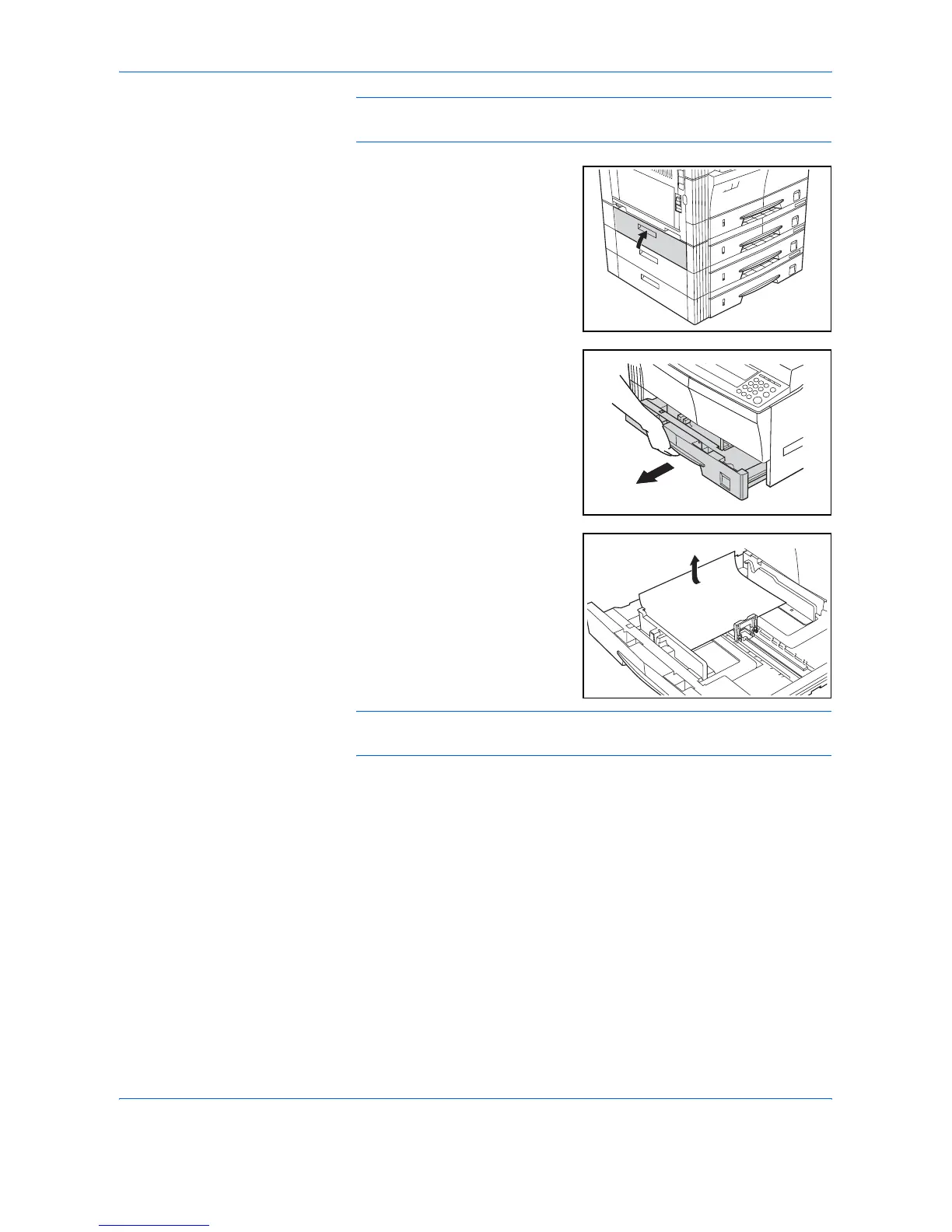
Close the left cover of the
cassette.
4
Pull out the cassette currently
being used.
5
Remove the jammed paper.
Check to see if paper is loaded
correctly. If not, reload the paper.
NOTE: If the paper tears during removal, remove any loose scraps from
inside the machine.
6
Push the cassette back in firmly.





 To Next Page