Troubleshooting
6-20 BASIC OPERATION GUIDE
7
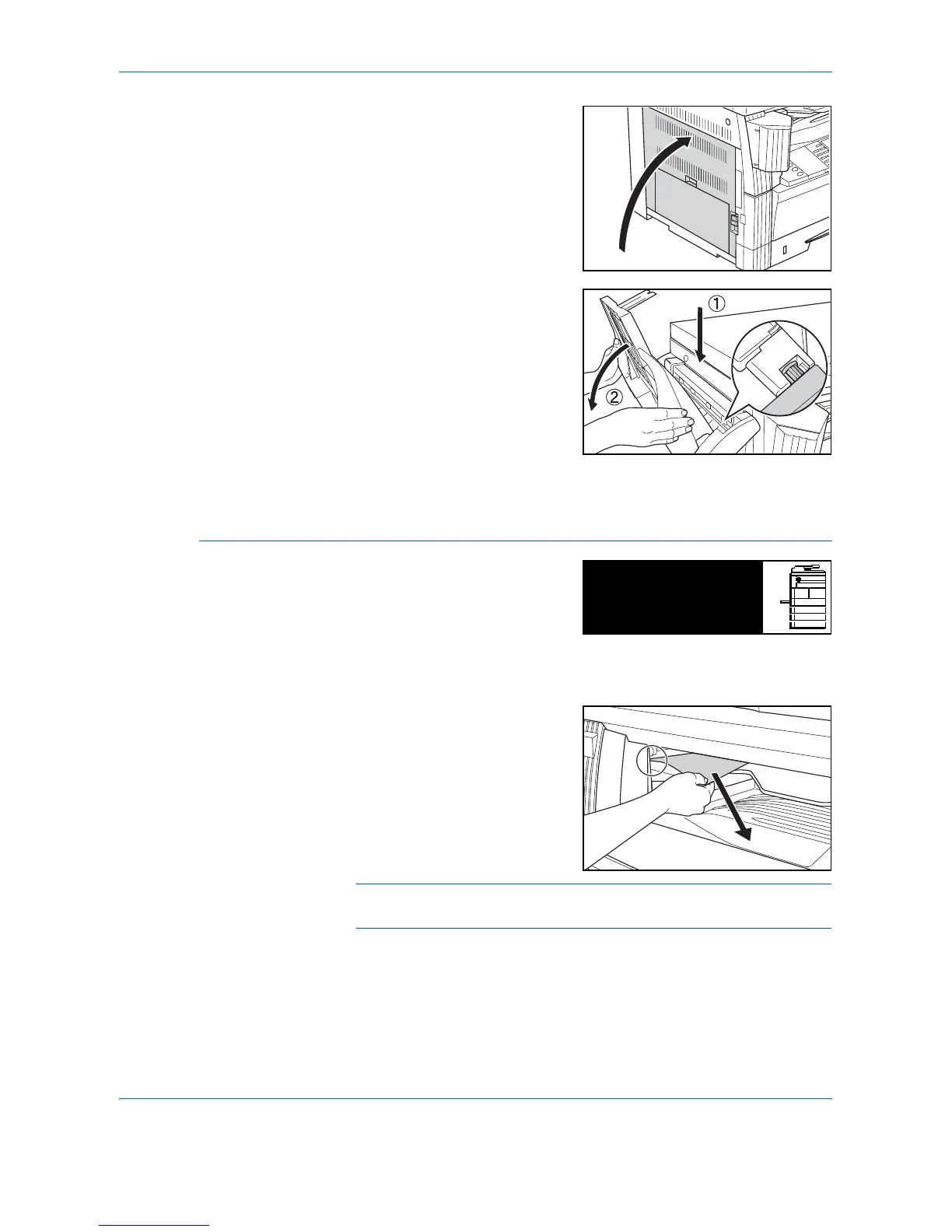
Close the Left Cover.
8
Reattach the Finisher Tray.
9
Lower the Process Tray. The error message clears.
Optional Job Separator
If a paper jam occurs in the
optional Job Separator, perform
the following procedure to remove
the jammed paper.
IMPORTANT: The drum section is sensitive to scratches and
contaminants. When removing paper, be careful not to touch or scratch it
with your watch, jewelry, etc.
1
If jammed paper shows through
the Paper Output Slot of the Job
Separator, pull it out to remove it.
NOTE: If the paper tears, remove any loose scraps from inside the
machine.
Paper misfeed at
Job Separator.
JAM51
Remove paper.












 To Next Page