Troubleshooting
6-12 BASIC OPERATION GUIDE
3
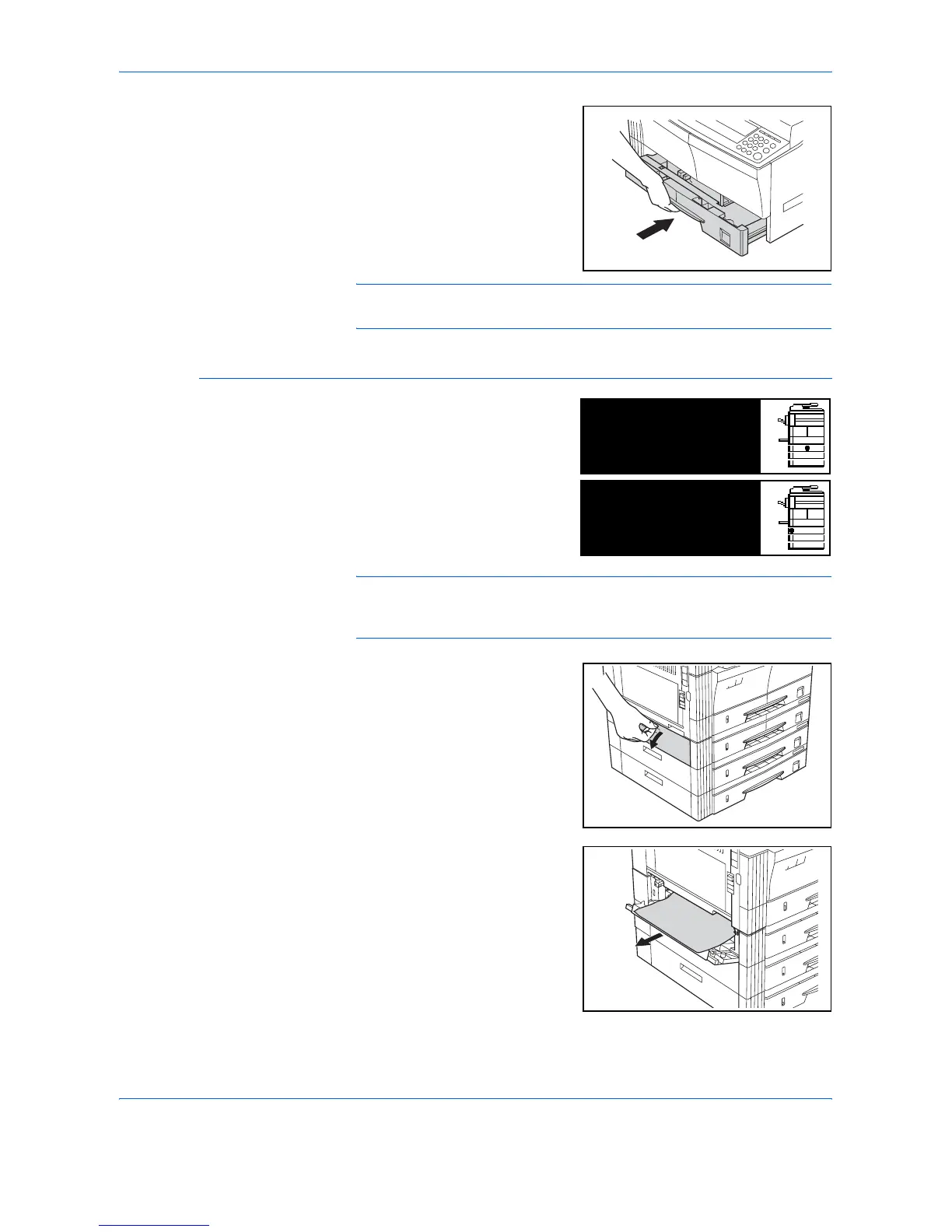
Push the cassette back in firmly.
NOTE: If JAM21 displays, remove the jammed paper. For further
information refer to Left Cover, on page 6-14.
Cassettes 2 to 4
If a jam occurs in cassettes 2 to 4
or the optional Paper Feeder,
perform the following procedure
to remove the jammed paper.
NOTE: For the 16 ppm model, cassettes 2 to 4 are included in the
optional Paper Feeder. For the 20 ppm model and the 25 ppm model,
cassettes 3 and 4 are included in the optional Paper Feeder.
1
Open the left cover for the
cassette being used.
2
Remove jammed paper.
Paper misfeed in
cassette 2.
JAM12
Remove paper.
Paper misfeed.
Open left cover 2
JAM15
and remove paper.












 To Next Page