Optional Equipment
4-10 BASIC OPERATION GUIDE
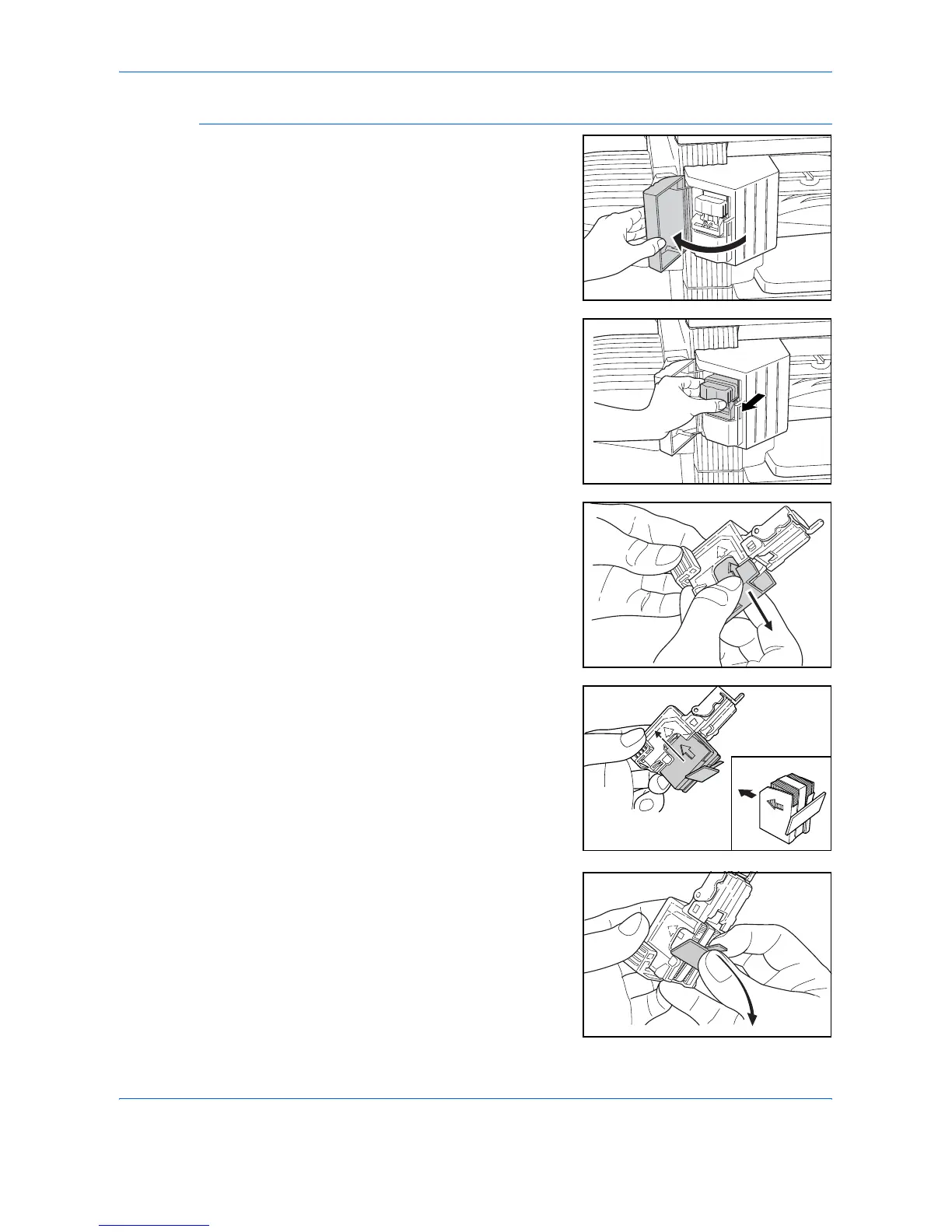
Adding Staples
1
Open the Stapler Front Cover.
2
Pull out the Staple Holder.
3
Remove the empty staple
cartridge from the staple holder.
4
Insert the new staple cartridge into
the holder.
The arrow on the staple cartridge
indicates the correct insertion
direction.
Push the staple cartridge right into
the holder and pull the paper tape
from around the staple cartridge to
remove it.












 To Next Page