BASIC OPERATION GUIDE i
Making Full Use of Advanced Functions
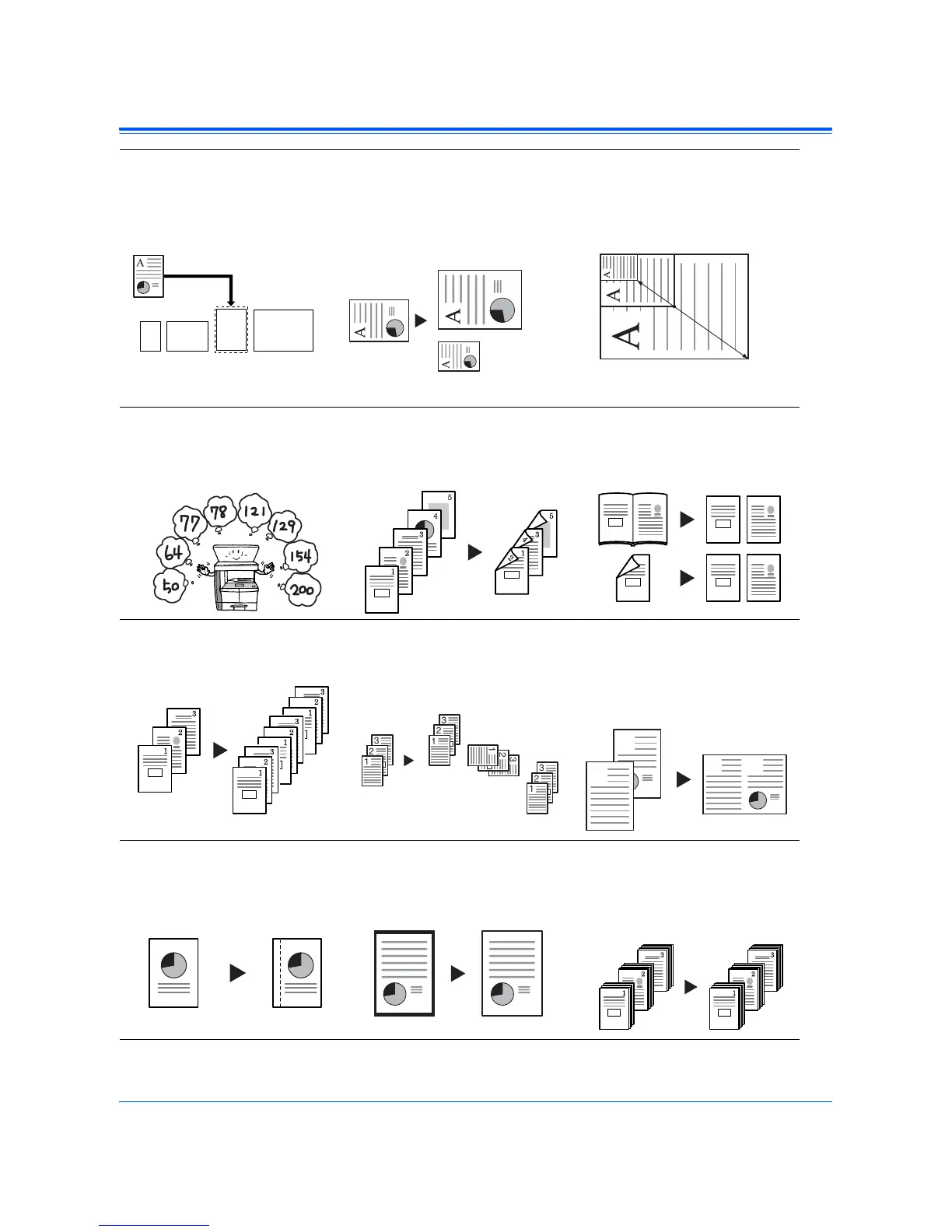
1 Automatic selection of copy
paper the same size as the
original: Auto Paper
Selection mode (Refer to
page 3-2)
2 Reduction/enlargement for a
specified cassette size: Auto
Zoom mode (Refer to page
3-5)
3 Reduction/enlargement in
the range from 25 to 200 %:
Zoom mode (Refer to page
3-7)
4 Copying at a previously
registered Zoom ratio:
Preset Zoom mode
(Refer to page 3-8)
5 Making two-sided copies
from various types of
originals: Duplex mode
(Refer to page 3-9)
6 Copying two-page originals
onto separate sheets:
Split mode
(Refer to page 3-12)
7 Automatic sorting of copy
sets: Sort mode
(Refer to page 3-14)
8 Change of orientation of
copies by set: Offset mode
(Refer to Chapter 1,
Advanced Operation Guide)
9 Combination of two or four
originals onto a single copy
page: Combine mode
(Refer to Chapter 1,
Advanced Operation Guide)
10Making a margin space on
copies: Margin mode
(Refer to Chapter 1,
Advanced Operation Guide)
11 Making copies with clean
edges: Border Erase mode
(Refer to Chapter 1,
Advanced Operation Guide)
12Use to copy more originals in
one operation: Continuous
Copying (Refer to Chapter
1, Advanced Operation
Guide)
8 1/2 ×11"
A4
11 × 17": 129 %
A3: 141 %
5 1/2 ×81/2": 64 %
A5: 70 %
25 %
200 %
2
1
21
2
1
1
2
!
!
!
!
3
2
1
3
2
1
3
2
1
3
2
1
2
1
1
2












 To Next Page