Preparation
2-10 BASIC OPERATION GUIDE
Connection
This machine can be connected to a computer through a network, parallel
or USB interface.
Connecting to a Network
To connect the machine to a network, use a network cable (10Base-T or
100Base-TX).
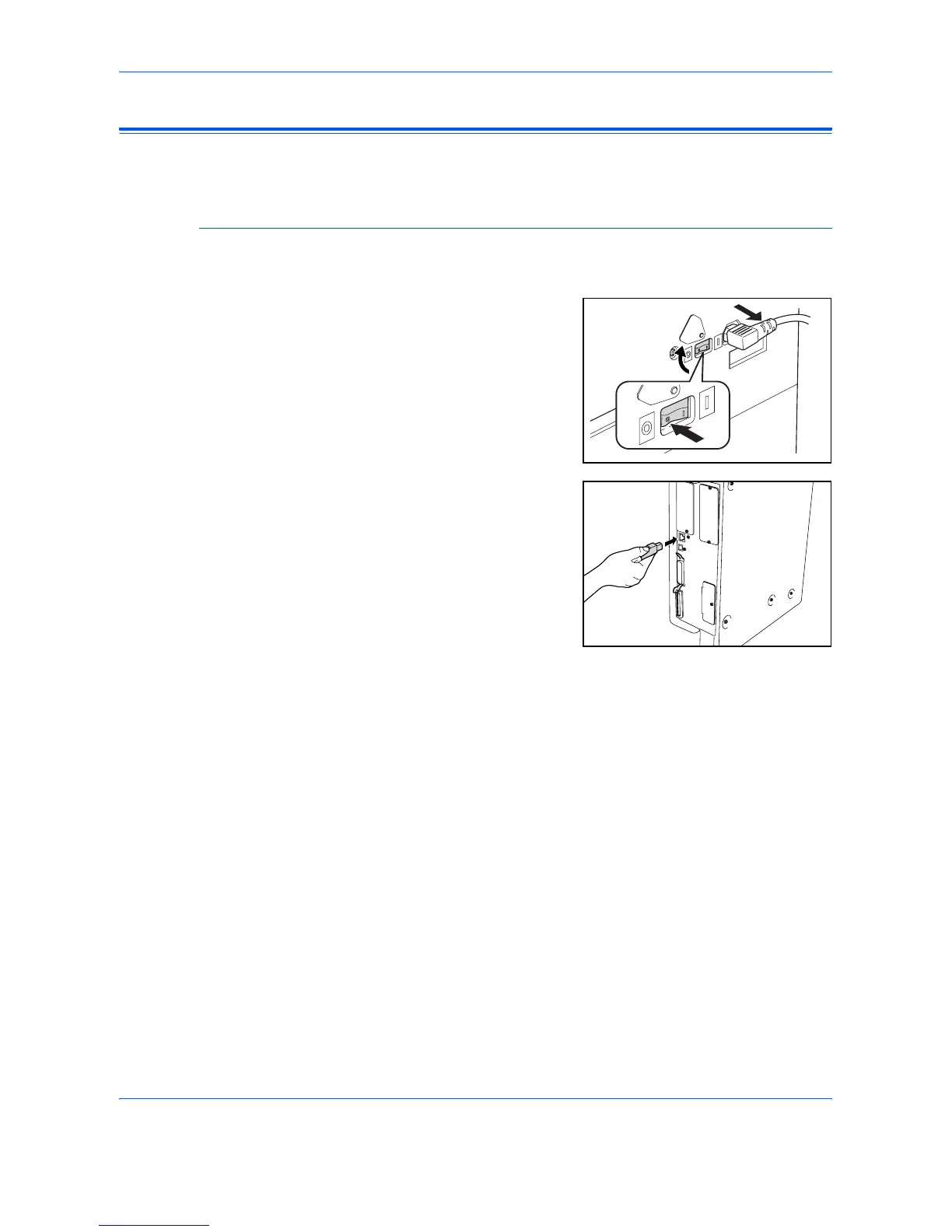
1
Open the main power switch
cover on the right side of the
machine and press the Power
Switch to Off (
{), then remove
the power cord from the outlet.
2
Connect the network cable to the
Network Interface Connector on
the right side of the machine.
3
Connect the other end of the network cable to your network device (hub).
4
Program the required network settings. For further information refer to
Network Settings, on page 2-13.












 To Next Page