Maintenance
BASIC OPERATION GUIDE 5-5
Replacing the Toner Container and Waste Toner Box
If Unable to Copy. Please Add
Toner displays, replace the Toner
Container and Waste Toner Box.
Only add toner when this
message displays.
Also, perform the appropriate cleaning operation whenever the Toner
Container and Waste Toner Box are replaced.
CAUTION: Do not attempt to incinerate the Toner Container.
Dangerous sparks may cause burns.
Do not attempt to force open or destroy the Toner Container.
1
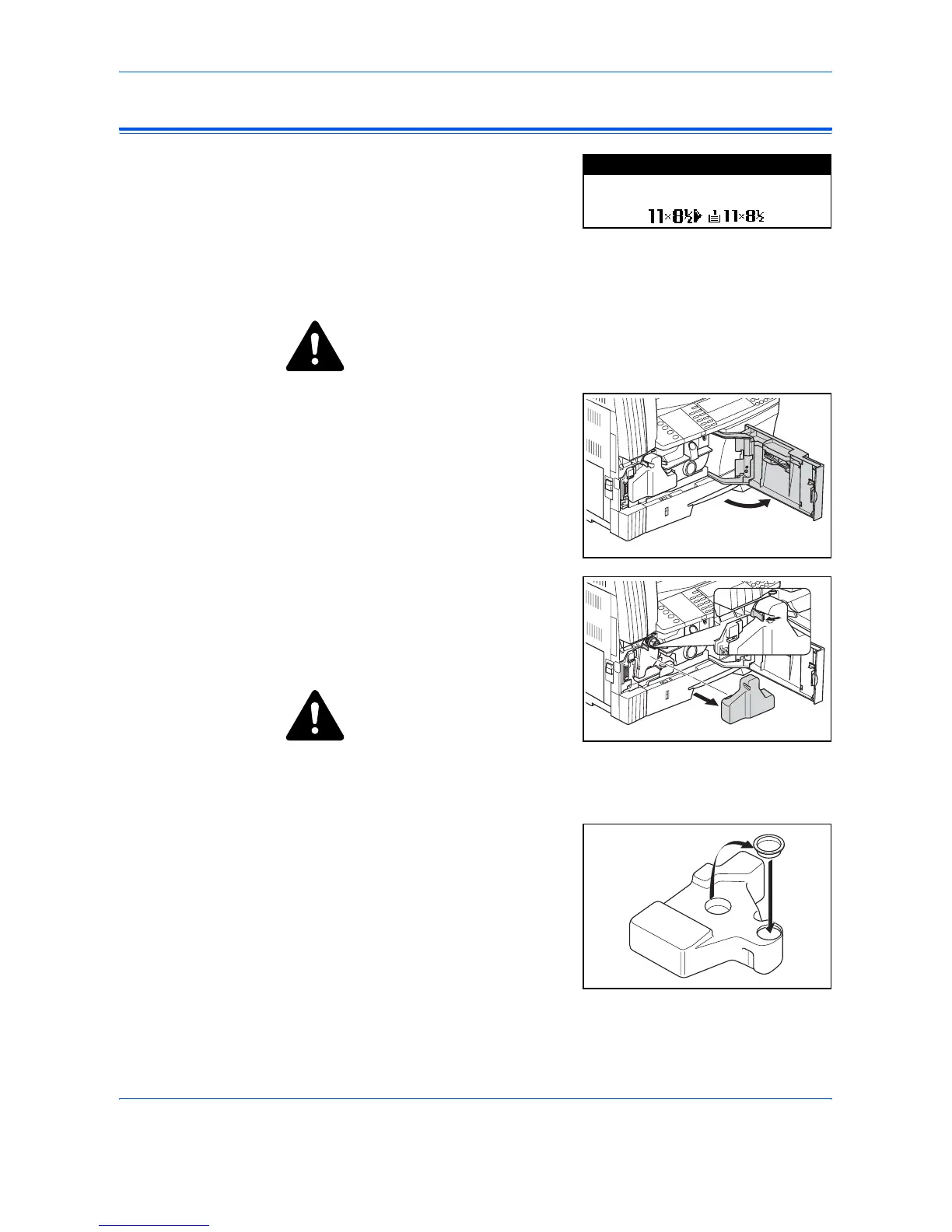
Open the Front Cover.
2
Whilst pushing the Waste Toner
Box holder to the left, remove the
Waste Toner Box.
IMPORTANT: Do not invert the
old waste toner box.
WARNING: High voltage is
present in the charger section.
Take sufficient care when working
in this area, as there is a danger of
electrical shock.
3
Use the cap attached to the center
of the used Waste Toner Box to
cover the opening and stop the
toner spilling out.
10
100%
Set toner container.
Auto
Please Add Toner












 To Next Page