Troubleshooting
BASIC OPERATION GUIDE 6-17
Optional Document Processor
If a paper jam occurs in the
optional Document Processor,
perform the following procedure
to remove the jammed original(s).
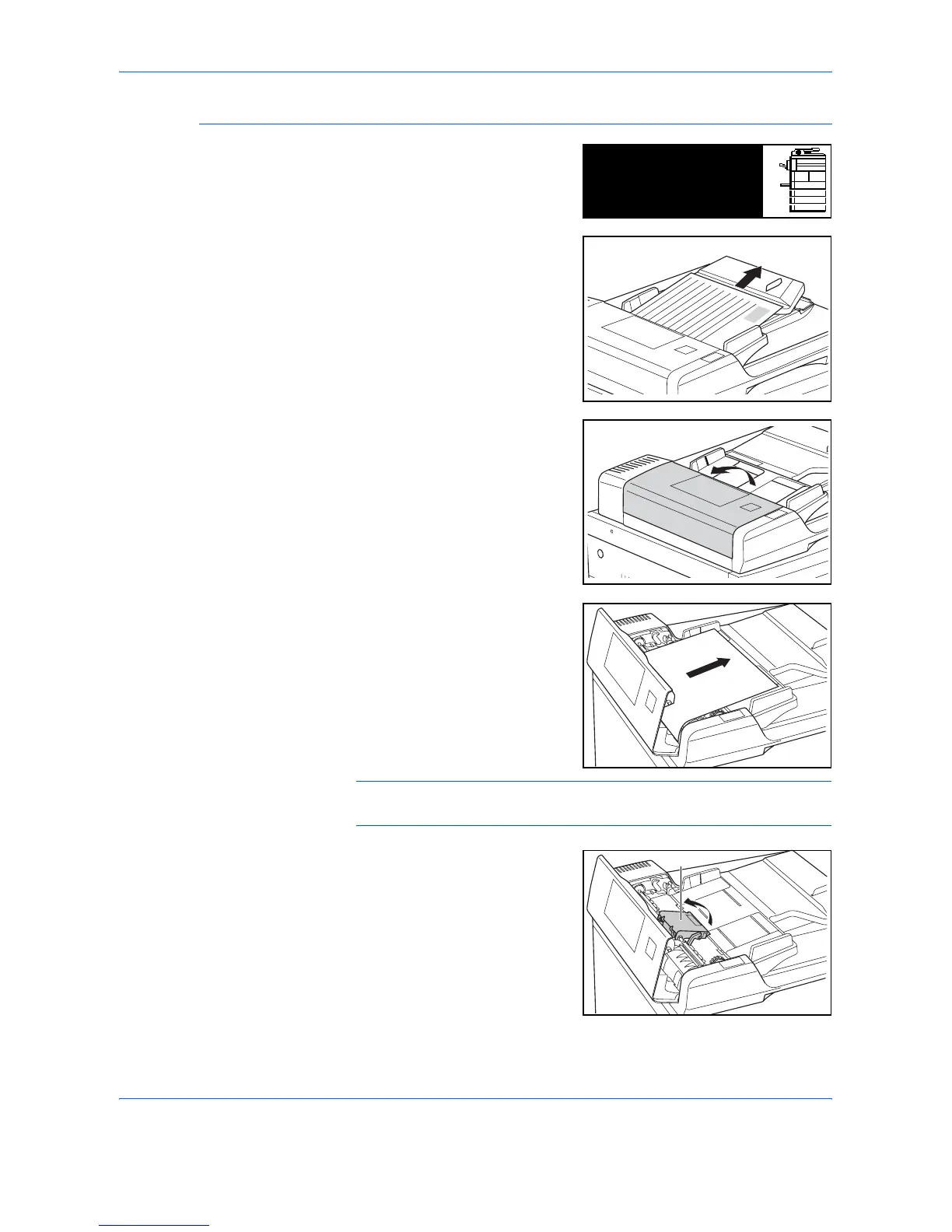
1
Remove all the originals
remaining on the Original Table.
2
Open the Document Processor
Left Cover.
3
Remove the jammed original.
NOTE: If the original tears, remove any loose scraps from inside the
Document Processor. Failure to do so may cause another paper jam later.
4
Raise the Paper Feed Unit (A)
and remove any jammed
originals.
Misfeed in DP.
Remove original(s).
JAM70
A












 To Next Page