Preparation
2-6 BASIC OPERATION GUIDE
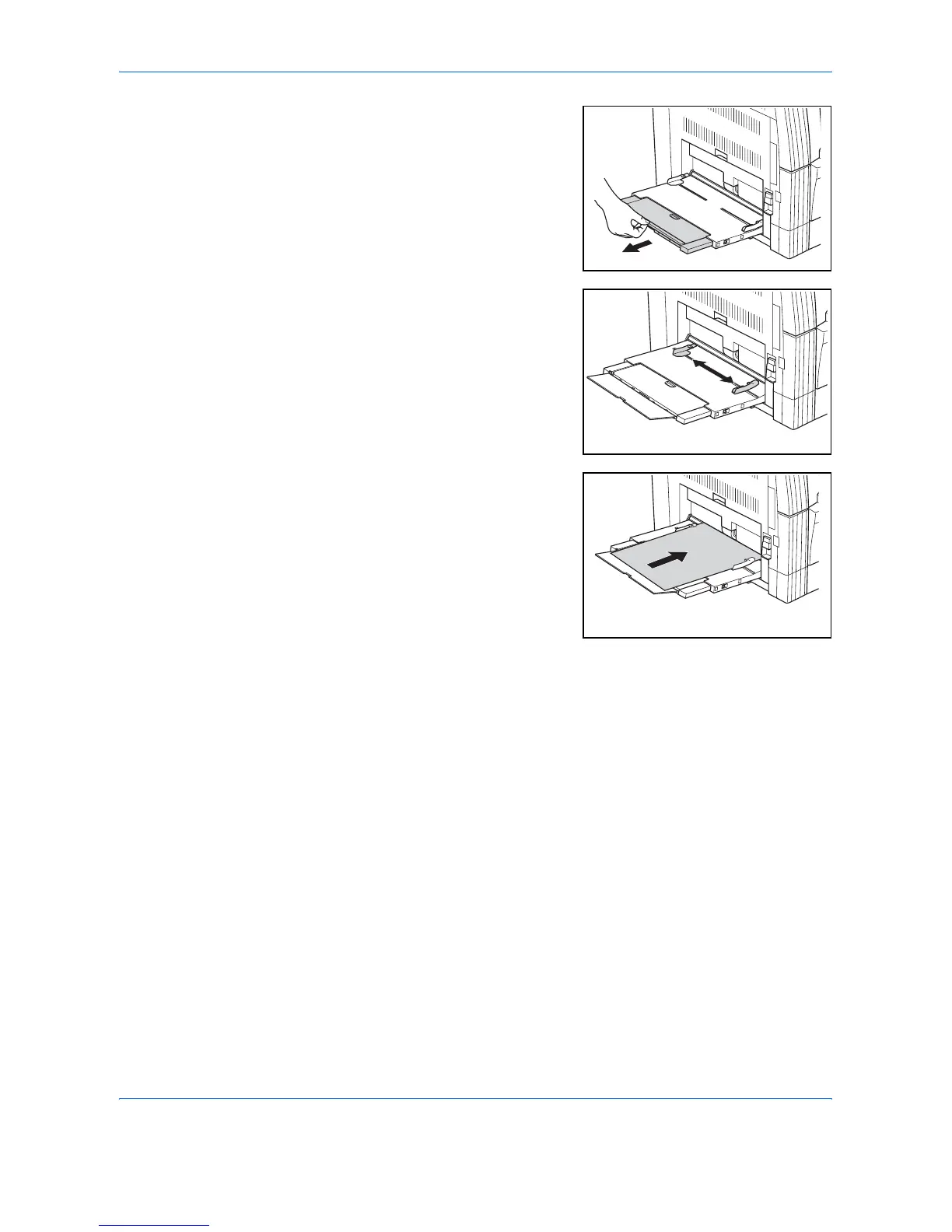
If loading long paper, pull out the
Multi-Bypass Tray Extension and
flip it open.
2
Adjust the Insert Guides to fit the
width of the paper.
3
Slide the paper along the Insert
Guides and into the tray as far as
it will go.
Ensure the Insert Guides are flush
against the edge of the paper.
IMPORTANT: Straighten out
postcards and other types of thick
paper that may be curled prior to
loading. The paper may not be fed
depending on the paper quality.
Only load the tray when you are planning to use it and do not leave paper
in the tray for long periods of time.
When loading the Multi-Bypass Tray, ensure the side to be copied or
printed onto is facing down.












 To Next Page