Maintenance
BASIC OPERATION GUIDE 5-3
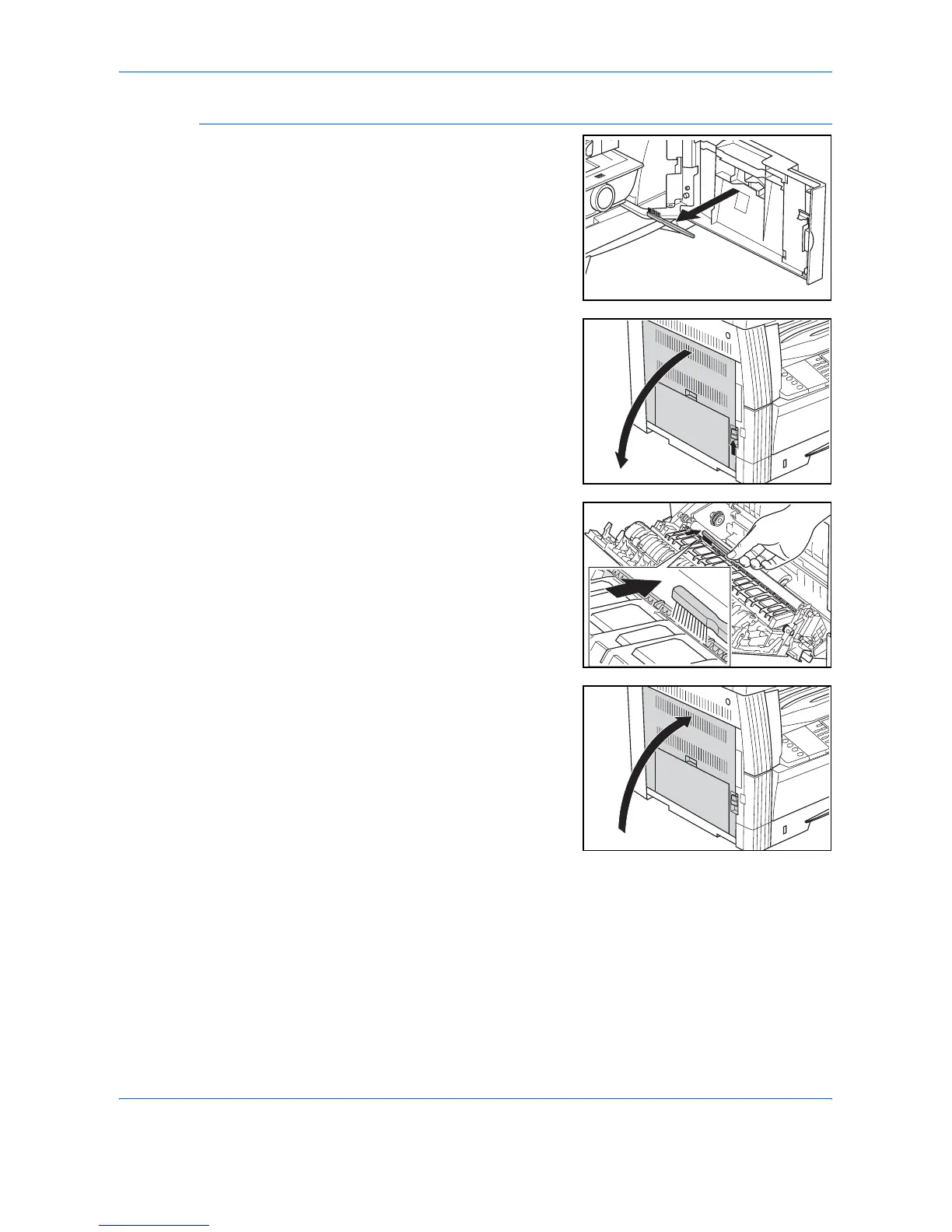
Cleaning the Separation Needles
1
Open the Front Cover and
remove the cleaning brush.
2
Pull up the Left Cover handle and
open the cover.
3
Remove any dirt or dust from the
separation needles by moving the
brush from left to right along the
needle, as shown in the
illustration.
4
Close the Left Cover.












 To Next Page