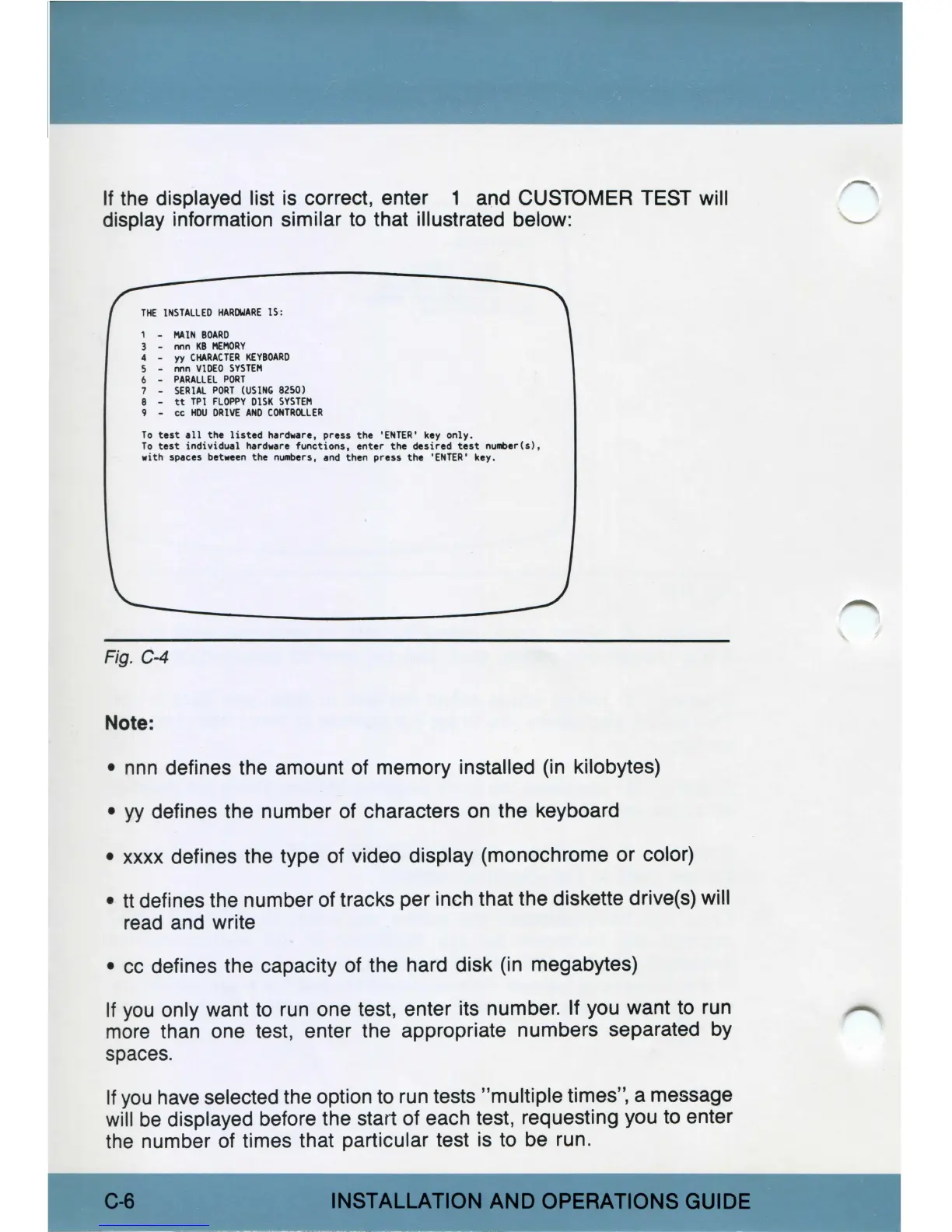
If
the
displayed list is correct, enter 1 and CUSTOMER TEST will
display information similar to that illustrated below:
THE
INSTALLED
HARDWARE
IS,
1
l'\AIN
BOARD
3 - nnn
KB
MEMORY
4 -
yy
CHARACTER
KEYBOARD
S - nnn
VIDEO
SYSTEM
6 -
PARALLEL
PORT
7
SERIAL
PORT
(USING
B2SO)
8 -
tt
TPI
FLOPPY
DISK
SYSTEM
9 - cc
HOO
DRIVE
ANO
CONTROLLER
To
test
all
the
listed
hardvare,
press
the
'ENTER'
key
only.
To
test
individual
hardware
functions,
enter
the
desired
test
nufllber(s),
with
spaces between
the
nUlllbers, and
then
press
the
'ENTER'
key.
Fig. C-4
Note:
•
nnn
defines the amount
of
memory installed (in kilobytes)
•
yy
defines the number of characters
on
the keyboard
•
xxxx
defines the type of video display (monochrome or color)
• tt defines the number of tracks per inch that the diskette drive(s) will
read
and write
•
cc
defines the capacity
of
the hard disk (in megabytes)
If
you
only want
to
run
one test, enter its number. If you want
to
run
more
than one test, enter the appropriate numbers separated
by
spaces.
If
you
have
selected the option
to
run
tests "multiple times", a message
will
be
displayed before the
star1
of each test, requesting you
to
enter
the
number of times that particular test is to
be
run.
C-8
INSTALLATION
AND
OPERATIONS
GUIDE



 To Next Page