4. State Confirmation Field Service Ver. 1.0 Jun. 2008
MB-502
Adjustment / Setting
4. State Confirmation
4.1 Check procedure
A. Procedure
1. Call the Service Mode to the screen.
See P.146 of the main body service manual.
2. Touch [State Confirmation].
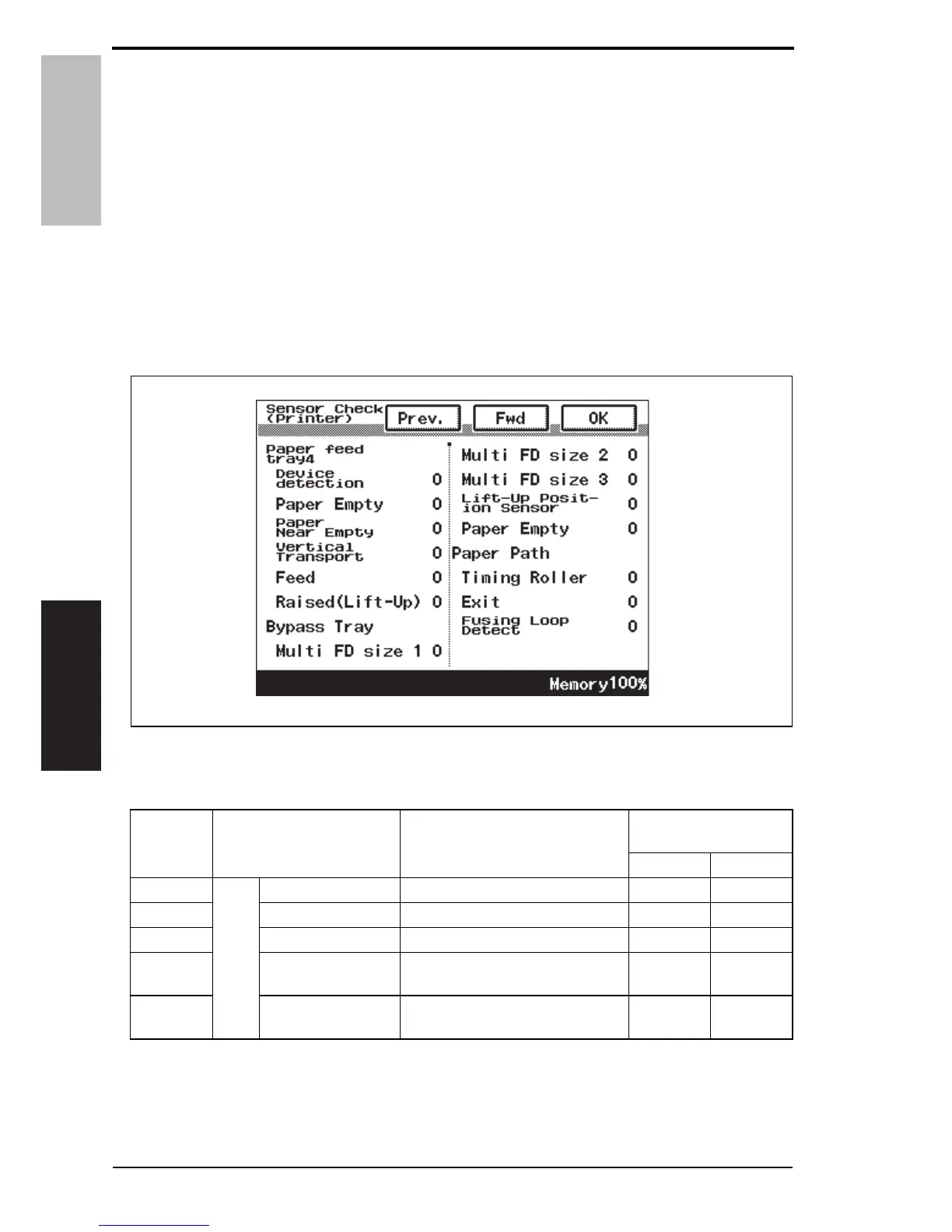
3. Touch [Sensor Check (Printer)].
4. Touch [Fwd].
4.2 Sensor check screen
• This is only typical screen which may be different from what are shown on each individ-
ual main body.
4.3 Sensor check list
A0EPF3E512DA
Symbol Panel display Part/Signal name
Operation characteris-
tics/Panel display
10
PS20
Bypass Tray
Multi FD size 1 FD size sensor/1 ON OFF
PS21 Multi FD size 2 FD size sensor/2 ON OFF
PS22 Multi FD size 3 FD size sensor/3 ON OFF
PS14
Lift-Up Position Sen-
sor
Lift-up position sensor
Raised
Position
Not raised
PS13 Paper Empty Paper empty sensor
Paper not
present
Paper
present
12 Service Manual Y109730-6













 To Next Page