5. Machine Adjustment Field Service Ver. 1.0 Jun. 2008
MB-502
Adjustment / Setting
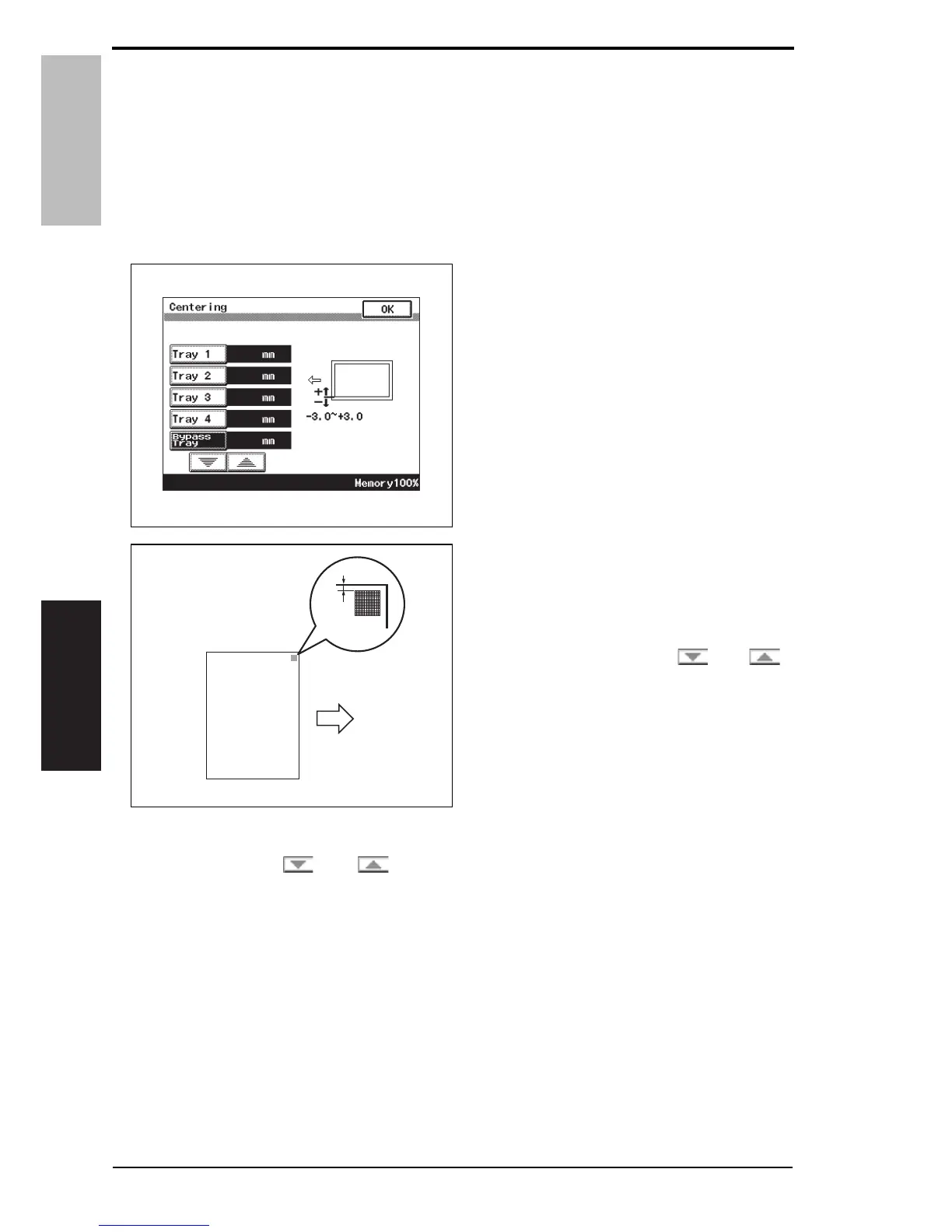
5.1.2 Centering
NOTE
• Make this adjustment after any of the following procedures has been performed.
When the PH unit has been replaced.
When the image on the print is offset in the main scan direction.
1. Call the Service Mode to the screen.
See P.146 of the main body service manual.
2. Touch [Machine Adjustment] o [Printer Area] o [Centering].
3. Touch [Bypass Tray].
4. Press the Start key to let the
machine produce a test print.
5. Touch [OK].
6. Measure the width of printed refer-
ence line A.
Specification: 3.0 mm
± 1.0 mm
7. If the measured width A falls outside
the specified range, enter the correc-
tion value using the [ ] or [ ]
key.
8. Produce another test print and check to see if width A falls within the specified range.
NOTE
• If the use of the [ ] or [ ] key does not allow the measurement to fall within
the specified range, perform the following steps.
A0EPF3E517DA
4348fs3509c0
A
14 Service Manual Y109730-6













 To Next Page