Field Service Ver. 1.0 Jun. 2008 6. Mechanical adjustment
MB-502
Adjustment / Setting
6. Mechanical adjustment
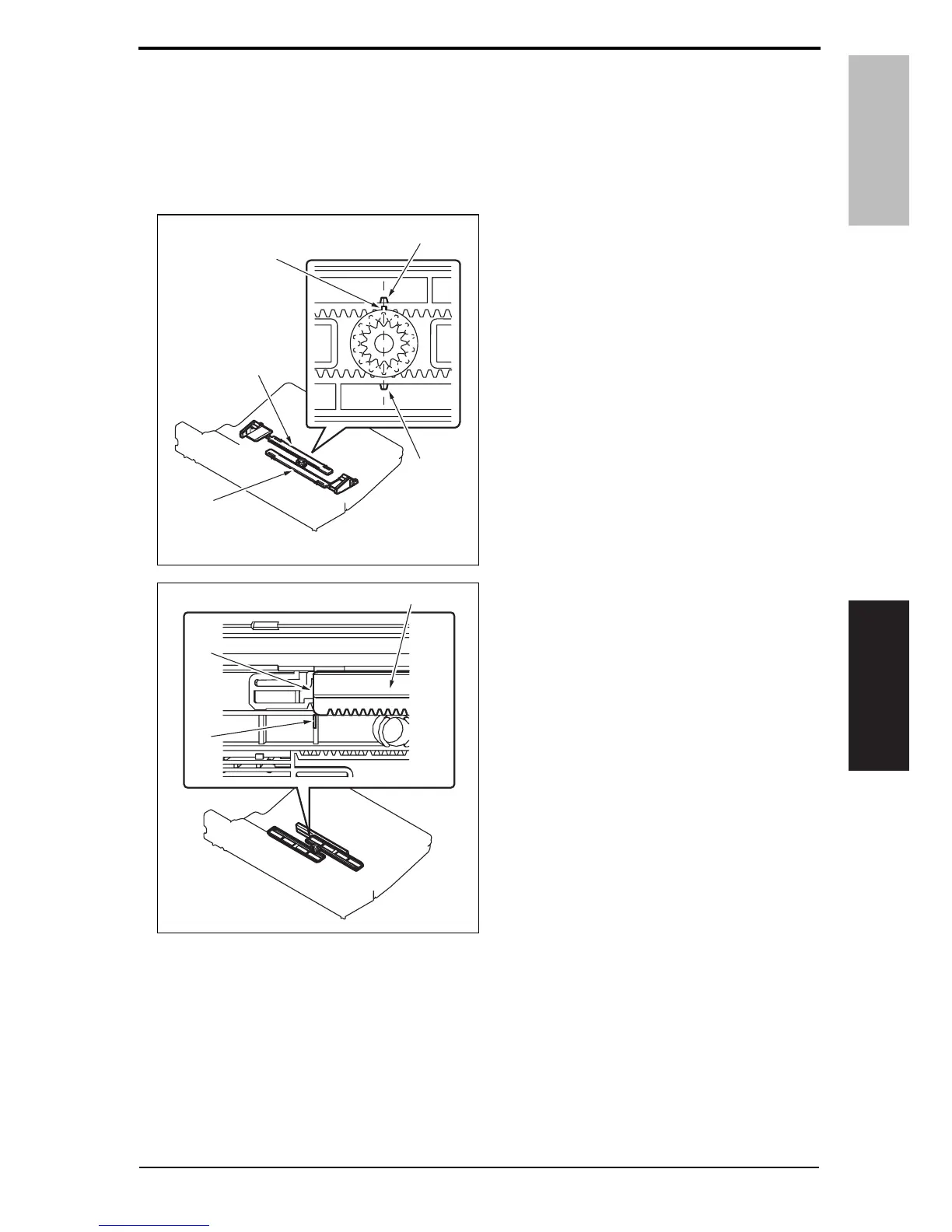
6.1 Adjustment of the bypass paper size unit
NOTE
• This adjustment must be made in the following case:
The bypass paper size unit has been removed.
1. Install the gear so that the protrusion
of the gear [1] and the mark [3] on
the bypass guide rack gear [2] are
aligned in a straight line.
2. Install the bypass unit cover so that
part A (edge) [2] of the rack gear [1]
for the bypass paper size unit and
part B [3] of the bypass unit cover
are aligned in a straight line.
[1]
[3]
[3]
[2]
[2]
4038F3C003DA
[3]
4038F3C004DB
[1]
[2]
Y109730-6 Service Manual 19













 To Next Page