6. Mechanical adjustment Field Service Ver. 1.0 Jun. 2008
MB-502
Adjustment / Setting
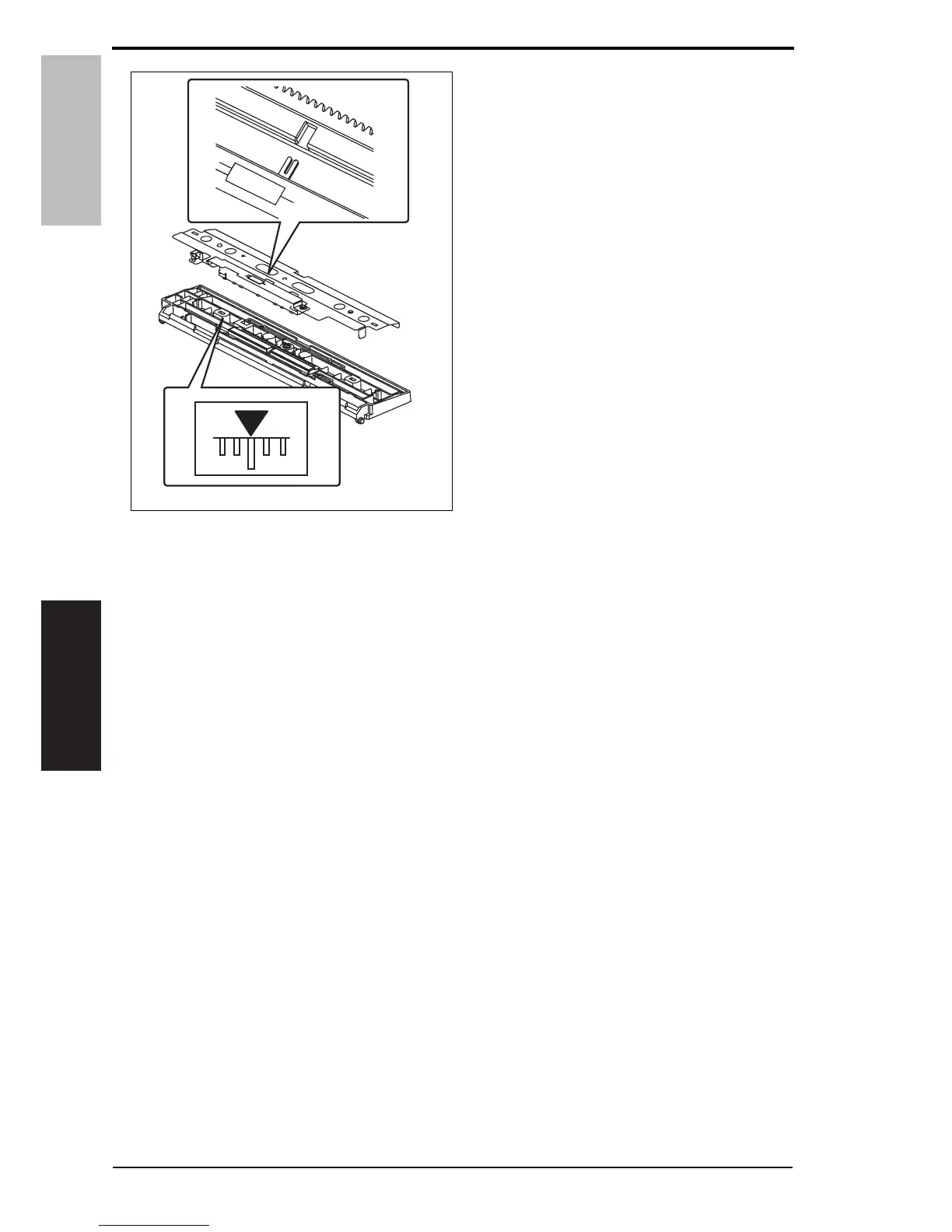
3. When the bypass paper size unit
base is mounted, align the lever
position of the bypass paper size unit
with the tab at the center in a straight
line.
4. After the bypass paper size unit base has been mounted, check that the lever of the
bypass paper size unit moves smoothly in a manner operatively connected to the
bypass guide.
5. Call the Service Mode to the screen and select [Machine] o [Manual Bypass Tray
Adjustment]. Then, carry out manual bypass tray adjustment.
See P.17
4038F3C512DA
20 Service Manual Y109730-6













 To Next Page