8. Trouble code Field Service Ver. 1.0 Jun. 2008
MB-502
Troubleshooting
8. Trouble code
8.1 Trouble code
• The main unit’s CPU performs a self-diagnostics function that, on detecting a malfunc-
tion, gives the corresponding malfunction code on the touch panel.
• Open and close the front door, or turn OFF the main power switch. Then, wait for 10 sec.
or more and turn ON the main power switch to reset the malfunction display.
8.2 Solution
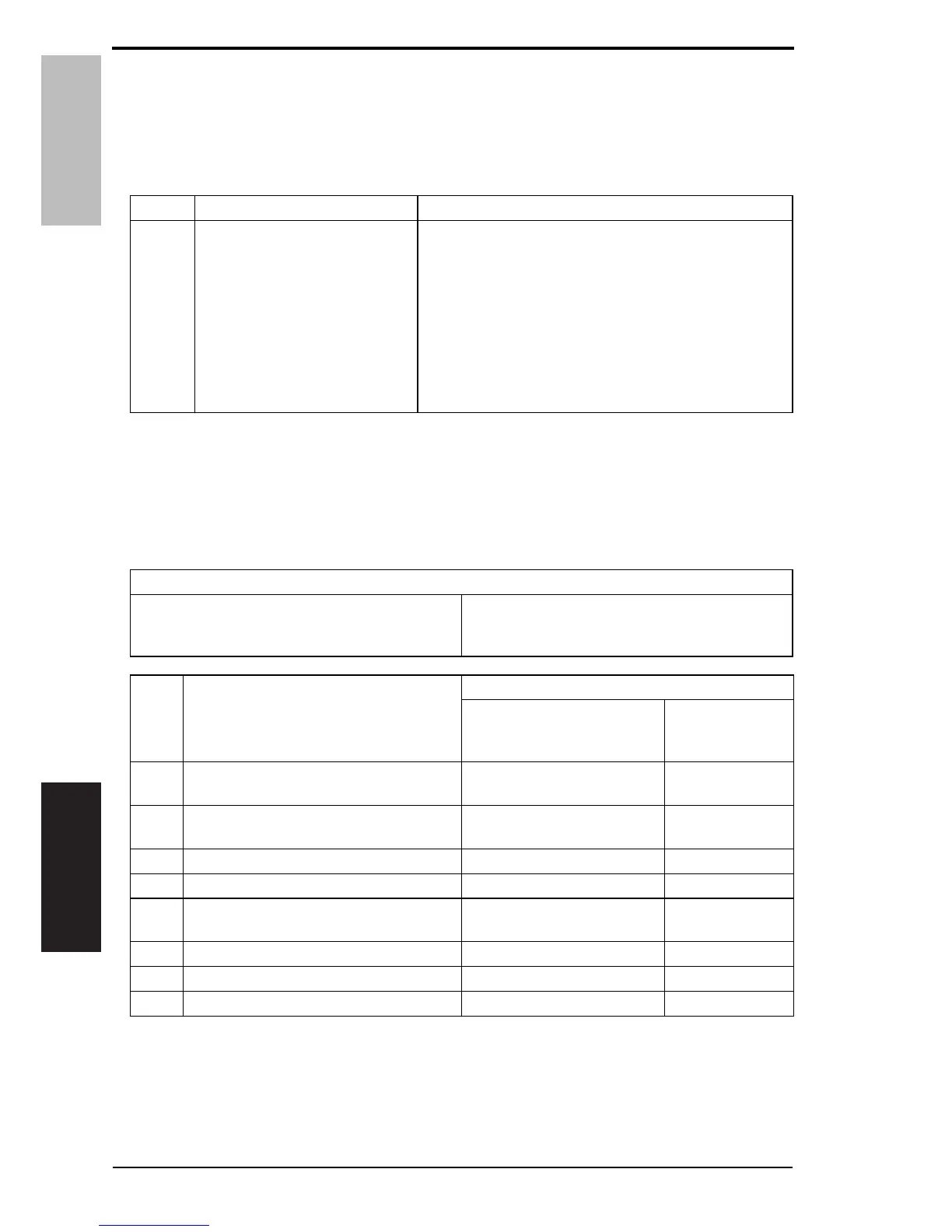
8.2.1 C0211: Manual feed up/down abnormality
Code Item Description
C0211
Manual feed up/down abnormal-
ity
• The lift-up position sensor (PS14) is not unblocked
even when the transport motor has turned for a given
number of pulses after the sequence to move the paper
lifting plate from the standby position to the feed posi-
tion was started.
• The lift-up position sensor (PS14) is not blocked even
when the transport motor has turned for a given num-
ber of pulses after the sequence to move the paper lift-
ing plate from the feed position to the standby position
was started.
Relevant electrical parts
Transport motor (M1)
Manual pick-up solenoid (SD2)
Lift-up position sensor (PS14)
Printer control board (PRCB)
Step Action
WIRING DIAGRAM
Control signal
Location
(Electrical
components)
1
Check the M1 connector for proper con-
nection and correct as necessary.
——
2
Check the connector of M1 for proper
drive coupling and correct as necessary.
——
3 PS14 I/O check, sensor check PRCB CN10-15 (ON) MB-502 D-5
4 SD2 operation check PRCB CN11-4 (ON) MB-502 D-3
5 M1 operation check PRCB CN-27-11 to 15
d-Color MF201
C to D-23
6 SD2 replacement — —
7 M1 replacement — —
8 PRCB replacement — —
24 Service Manual Y109730-6













 To Next Page