Field Service Ver. 1.0 Jun. 2008 5. Machine Adjustment
MB-502
Adjustment / Setting
5.2 Manual Bypass Tray Adjustment
NOTE
Make this adjustment after any of the following procedures has been performed.
Upon setup of the Manual bypass tray unit.
Use when the manual bypass paper size unit of the manual bypass guide has been
changed.
Use when a false paper size is displayed when the manual bypass is used.
1. Call the Service Mode to the screen.
See P.146 of the main body service manual.
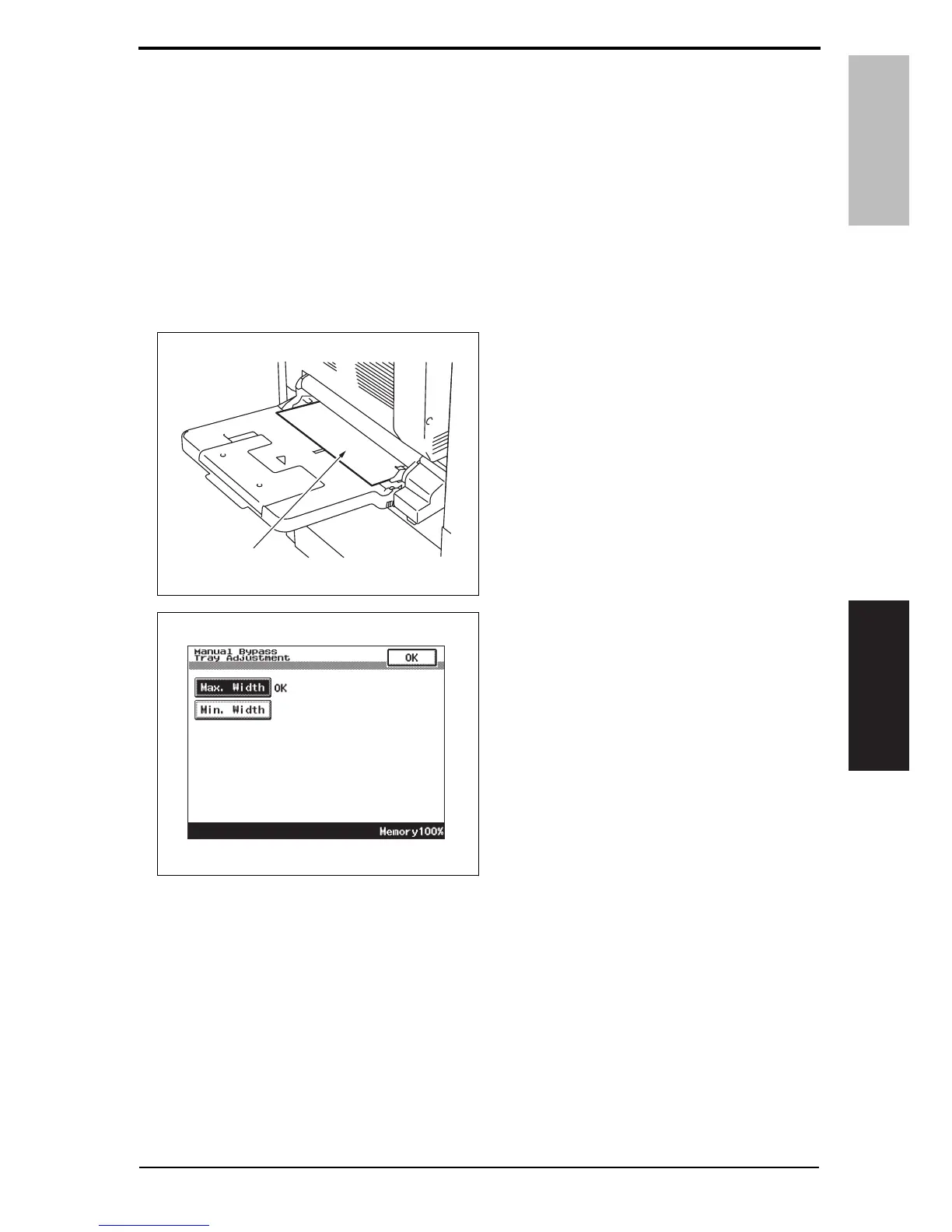
2. Touch [Machine Adjustment] o [Manual Bypass Tray Adjustment].
3. Touch [Max. Width].
4. Place the adjustment sheet (width:
297 mm) [1] on the manual bypass
tray as illustrated.
5. Press the Start key.
6. Check that “OK” appears beside
[Max. Width].
NOTE
• Make the adjustment again if the
results are “NG”.
A0EPF3C503DA
[1]
A0EPF3E515DA
Y109730-6 Service Manual 17













 To Next Page