Field Service Ver. 1.0 Jun. 2008 5. Machine Adjustment
MB-502
Adjustment / Setting
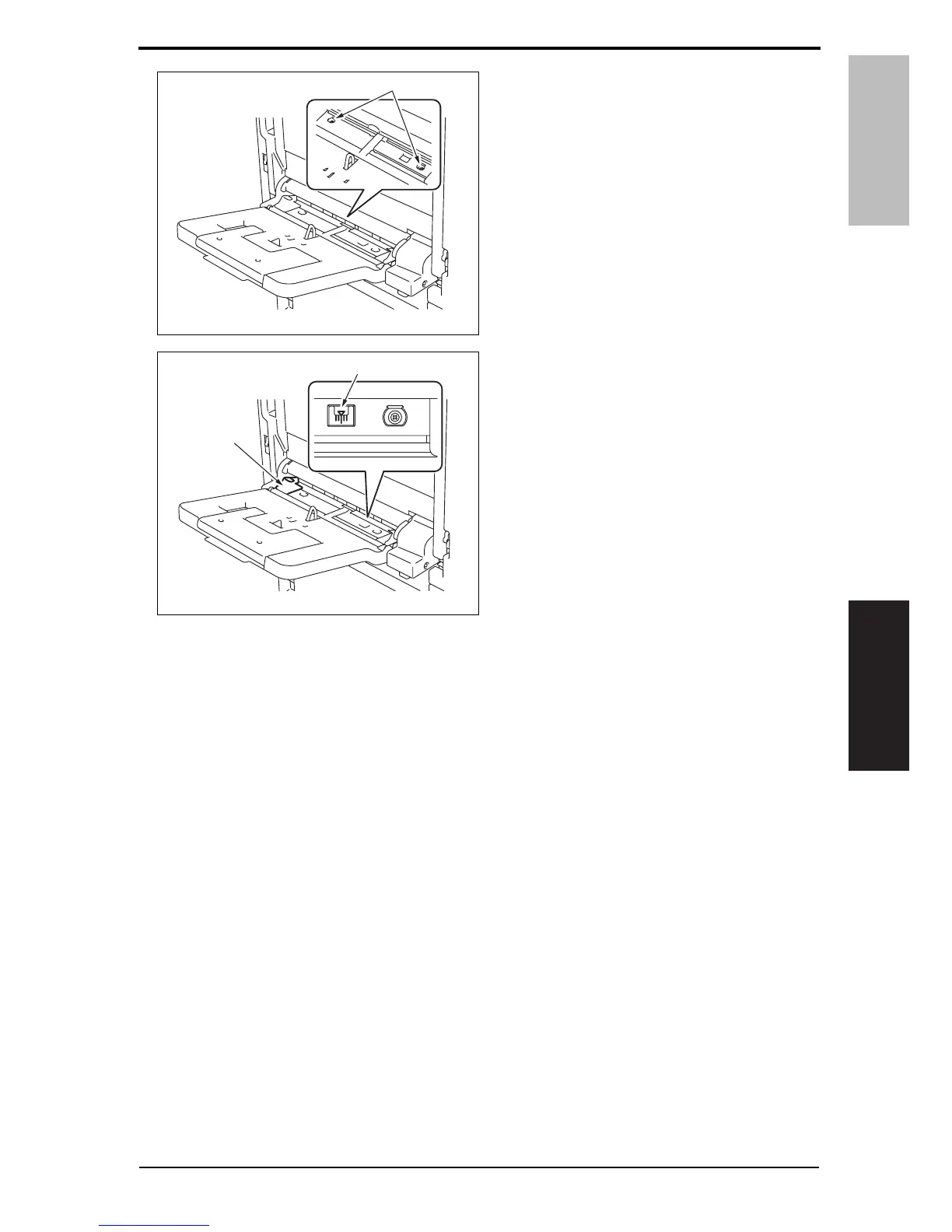
9. Loosen two screws [1].
10. Watching the gradations [1] provided
in the multi bypass tray, move the
edge guide [2] position.
• If width A is greater than the specified
value, move the edge guide toward the
right.
• If width A is smaller than the specified
value, move the edge guide toward the
left.
11. Perform another test print and check the reference deviation.
12. Repeat the adjustment until the reference line falls within the specified range.
13. Tighten the adjustment screw.
14. Touch [OK].
15. Touch [OK] on the Service Mode screen.
16. Turn OFF the main power switch, then wait for 10 sec. or more and turn ON the main
power switch.
A0EPF3C506DA
[1]
A0EPF3C507DA
[1]
[2]
Y109730-6 Service Manual 15













 To Next Page