© 2011 Omnicell, Inc. External Return Bin Installation and Service Guide/67-2038 Rev D
Installation Instructions 2-63
Installation on G4 Cabinets
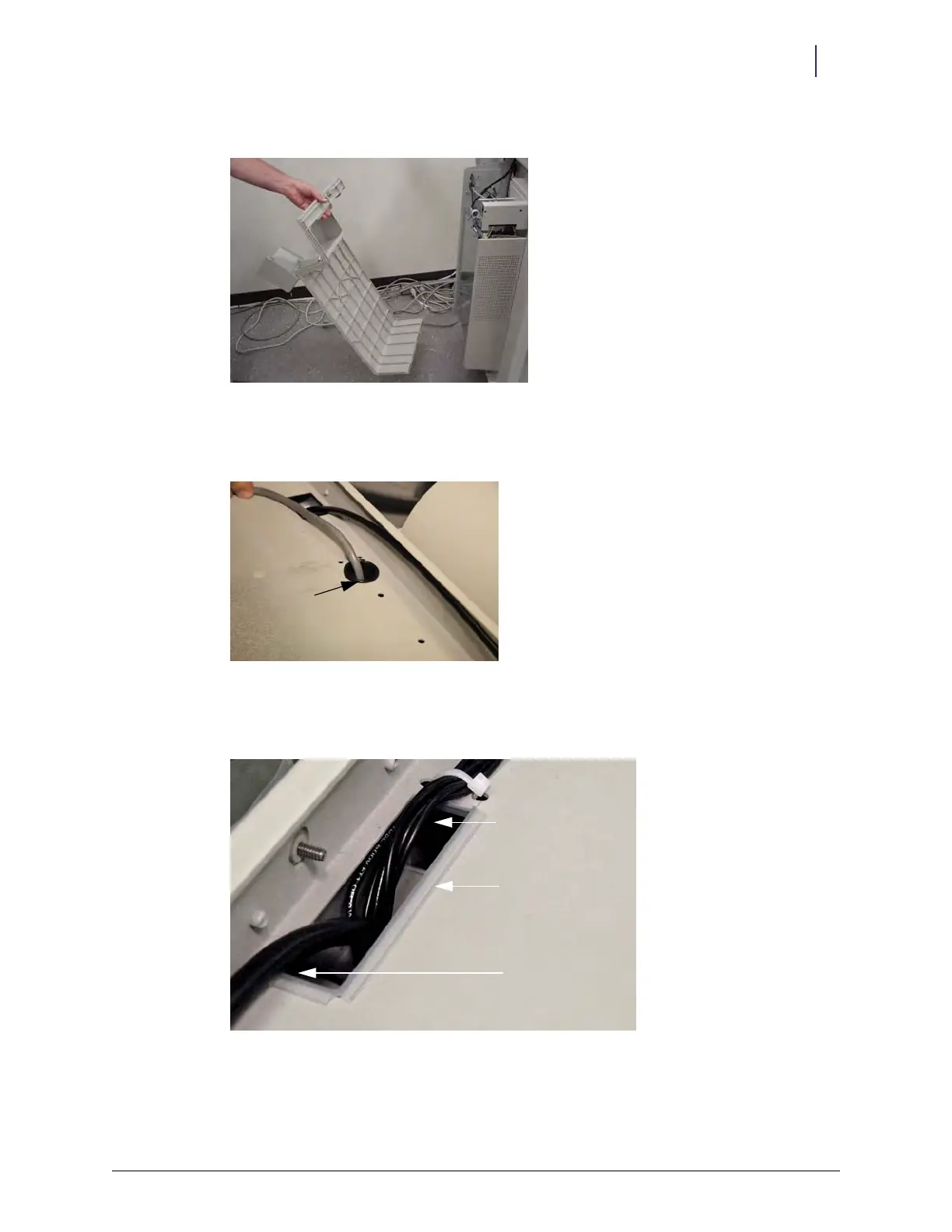
c. Tilt the cover back and pull it off.
Figure 2-153. Removing E-box cover
3. Thread the ERB PowerCom cable up behind the ERB and through the round hole in the top of
the chassis. Install a rubber grommet to prevent the cable from chafing.
Figure 2-154. ERB cable routed onto top of chassis
4. Snip the plastic edge guard and fit it into the E-box slot in the top of the chassis to protect the
cables.
Figure 2-155. E-box slot lined to protect cable
Grommet
ERB adapter cable
Wireway
Edge guard



 To Next Page