2-64 Installation Instructions
Installation on G4 Cabinets
External Return Bin Installation and Service Guide/67-2038 Rev D © 2011 Omnicell, Inc.
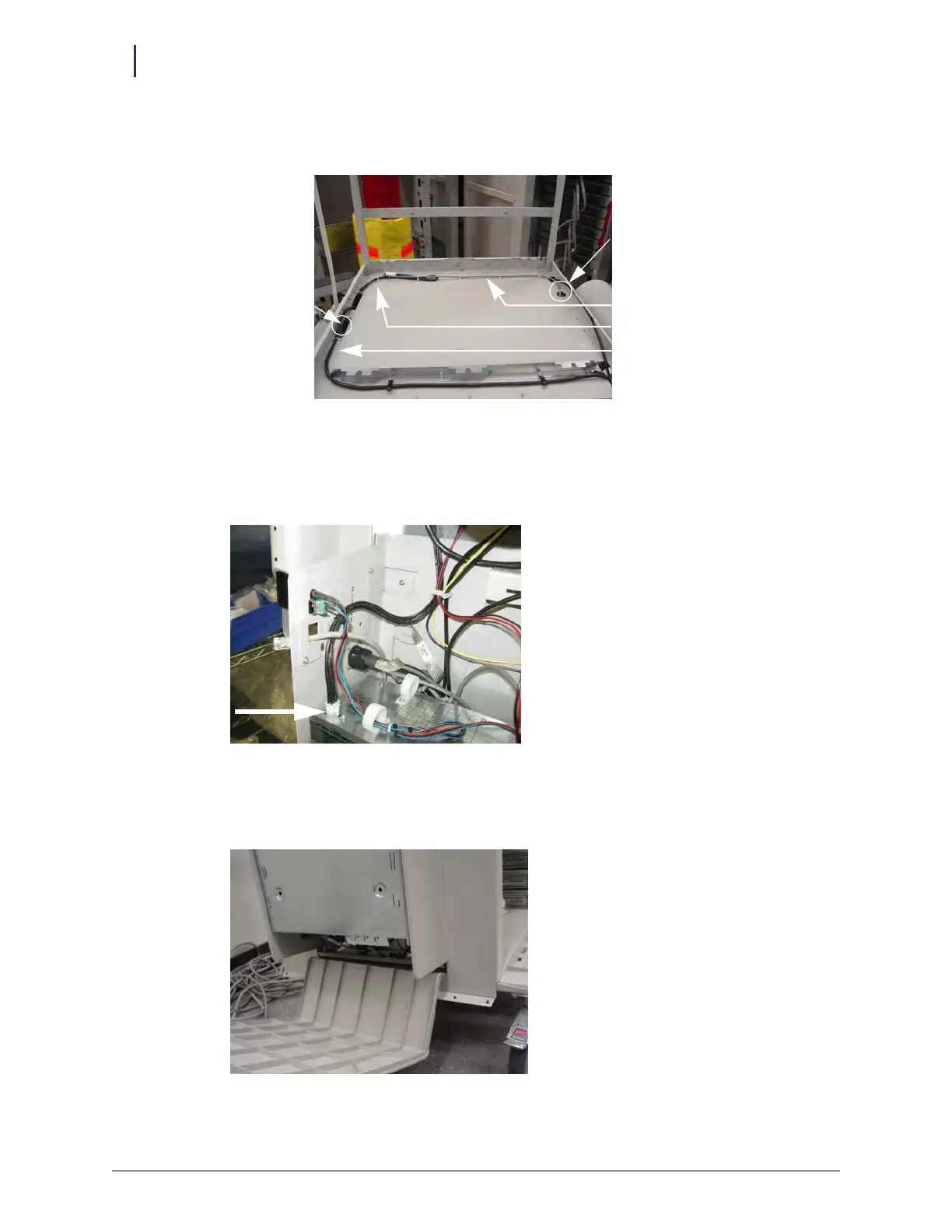
5. Route the ERB PowerCom cable and adapter cable across the top of the chassis and into the
slot for the E-box.
Figure 2-156. ERB cable routed into E-box slot
6. Bundle excess cable lengths and secure the cables to the cover with cable ties, using the anchors
in the chassis.
7. Connect the ERB adapter cable into the E-box.
Figure 2-157. ERB cable connected to E-box
8. Close and lock the side cover.
a. Insert the bottom edge of the cover into the slot below the E-box.
Figure 2-158. Reinstalling E-box cover
ERB PowerCom cable
Wireway cable
E-box slot
ERB cable slot
ERB adapter cable



 To Next Page