3-10 Service
Access Door
External Return Bin Installation and Service Guide/67-2038 Rev D © 2011 Omnicell, Inc.
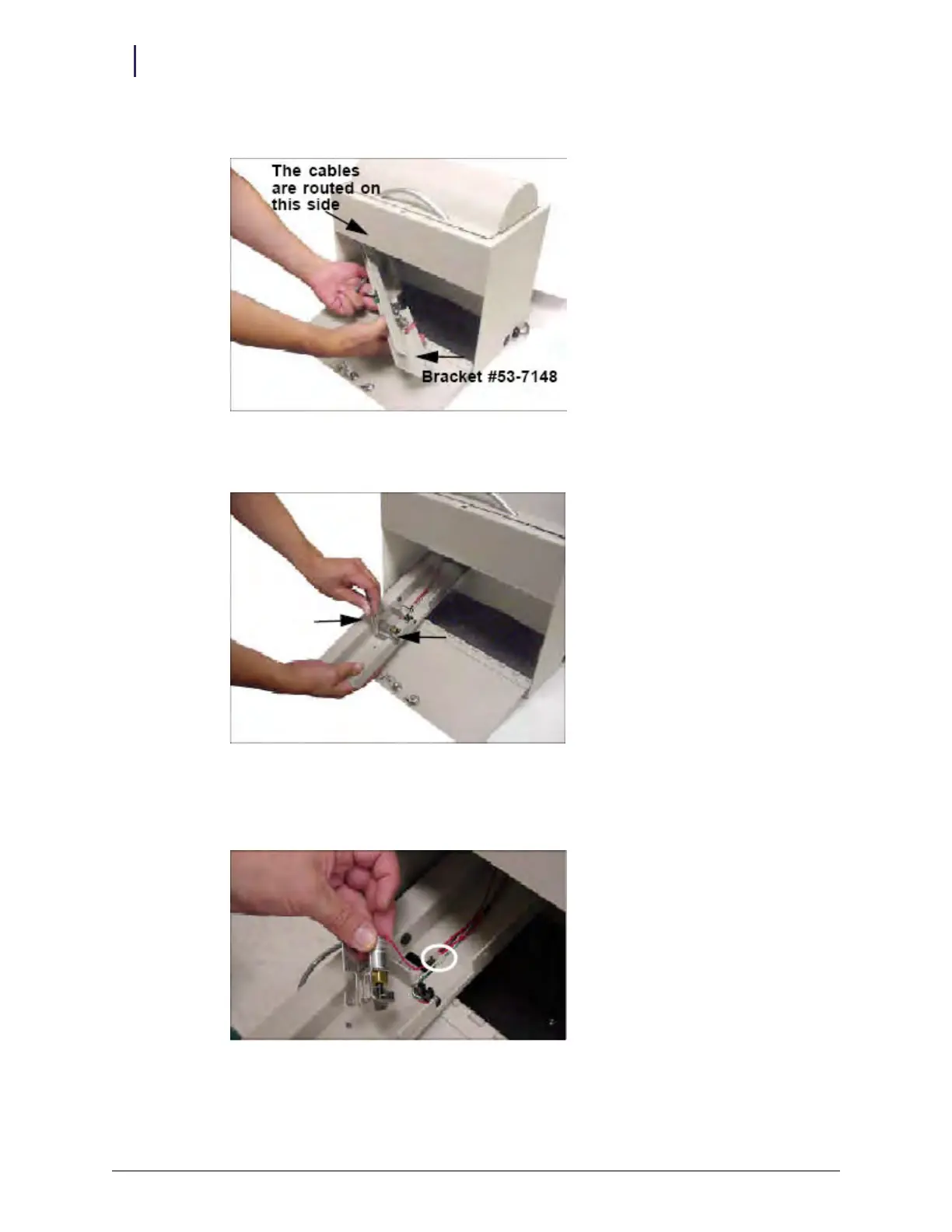
5. Pull out the LED bracket mount carefully.
Figure 3-24. Removing LED bracket mount
6. Unscrew the two #4 hex nuts that secure the solenoid with a 1/4" nut driver and set them aside
Figure 3-25. Removing the solenoid #4 hex nuts
7. Unplug the 2-pin Molex connector circled in Figure 3-26.
8. Remove the solenoid and replace it with the new solenoid.
Figure 3-26. Replacing the solenoid
9. Attach the 2-pin Molex connector for the new solenoid.



 To Next Page