2 Installation and connection
2-1 Installation
BU100RS
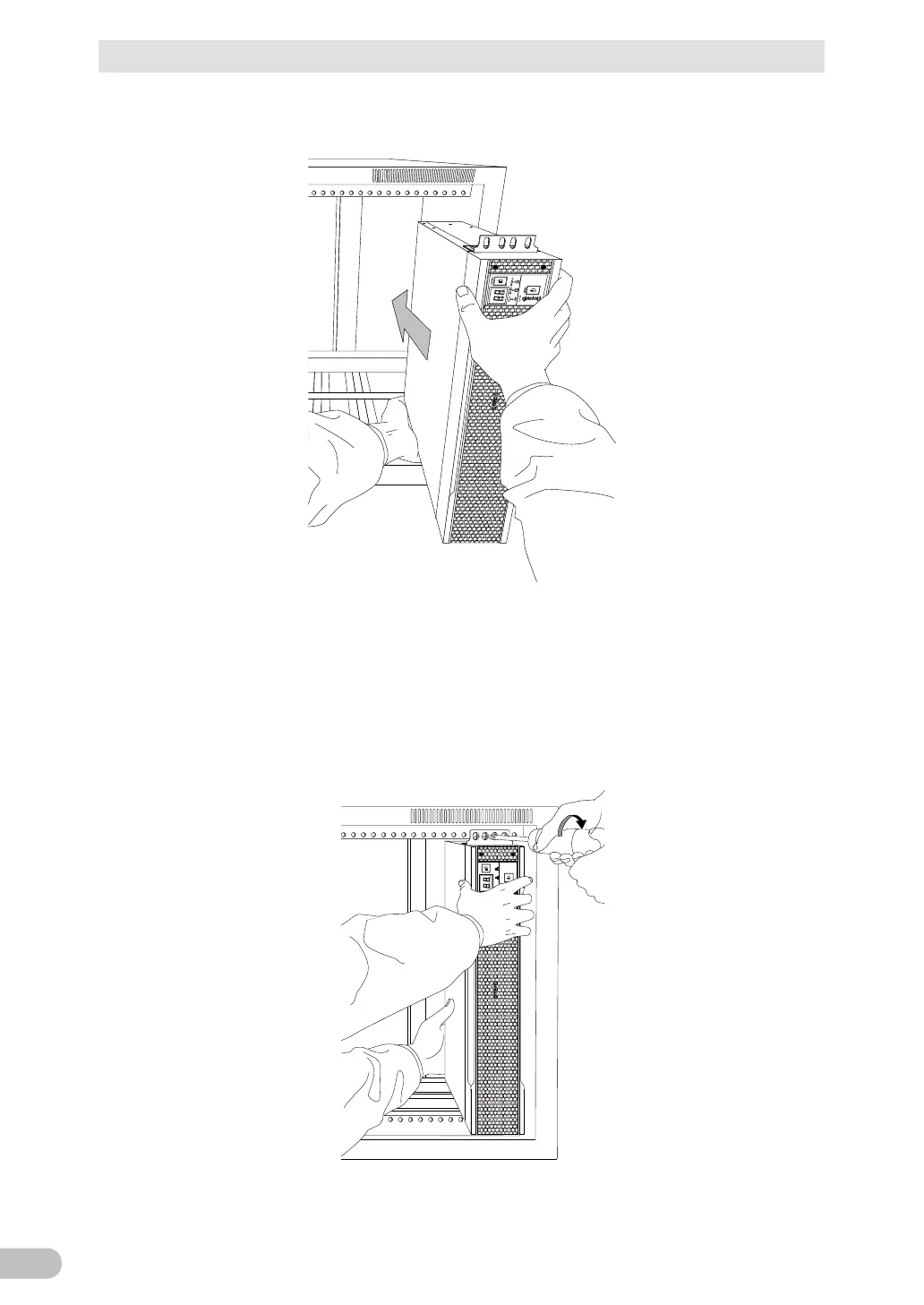
2. Put the UPS in front of the rack, and hold its front and bottom sides.
3. Align the rack's mounting holes with the ear brackets' holes, and fix the ear brackets
using eight rack fixing screws (M5) to the rack with the specified torque (2.75±0.2N・m).
* This work must be done by two people.
Since the front side only is being held, the rear side may slightly tilt downward while
tightening the screws.
So, hold the UPS with the rear side being lifted so that it becomes level to tighten the
screws.
1 2 3 4 5 6 7 8
POWER
O UT PU T
BA TT .MO D. BA TT .WEAK
STOP/TEST



 To Next Page