3 Check and start operation
3-1 The name and function for the operation and display
BU100RS
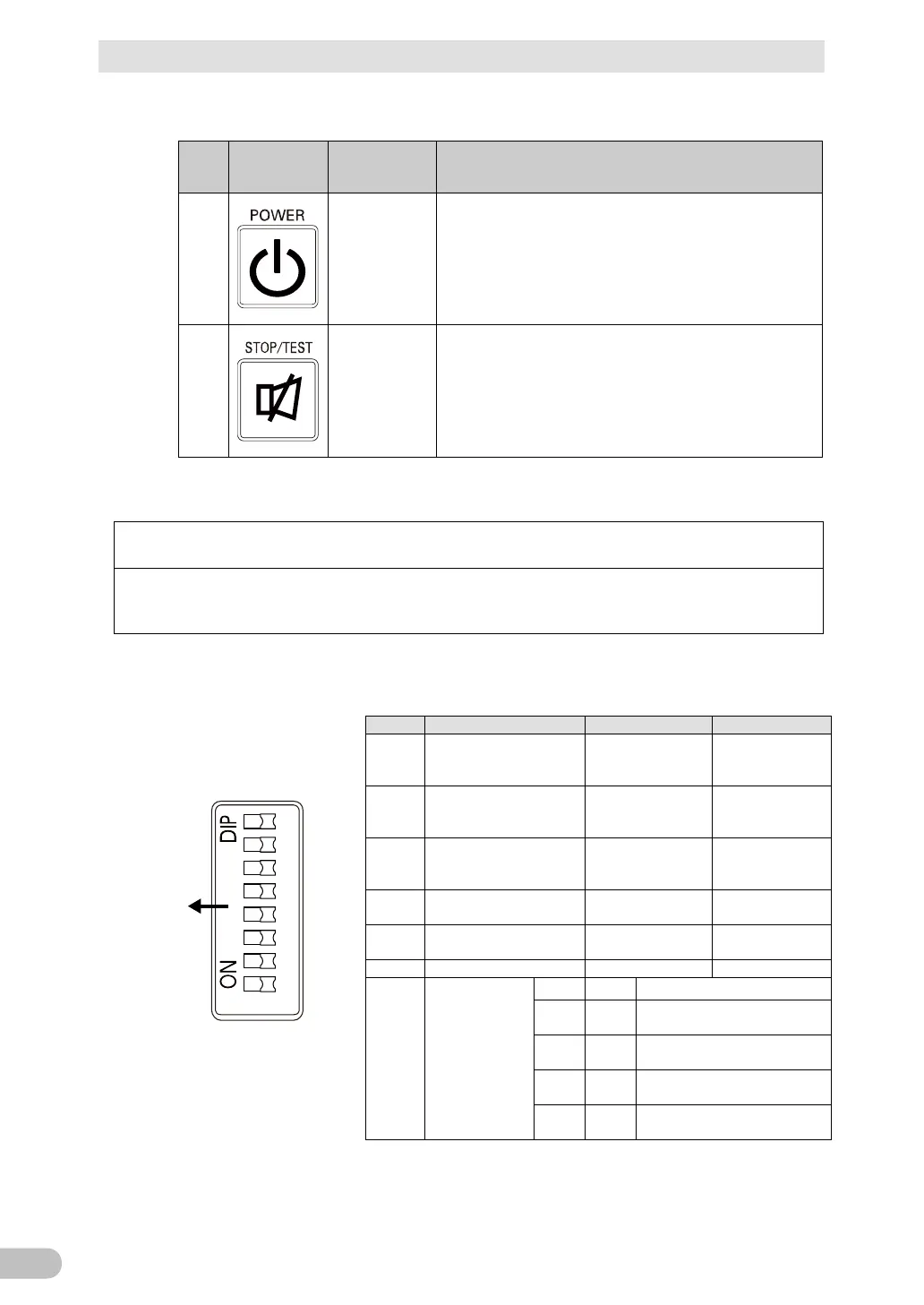
3-1-3 Switch
Sign of
the
Label Name Description
ON: Press the “Power” switch of the UPS. The power output from
the UPS begins.
OFF: Press the “Power” switch of the UPS in ON state, then the
power output from the UPS stops.
Additional Information:
・ If the AC input is connected to the commercial power source,
then the battery will be charged regardless of the “Power” switch.
G
Test switch
Stop the beeper by pressing for 0.5 to 4 seconds.
3-1-4 Setting Switch
After changing the “Setting” switch, follow the procedure described below.
After changing the “Setting”
switch, turn off the AC input, wait until the status indicator is
completely OFF, and then turn on the AC input.
Use a fine-pointed tool such as a small screwdriver to maneuver the switch’s lever.
1
in the event of power
Beeper sounds
Beeper does not
sound
2
Auto startup setting after
recovery from power
Auto startup is
performed
Auto startup is not
performed
3
Setting for whether or not
to perform test once
Test is performed
Test is not
performed
4
Auto startup mode setting
by BS signal
Mode A Mode B
5
Logic of Remote on/off
signal
Short-circuit, Stop Open-circuit, Stop
7
8
Synchronous /
asynchronous
operation
setting
Bit 7 Bit 8 Operation Mode
OFF OFF
Commercial synchronous
operation (ECO mode disabled)
OFF ON
Commercial synchronous
operation (ECO mode enabled)
ON OFF
Asynchronous operation
ON ON
Asynchronous operation
(60 Hz output)
Setting switch function list



 To Next Page