3 Check and start operation
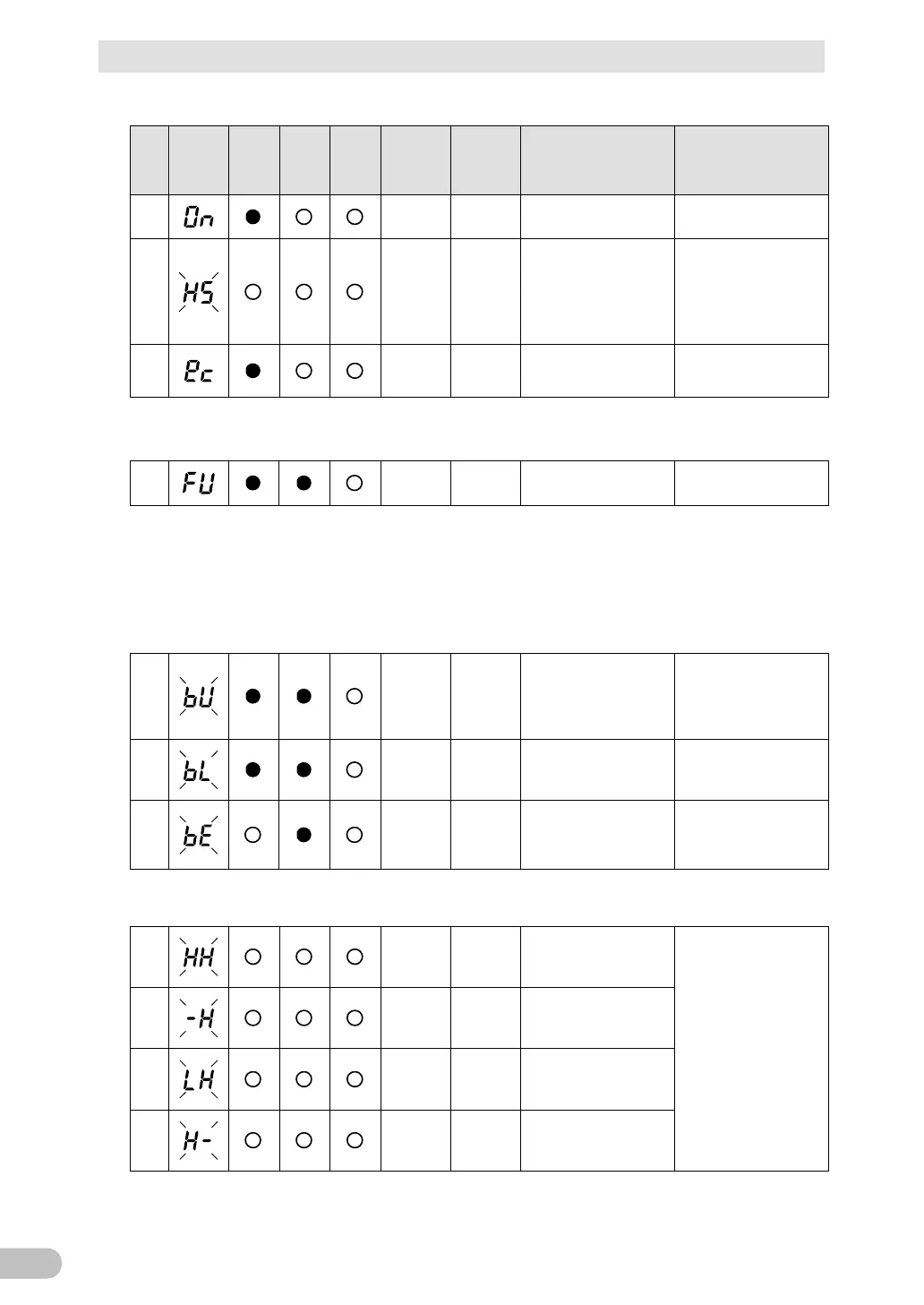
3-4 Interpreting beeps and displays
BU100RS
(2) When "Power" switch is "ON"
No.
Status
indicator
Power
supply
output
Battery
mode
LED
Battery
replace
ment
Beep Charging Description Solution
4
None ON
“Power” switch is ON.
Operating normally.
---
5
None ON
Battery charge is low, so
the unit is waiting to
start up.
Continue charging the
battery. You can change
the settings with Simple
Shutdown Software.
6
None ON
Operating normally in
ECO mode.
mode, refer to "3-1-4
3-4-2 Displays and beeps while testing
7
None
OFF
Discharging
Self-diagnostic test in
progress.
---
NOT operation in bypass mode.
3-4-3 Displays and beeps during power failure or AC input
error
(1) When "Power" switch is "ON"
8
Intermittent
4-second
intervals
OFF
Discharging
power failure or AC
input error. Output will
stop if Battery Mode
Perform shutdown
operations for the
connected devices and
stop them.
9
Intermittent
1-second
intervals
OFF
Discharging
(Same as above.)
Battery level is low, so
output will soon stop.
(Same as above.)
10
None
OFF
Discharging
output stopped. (This is
displayed only for a few
Charge the battery.
NOT operation in bypass mode.
(2) When "Power" switch is "OFF"
11
None (ON)
AC input voltage and
AC input frequency are
too high.
Use within the AC input
voltage/frequency range
described in the
specifications.
12
None (ON)
AC input frequency is
too high.
13
None (ON)
AC input voltage is too
low and AC input
frequency is too high.
14
None (ON)
AC input voltage is too
high.



 To Next Page