4 Replacing the fan
4-3 Replacing the fan
BU100RS
4-3-1 Fan replacement procedure
Make sure that UPS doesn't connect to any AC inputs and the fan stops.
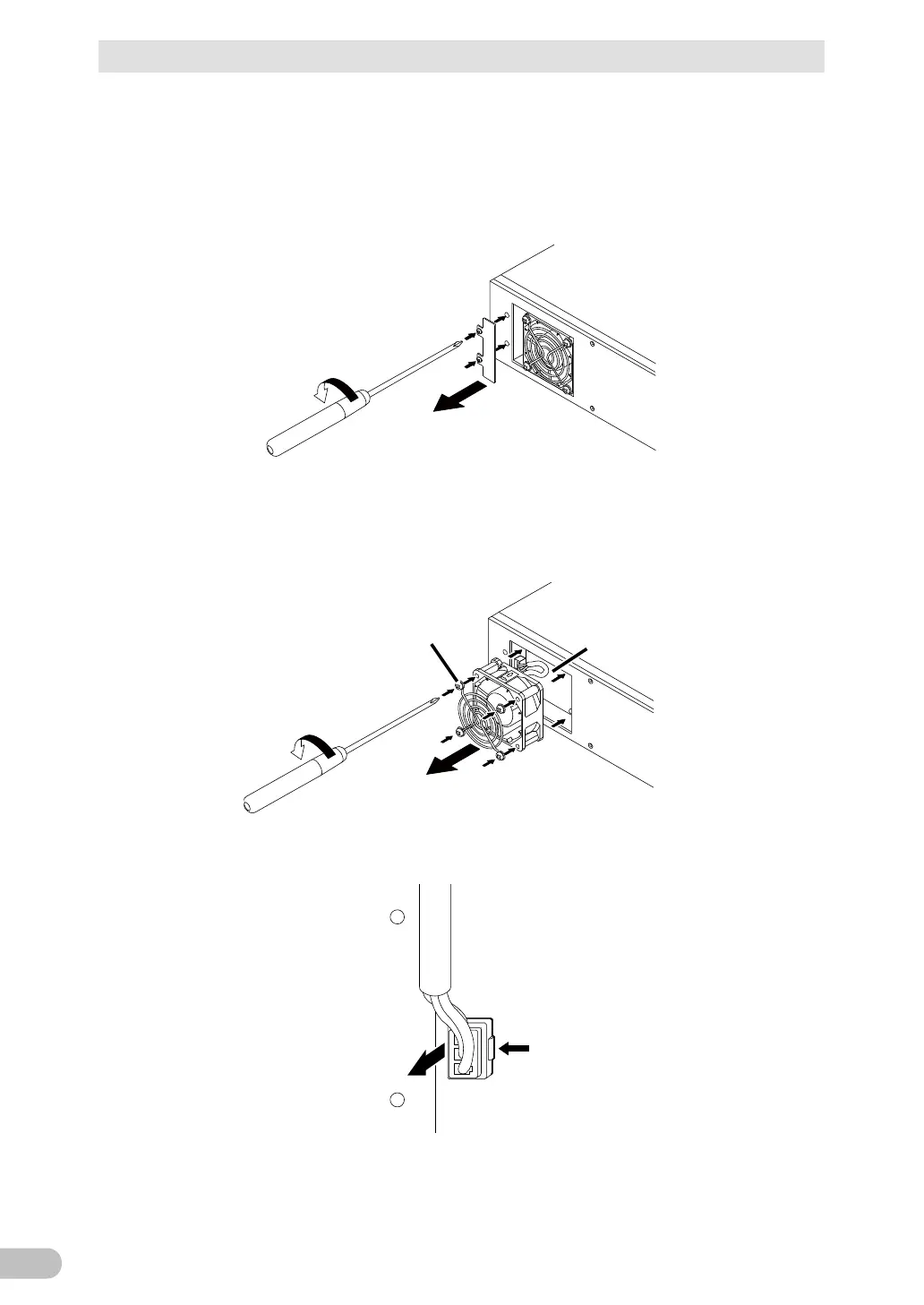
1. Use a screwdriver to loosen (turn counterclockwise) and remove the 2 screws on the
fan cover above the fan on the back of the unit. (1
Remove the fan cover. (2
Loosen the 2 screws
1
2
Remove
the fan cover
2. Use a screwdriver to loosen (turn counterclockwise) and remove the 4 cooling fan
screws and the fan guard. (1
Pull the fan toward you to remove it. (2
Loosen the 4 screws
1
2
Pull the fan to remove
Fan recess
Fan guard
3. While pressing left on the tip of the fan connector (1, pull it toward you to disconnect it.
(2



 To Next Page