4 Maintenance and Inspection
4-3 Replacing the fan
BU100RS
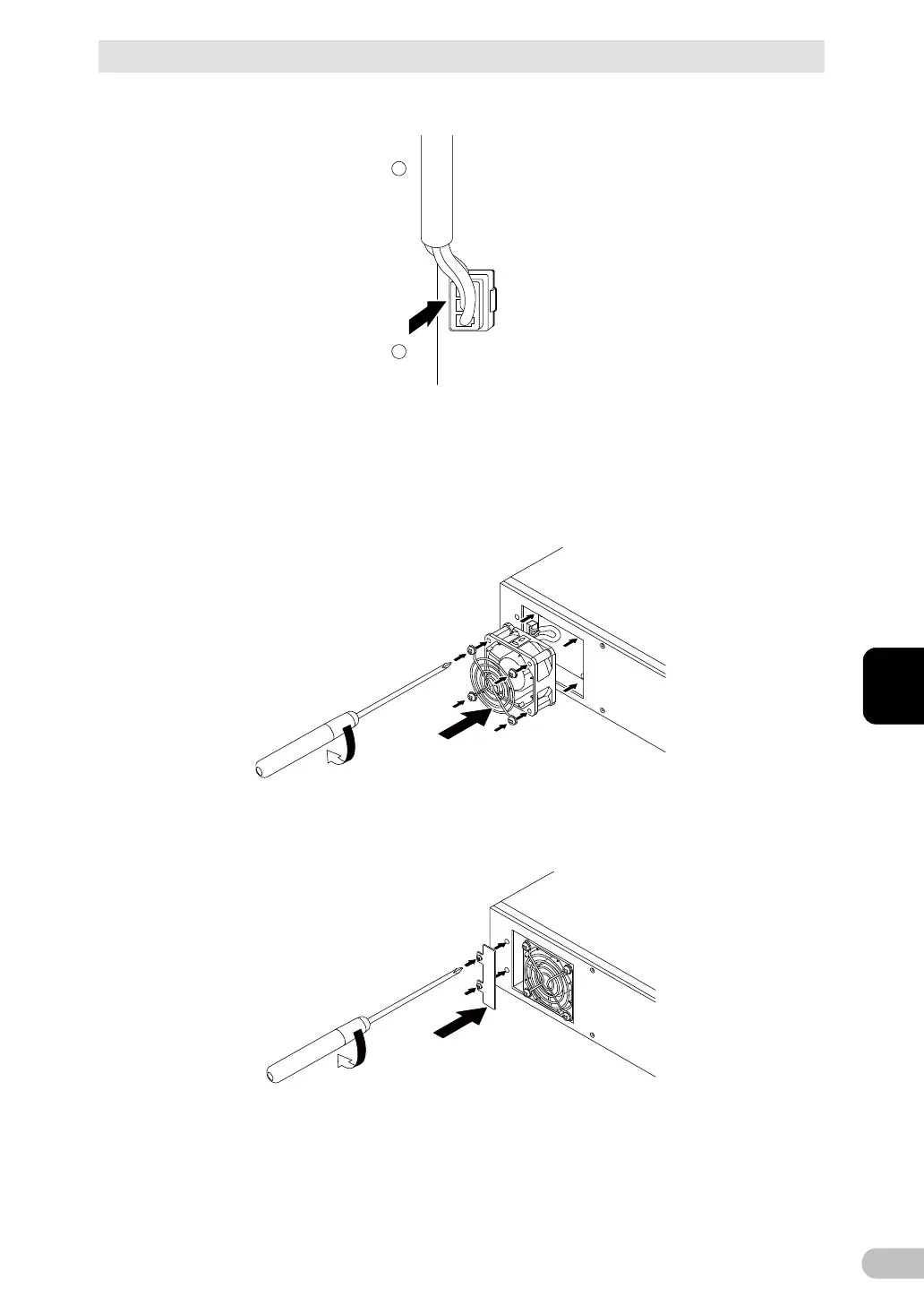
4. Insert the new fan connector until it clicks into place. (3
● Replacement fan
Model BAF100R
5. Insert the fan and the fan guard into the unit’s fan recess. (1
Use a screwdriver to securely tighten (turn clockwise) the 4 removed screws. (2
When doing so, make sure the cable does not become pinned under the fan’s cover.
T
ighten the 4 screws
2
1
Insert the fan to attach
6. Attach the fan cover. (1
Use a screwdriver to securely tighten (turn clockwise) the 2 removed screws. (2
Fan replacement is now complete.
Tighten the 2 screws
2
1
Attach
the fan cover



 To Next Page