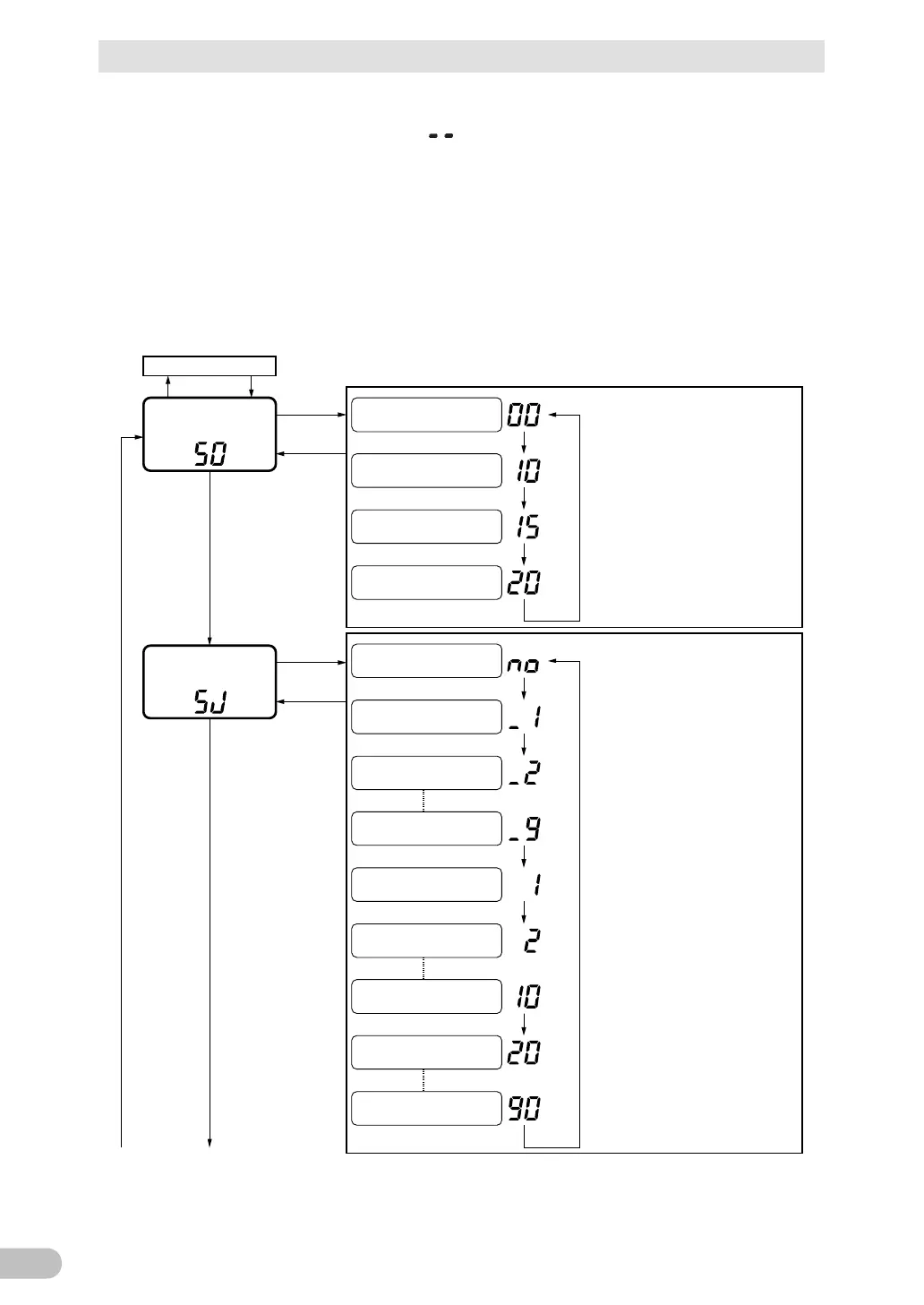
3 Check and start operation
3-5 UPS operation mode settings
BU100RS
(3) When the “Power” switch is turned OFF, the setting mode quits and the unit enters
“Power” switch OFF status (status
).
Operation (A) : pressing the “Buzzer Pause switch” and turn on the “Power” switch.
Operation (B) : pressing the “Buzzer Pause switch” under 1 second and then release it.
Operation (C) :
pressing the “Buzzer Pause switch” 1 to under 5 second and then release it.
Operation (D) : pressing the “Buzzer Pause switch” 5 second or more and then release it.
Operation (E) : turning off the “Power” switch.
(B)
(B)
(B)
(B)
(B)
(B)
(B)
(B)
(B)
(B)
(C)
(C)
(A) (E)
(C)
(C)
(B)
(B)
(B)
Output 110V
Output 115V
Output 120V
Backup 0.1 min.
Backup 0.2 min.
Backup 0.9 min.
(0.1 min. step)
No setting (infinity)
(Default)
Backup 1 min.
Backup 2 min.
Backup 10 min.
(1 min. step)
Backup 20 min.
Backup 90 min.
(10 min. step)
Maximum backup time
("BUT" setting)
Display
current
setting
Output 100V
(Default)
Output voltage setting
("Out" setting)
Display
current
setting
Normal operation mode
(next page)



 To Next Page