4 Maintenance and Inspection
4-2 Replacing the battery
BU100RS
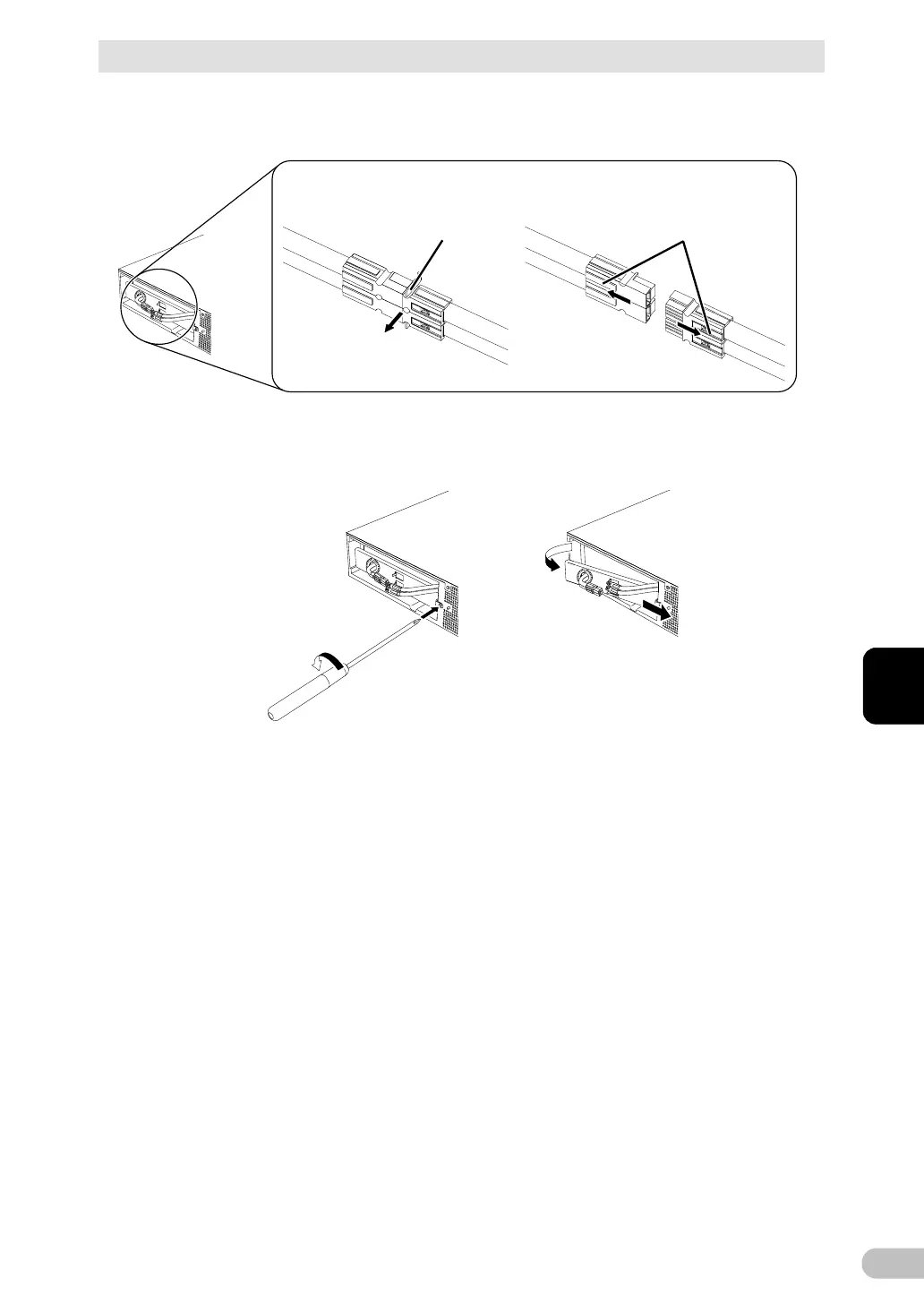
2. Remove the battery cable from the cable holder. (1
Hold the battery connector, and pull the connector apart. (2
1
2
Remove the connec-
tor from the holder
Disconnect by
holding here
Enlarged view of the connector
3. Turn the screw that fix the plate cover counterclockwise to remove them. (1
Pull the plate cover right (2 and pull the left side towards you to remove it. (3



 To Next Page