4 Maintenance and Inspection
4-2 Replacing the battery
BU100RS
● Replacement battery pack
Model BAB100R
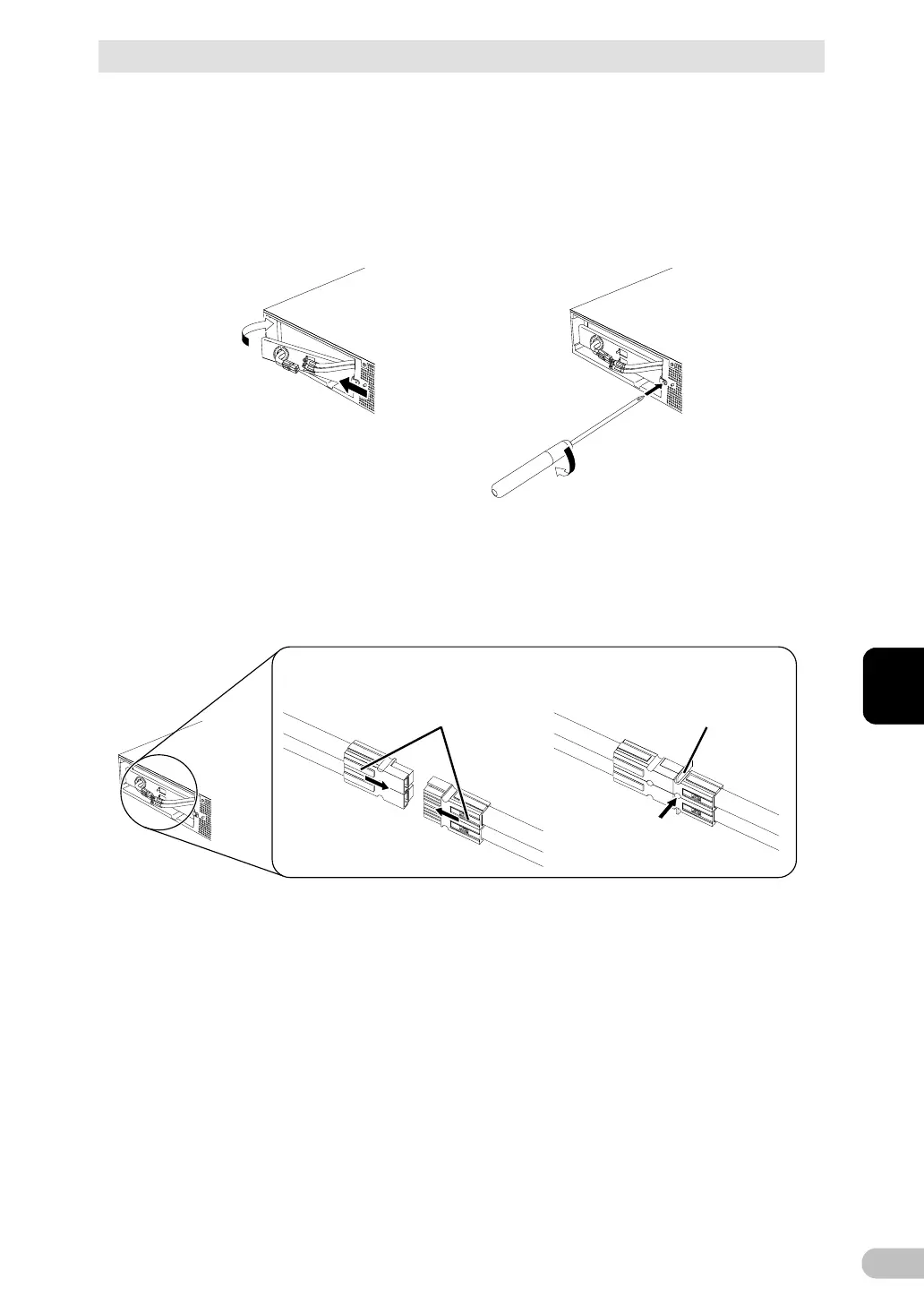
6. Attach the plate cover in order of (1 to (2.
Use a screwdriver to securely tighten (clockwise) the screw you removed. (3
Do not pinch the cable with the plate cover.
7. Insert the battery connector until it is locked. (1
Install the battery cable in the cable holder. (2
Note: You may hear a “pop” sound when you connect the battery if it is replaced after the unit’s
operation is stopped, but this sound is not abnormal.
1 2
Enlarged view of the connector
Insert the connector’s
groove into the holder
Connect by
holding here



 To Next Page