4-7 Editing Programs
4
4
80 SYSMAC CP1L/CP1E Introduction Manual
Creating Programs
4-7-3 Editing Rungs
Created ladder programs can be edited.
■Deleting
●Contacts/Instructions
1. Place the cursor on a contact or on an instruction. Press the [Delete] key.
The selected contact or instruction will be deleted.
●Rungs
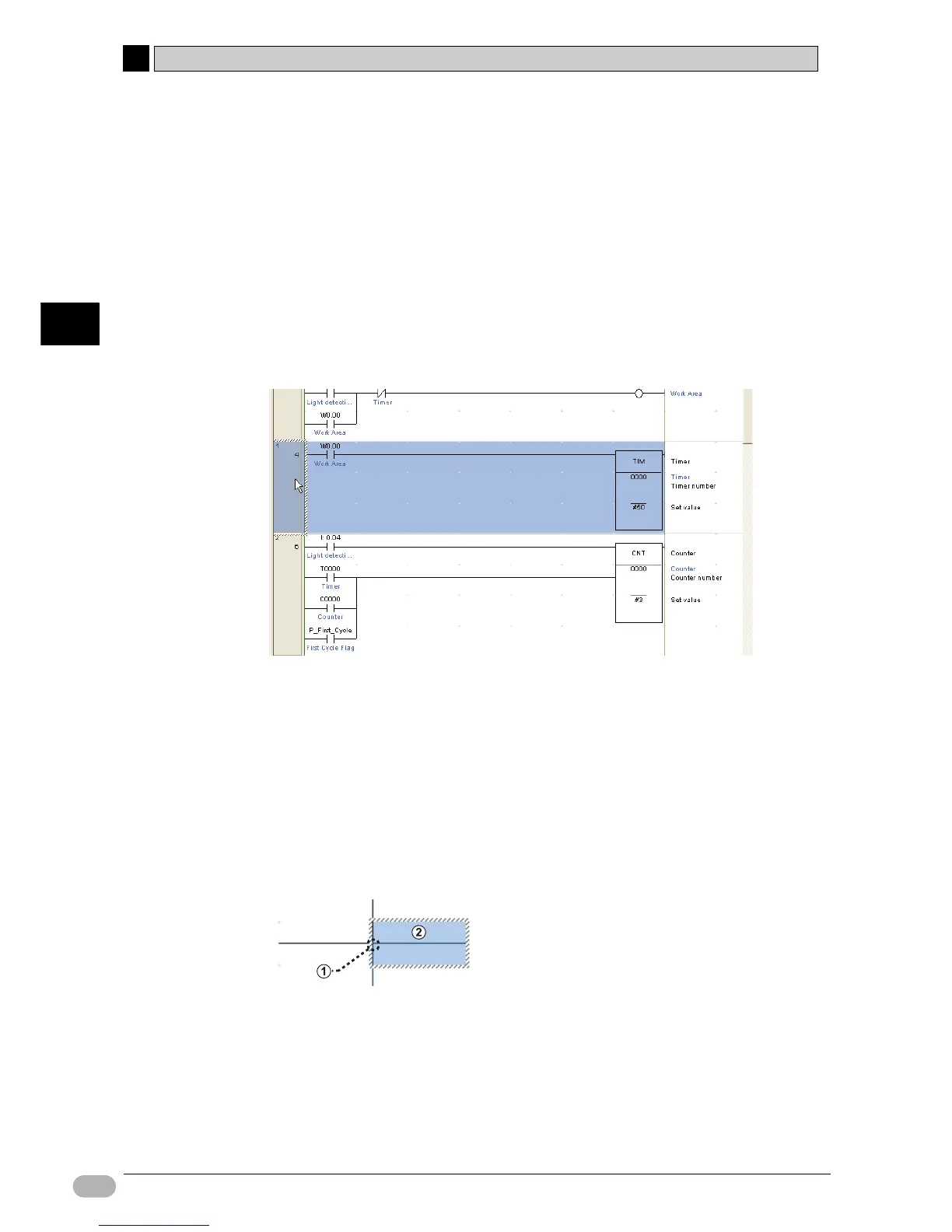
1. Click a rung header.
The whole rung will be selected.
2. Press the [Delete] key.
The selected rung will be deleted.
■Creating Vertical/Horizontal Lines
Vertical and horizontal connection lines can be created.
Vertical lines are created as follows:
1. Position the cursor at the starting point of the vertical line.
2. Hold down the [Ctrl] key, and press the up/down arrow key.
Horizontal lines can be created in the same manner.
(1) Starting point
(2) Cursor
• Creating a line from right to left:
Hold down the [Ctrl] key and press the left arrow key.
• Creating a line from left to right:
Hold down the [Ctrl] key and press the right arrow key.


 To Next Page