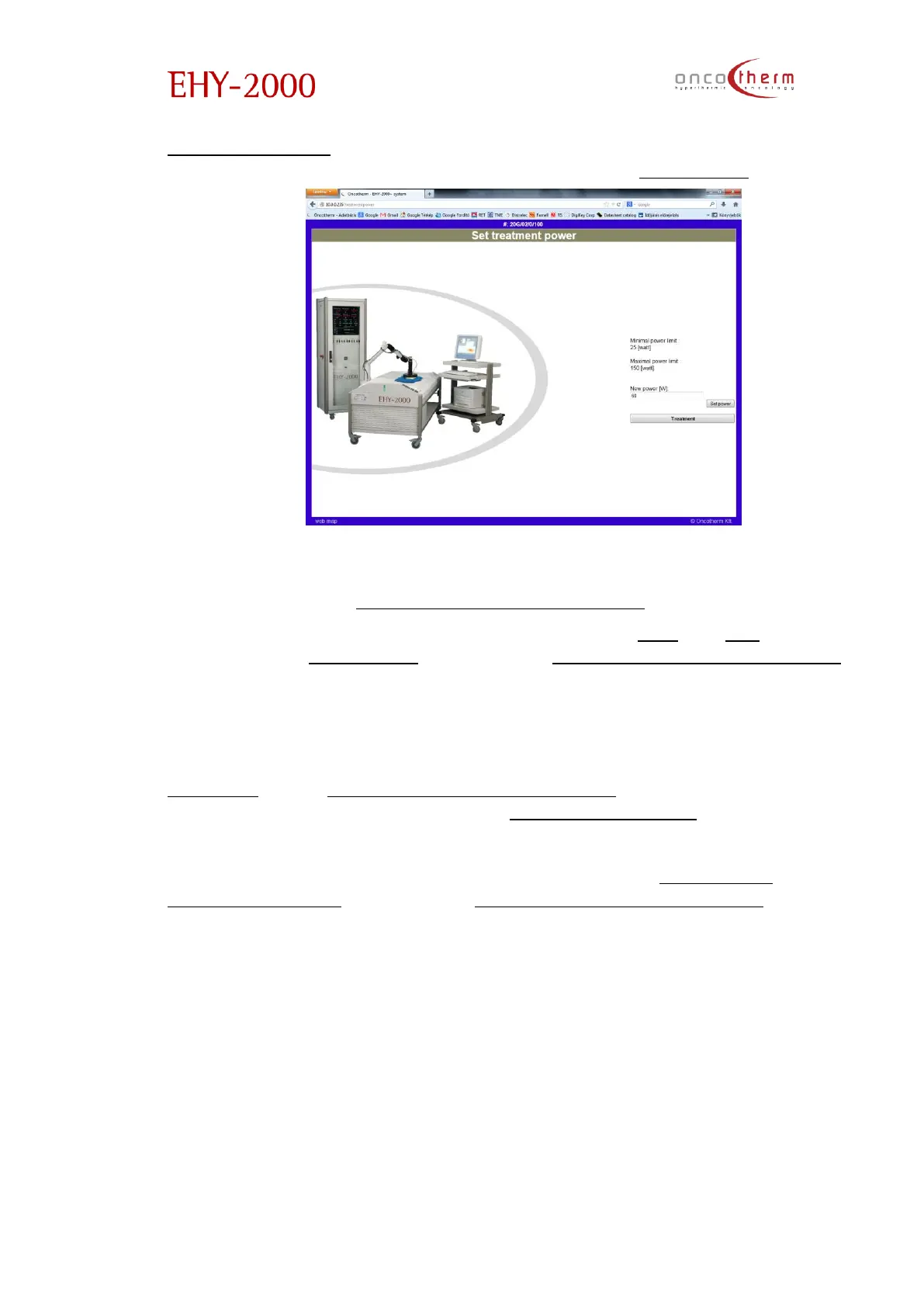
treatment power” page you should type the requested power value into the
edit box and confirm the change by clicking on the “Set power” button.
If you do not type in a new value, after 30 seconds the software will step back
automatically to the “Treatment management view” screen.
The treatment power can also be modified with the “+5” and “-5” buttons on
the sides of the “Set power” button on the “Treatment management view”
screen. By clicking on these buttons the power can be increased or
decreased with 5 W without the need of confirmation.
The treatment time can be modified similarly to the power by clicking on the
“Set time” on the “Treatment management view” screen. Confirmation of the
new treatment time is needed on the “Set treatment time” page.
Modulation can be switched on/off by clicking on the “Modulation
on/Modulation off” button on the “Treatment management view” screen (the
text of the button changes by the switching).
All treatment parameters can be changed in the running and paused state of
the treatment too.


 To Next Page