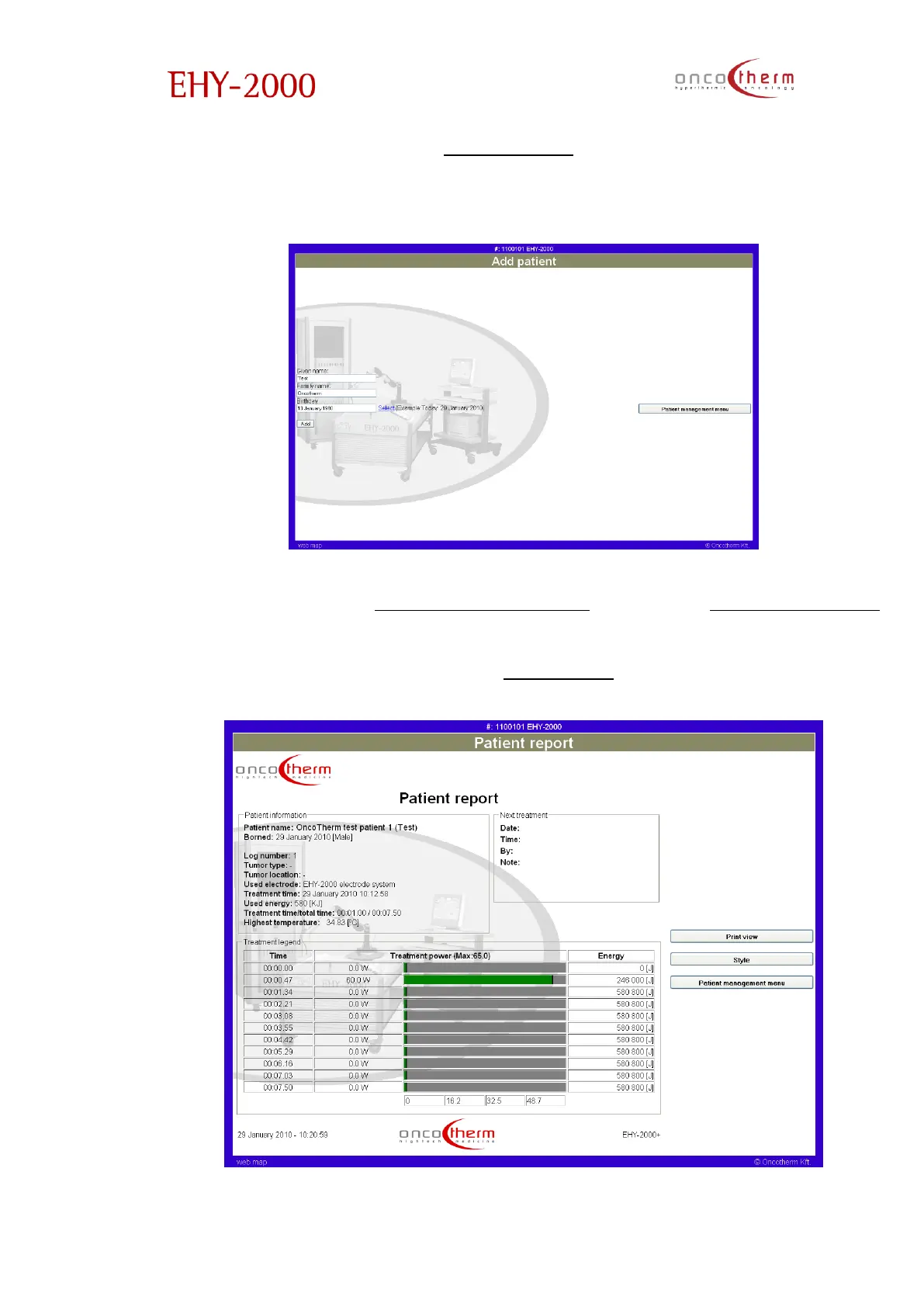
The first option in the menu is “Add patient”. On this page you can add new
patients to the patient list by typing in the patient’s name and their date of
birth.
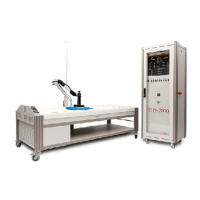
The next option in the “Patient management” menu is the “View patient log”
page. On this page the data of the treatments can be seen and printed. The
page is preceded by another one, where you have to choose the patient
whose data you want see (like in the “Treatment” menu)


 To Next Page