The table shows the major parameters of one treatment of the patient chosen
on the previous page. The major parameters are:
• Patient’s name
• Treatment date
• Used energy
• Power graph
• Temperature graph
• Event list
You can check the patient’s next, previous, first or last treatment by clicking on
the appropriate link. By clicking on the print button, you receive a printable
version.
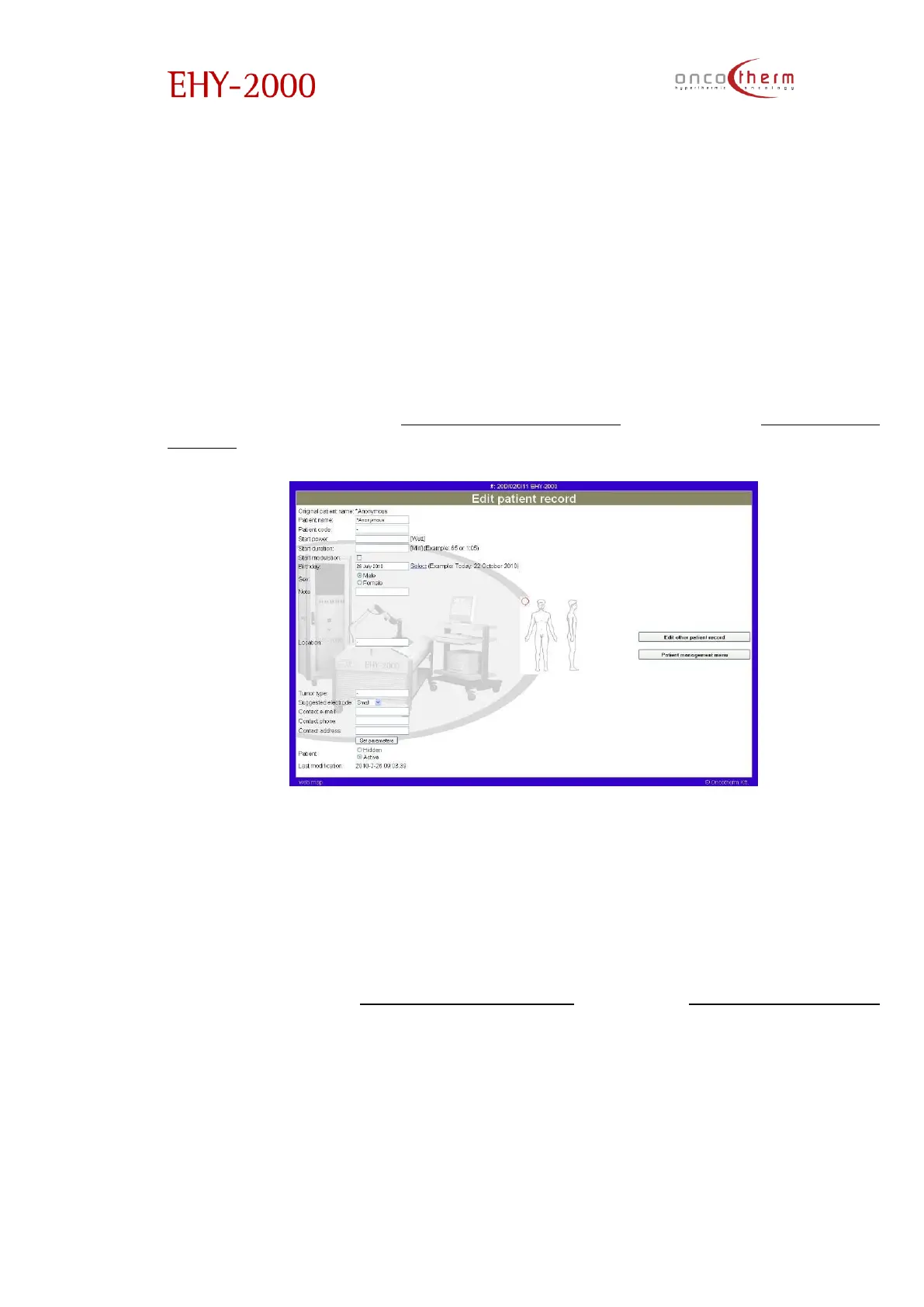
The third option in the “Patient management” menu is the “Edit patient
record” page. The page is followed by another page where you can choose
the patient, whose data you want to modify.
On this page you can modify the patient’s name, set default treatment
parameters for the chosen patient and add notes. In the picture in the middle
of the page you can mark the location of the tumor, which is useful for the
electrode placement. In the bottom of the page you can hide the not used
patients (these patients will not be shown on the patient list).
The last option in the “Patient management” menu is the “(Un)active patients”
page.


 To Next Page