EasyManua.ls Logo

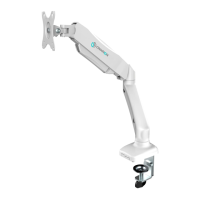
ONKRON G80 User Manual

ONKRON G80
52 pages
To Next Page IconTo Next Page
Page #1 background imageLoading...
Page #1 background image
Height adjustment
170 - 410 mm
6.7" - 16.1"
G80
Max weight
2 - 8 kg
4.4 - 17.6 lbs
Tilt
-45° ~ +90°
VESA
75 x 75
100 x 100 mm
EN
USER GUIDE
RU
РУКОВОДСТВО ПОЛЬЗОВАТЕЛЯ
ES
GUÍA DEL USUARIO
IT
GUIDA UTENTE
DE
BENUTZERHANDBUCH
FR
MODE D'EMPLOI
Single monitor desk mount with gas liſt
Monitor-Tischhalterung für einen Monitor mit Gasliſt-System
Support de bureau à ressort à gaz pour un moniteur
Supporto per monitor da scrivania con molla a gas
Soporte de escritorio brazo móvil (con el resorte de gas) para monitor individual
Настольный кронштейн для одного монитора с системой газлифт
Orientation
36
Swivel
180°
Screen size
13"- 32"
Arm extends
0 - 470 mm
0 - 18.5"

Table of Contents

Question and Answer IconNeed help?

Do you have a question about the ONKRON G80 and is the answer not in the manual?

ONKRON G80 Specifications

General IconGeneral
BrandONKRON
ModelG80
CategoryTV Mount
LanguageEnglish

Summary

ONKRON G80 Monitor Desk Mount Overview

Important Product Information

Safety Warnings and Precautions

Details hazards from improper assembly, installation, and usage, including overtightening.

Pre-Installation Checks

Emphasizes verifying all components are present and correct before starting installation.

Maintenance and Warranty

Advises periodic safety checks and outlines the product's 5-year warranty coverage.

Assembly Kit Contents

Safe Handling of Gas Lift Arm

Stored Energy Hazard Warning

Crucial safety instructions regarding the hazardous stored energy in the spring arm.

Spring Arm Tension Release Procedure

Step-by-step guide on safely releasing tension from the spring arm.

Monitor Removal Safety Tip

Cautionary advice on keeping the arm high when removing the monitor to prevent injury.

Desk Mounting Options

C-Clamp Installation Guide

Instructions for attaching the mount to a desk edge using a C-clamp.

Through-Hole Installation Guide

Guide for installing the mount through a desk hole using bolts and nuts.

Monitor VESA Mounting

Gas Lift System Adjustment

Tension Adjustment

How to adjust the gas lift tension for smooth screen movement and positioning.

Tilt Angle Adjustment

Instructions on how to adjust the monitor's tilt angle using the provided key.

Over-tightening Warning

Caution against overtightening screws to prevent damage to the mount or screen.

Cable Management and Screen Positioning

Cable Routing and Management

Steps for organizing and routing cables along the mount's arm using integrated channels.

Screen Orientation Adjustment

How to position the monitor vertically (portrait) or horizontally (landscape).

Related product manuals