RG2 User Manual – Version 1.44
Specifications is periodically reviewed and may change without notice Copyright © 2015 – 2016 by On Robot ApS. All rights reserved
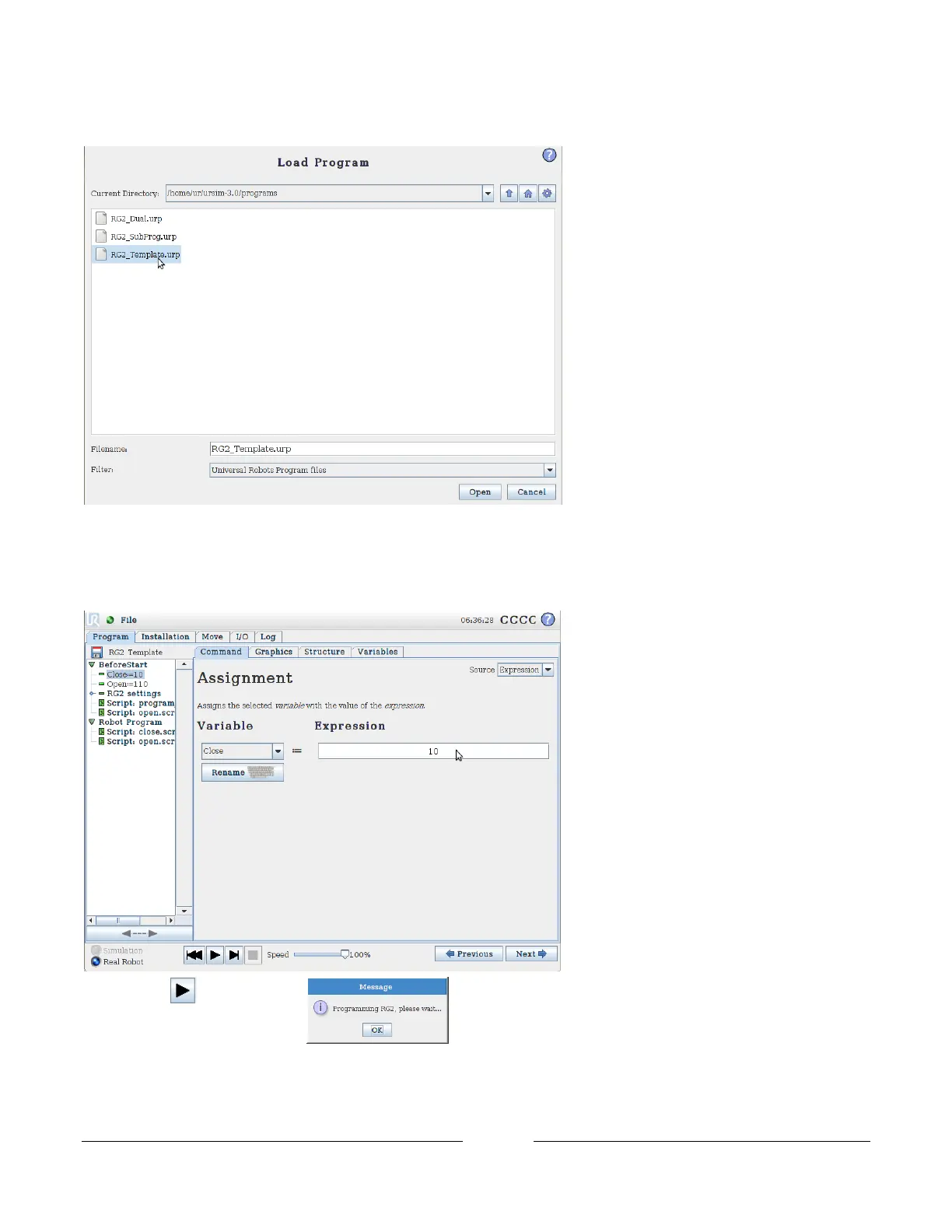
Select RG2_Template.urp
Click Open
Set Close to the distance in millimeters that should be between the aluminum fingers, when the gripper is closed.
Repeat for the same with the Open variable.
Press Play The popup will appear. After approximately 3 seconds, the gripper will
start opening and closing.
If the gripping force needs to be adjusted, or another set of open and close width needs to be added, the RG2
settings folder can be unfolded. The variable Force_ controls the gripping force for Open and Close width, the unit



 To Next Page