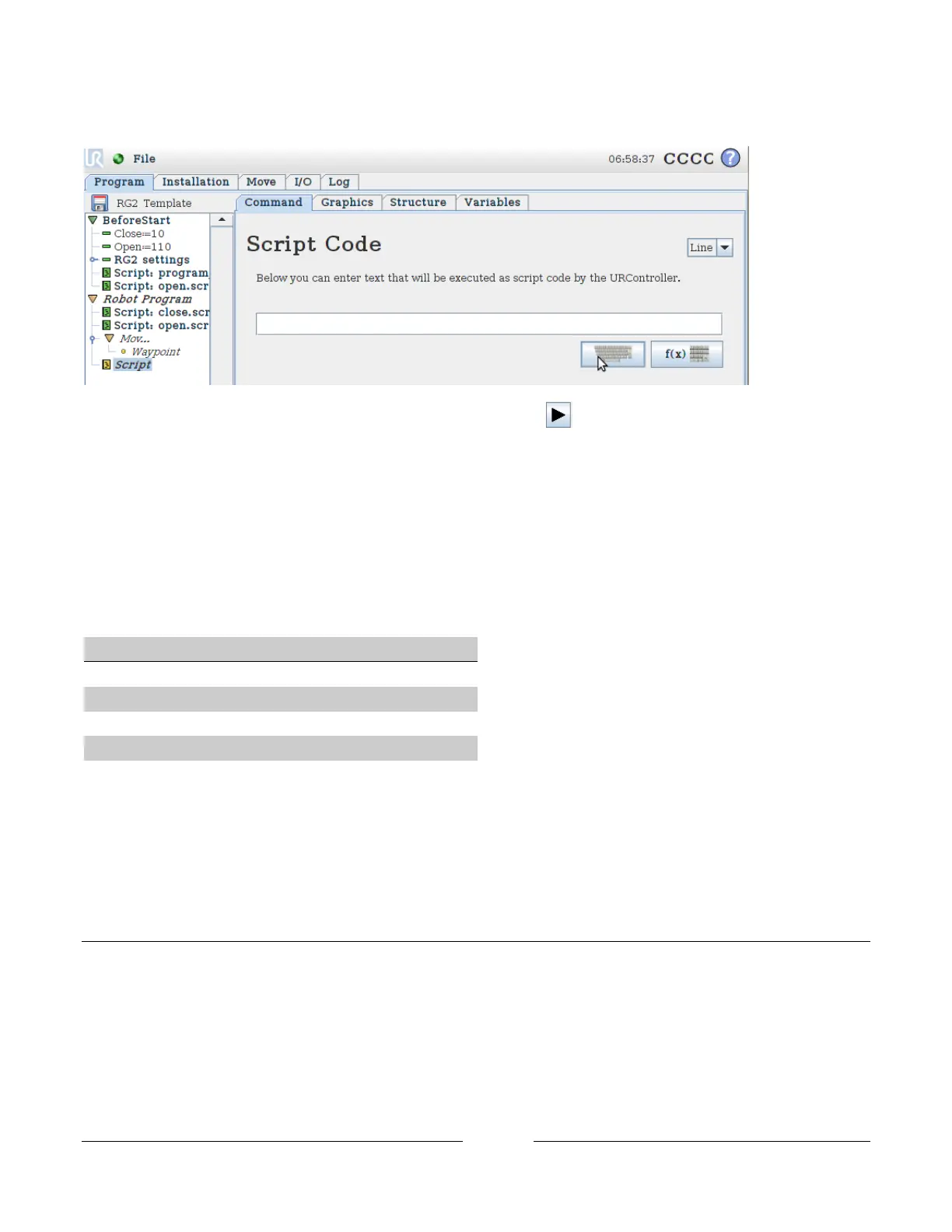
With the new Script highlighted, go to the Command tap, click on the keyboard icon.
When the keyboard appear type ”close()” or “open()”. Press Play to execute the robot program. When the
robot execute the added function, the RG2 will open or close.
7.3.4 Control outputs signals
The RG2 gripper can be controlled directly through tool_out[0] and tool_out[1]. How the gripper will response
to the output tool_out[0] and tool_out[1], is determent by the control variables Close, Open, Force_, Close2,
Open2 and Force2:
If the gripper is controlled directly through tool_out[0] and tool_out[1]. The robot will execute the next
command in the program tree before the gripper has moved. If the robot should not continue executing, the
control script/functions could be used (see 7.3.3 Control script/functions).
7.4 Gripper feedback
As with the control of the RG2 gripper, the feedback can be read directly from the input signals tool_in[0],
tool_out[1], analog_in[2] and analog_in[3], but the feedback could also be read from the feedback variables
grip_detected, lost_grip and measure_width.



 To Next Page