RG2 User Manual – Version 1.44
Specifications is periodically reviewed and may change without notice Copyright © 2015 – 2016 by On Robot ApS. All rights reserved
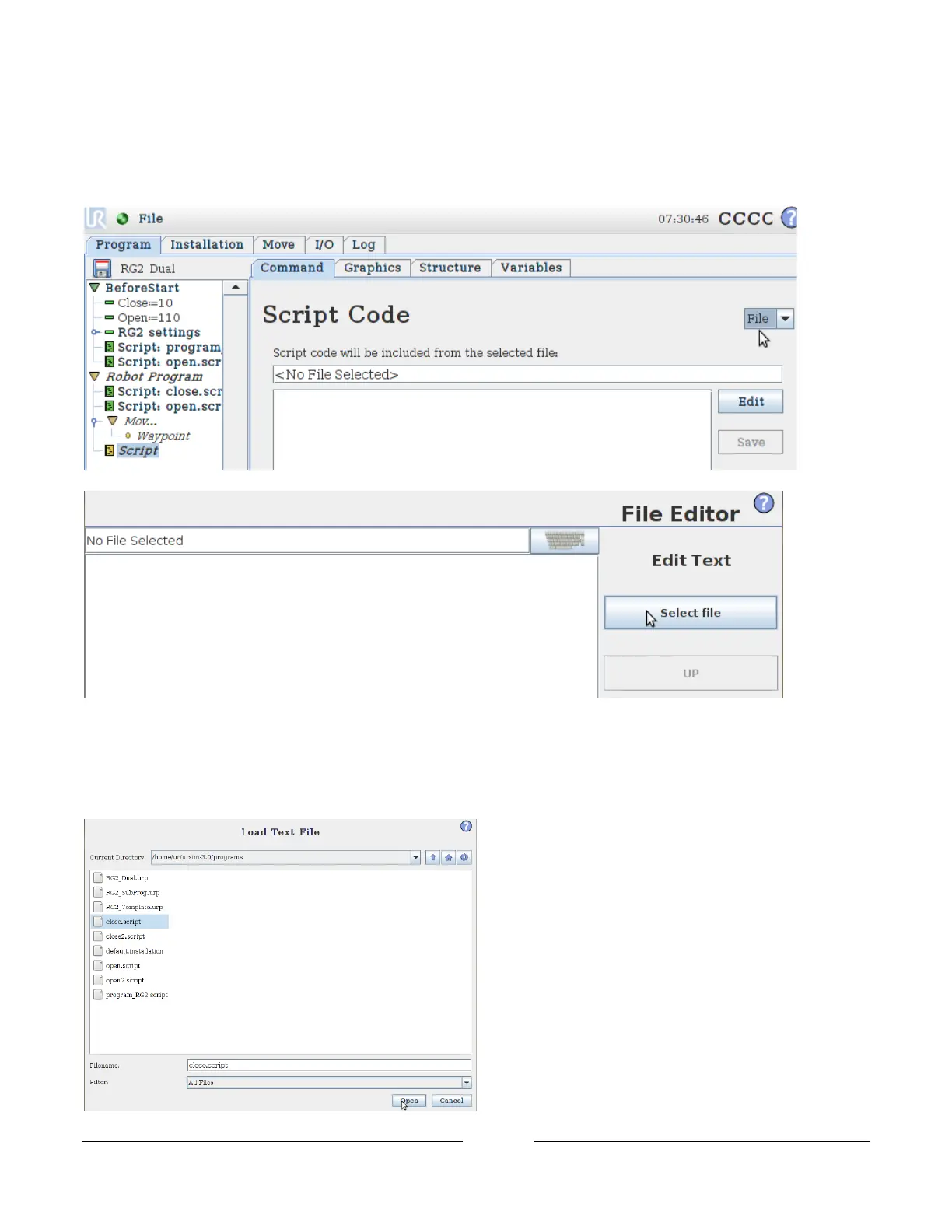
With the new Script highlighted, go to the Command tap, click on the Dropdown menu in the upper right corner
and select File.
Then click on Edit, right under the dropdown menu.
In the File Editor, click on Select File
In the Load Text File window click on the bottom dropdown menu and select All Files.
Then the .script files should appear.
Select the text file named close.script and click open.



 To Next Page