Chapter 4: Firewall, Failover & OOB Access
100
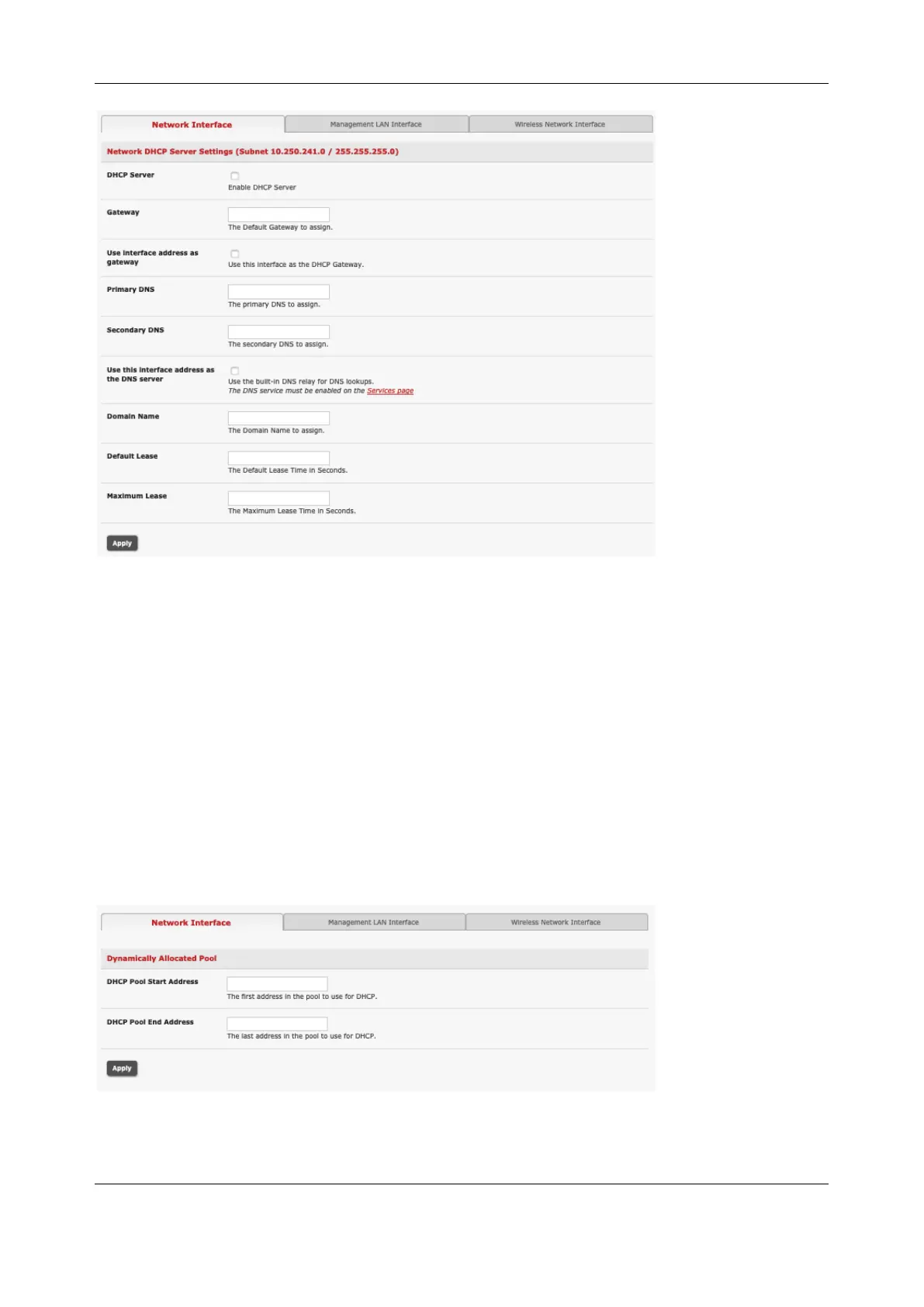
4. Check Enable DHCP Server
5. To configure the DHCP server, tick the Use interface address as gateway check box
6. Set the DNS server address to be the same as used on the external network, i.e. if the console
server is acting as an internet gateway or a cellular router. Use the ISP provided DNS server
address
7. Enter the Default Lease time and Maximum Lease time in seconds. The lease time is the time that
a dynamically assigned IP address is valid before the client must request it again
8. Click Apply
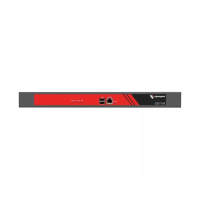
The DHCP server sequentially issues IP addresses from a specified address pool(s):
1. Click Add in the Dynamic Address Allocation Pools field
2. Enter the DHCP Pool Start Address and End Address.
3. Click Apply


 To Next Page