2 Operating the System
2-18 AS-Series Operator Manual August 2010
Scanning documents
After you have selected a job, you are ready to scan documents.
1 Press Go on the Run screen.
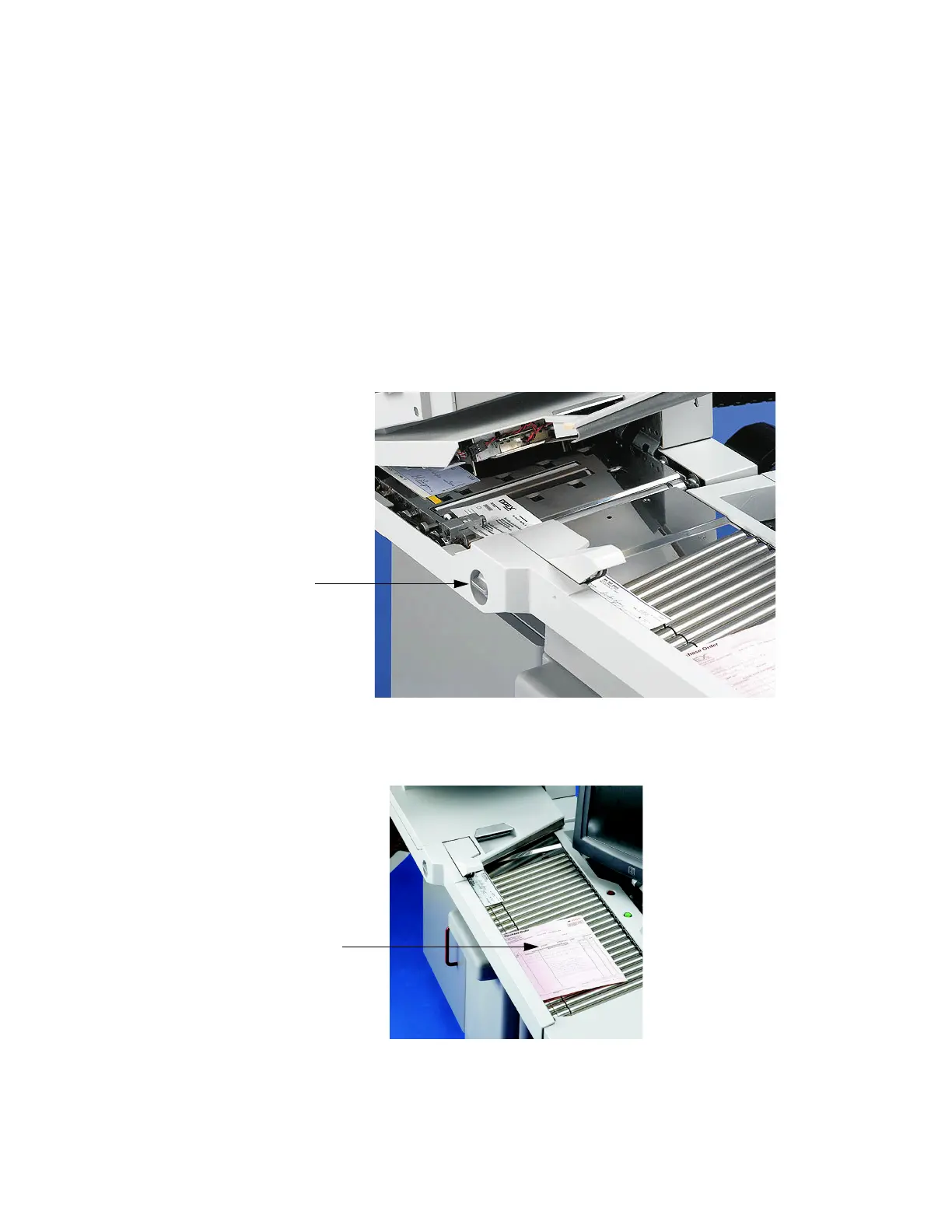
2 Set the retard pad switch to the desired position. To send a small stack of
documents through the scanner at once, engage the retard pad switch. To send
thicker documents through one at a time, set the switch to the Off position as
shown in Figure 9.
NOTE: When engaged, the retard pad will separate each page on the stack. The top
sheet of the stack must be the first page to reach the retard pad. This will
prevent pages feeding out of order or possibly jamming the feeder.
NOTE: Turn the retard pad off to feed torn or damaged documents.
FIGURE 9: Adjust the retard pad switch
3 Place the first document onto the conveyor as shown in Figure 10.
FIGURE 10: Ideal drop area
Retard pad is off
in this position



 To Next Page