3 Operational Maintenance
3-2 AS3690 Operator Manual August 2010
Removing/Replacing the Printer Cartridge
The scanner’s imprinter and HP ink cartridge are accessible when the stacker cover
is open. When you remove a cartridge, pay close attention to the position and
orientation of the cartridge so it can be replaced properly.
When you install a new printer cartridge, first check the expiration date of the new
cartridge you plan to use. The AS-Series printer cartridges in sealed containers have
a shelf life of two years from the date of manufacture.
To remove/replace a printer cartridge:
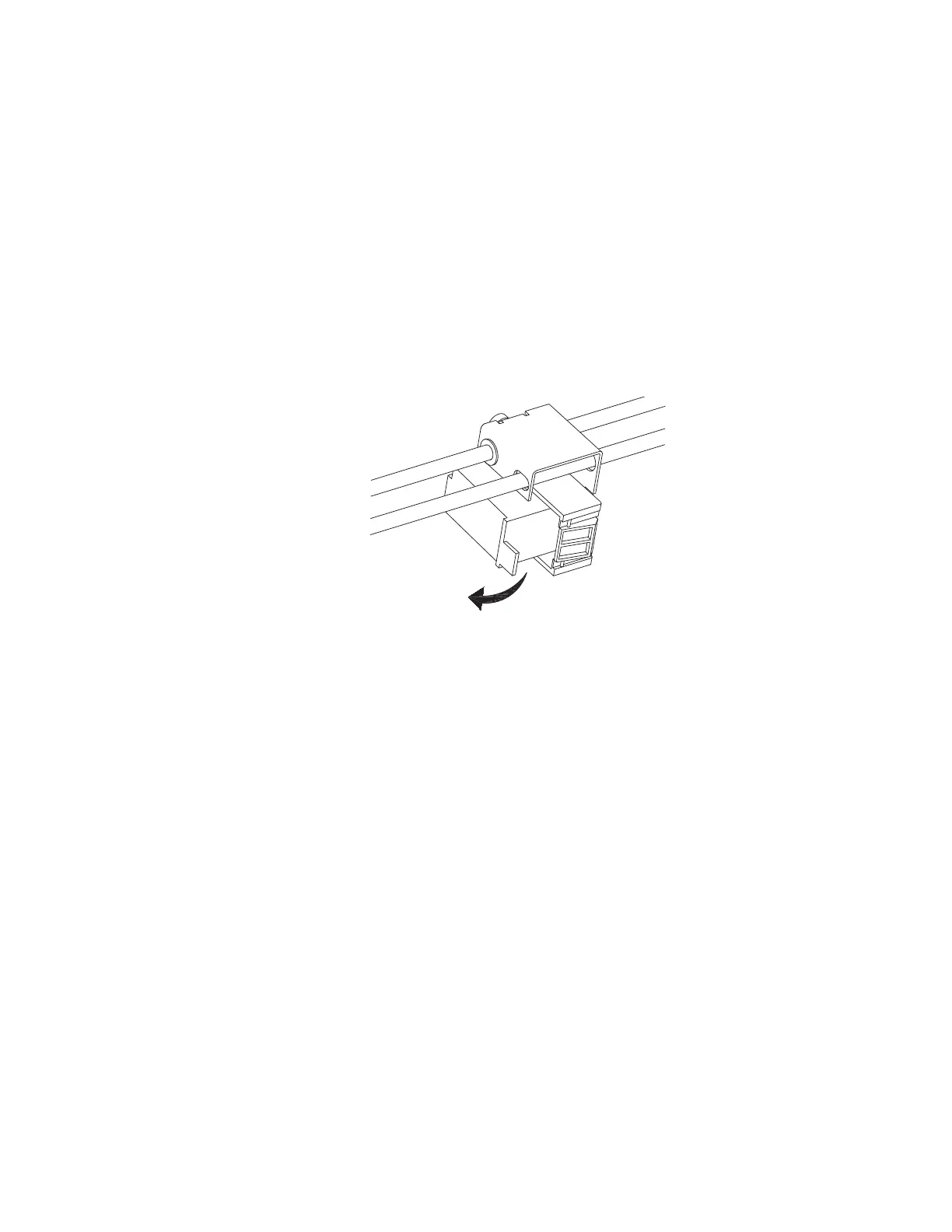
1 Pull the tab on the rear of the printer cartridge and rotate outward, as shown in
the figure below.
2 Remove the cartridge.
3 Insert the new cartridge by tipping the front end of the cartridge in first, and then
pushing in the rear of the cartridge until it “clicks” into place.
Adjusting the Printer Carriage Position
You can adjust the vertical print position on documents by moving the printer
carriage. The printer carriage is fixed to a shaft with detents that position the printer
so it sprays ink through the holes in the paper guide. A thumb screw holds the
printer in the detents. If you do not position the printer in a detent, the thumb screw
sticks out, preventing you from closing the paper guide.
Rear view of
printer carriage



 To Next Page