3 Operational Maintenance
3-6 AS3690 Operator Manual August 2010
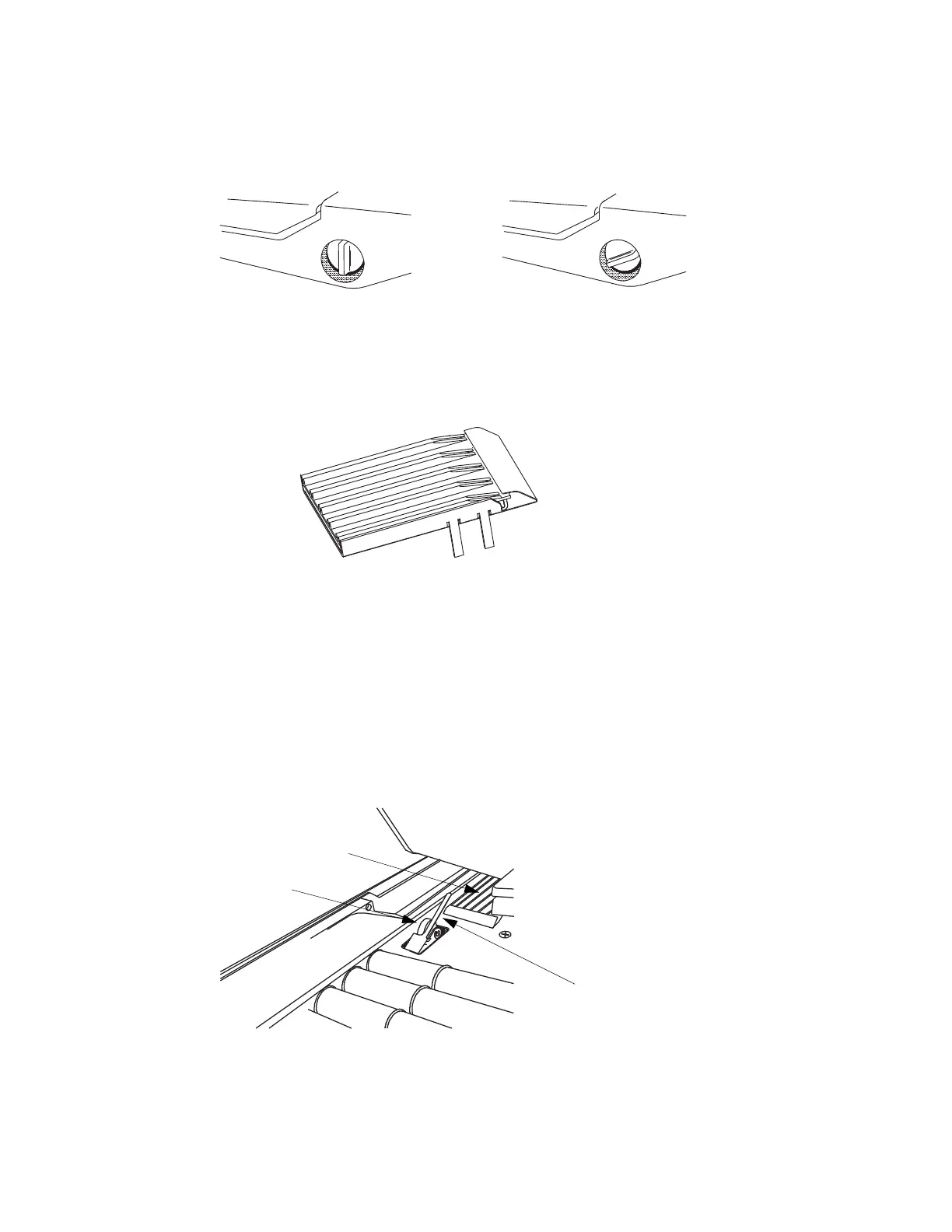
6 Turn the feeder knob to the upright position (see Figure 29).
FIGURE 29: Feeder knob position
7 Lift the retard pad out of the AS-Series.
8 Spray a mild detergent onto a lint-free cloth.
9 Wipe the retard pad thoroughly, including inside the grooves.
FIGURE 30: Clean the retard pad
- Clean the retard pad once per shift or if build-up on the pad causes feed
problems.
10 Hold the feed arm in an upright position and return the retard pad to its proper
location.
11 While holding the Feed arm in the upright position, vacuum dust and debris from
the pre-feed nip roller and flexible finger area.
12 Spray a mild detergent onto a lint-free cloth and clean the pre-feed nip roller and
finger.
13 Mount the Feeder cover and tighten the thumb screw.
14 Lower the feed assembly down to operating position.
Feeder knob up =
Retard Pad engaged
Feeder knob down =
Retard Pad disengaged
Retard Pad removed
for cleaning
Retard
Pad
NIP
Roller
Flexible
Finger



 To Next Page