15
Installation
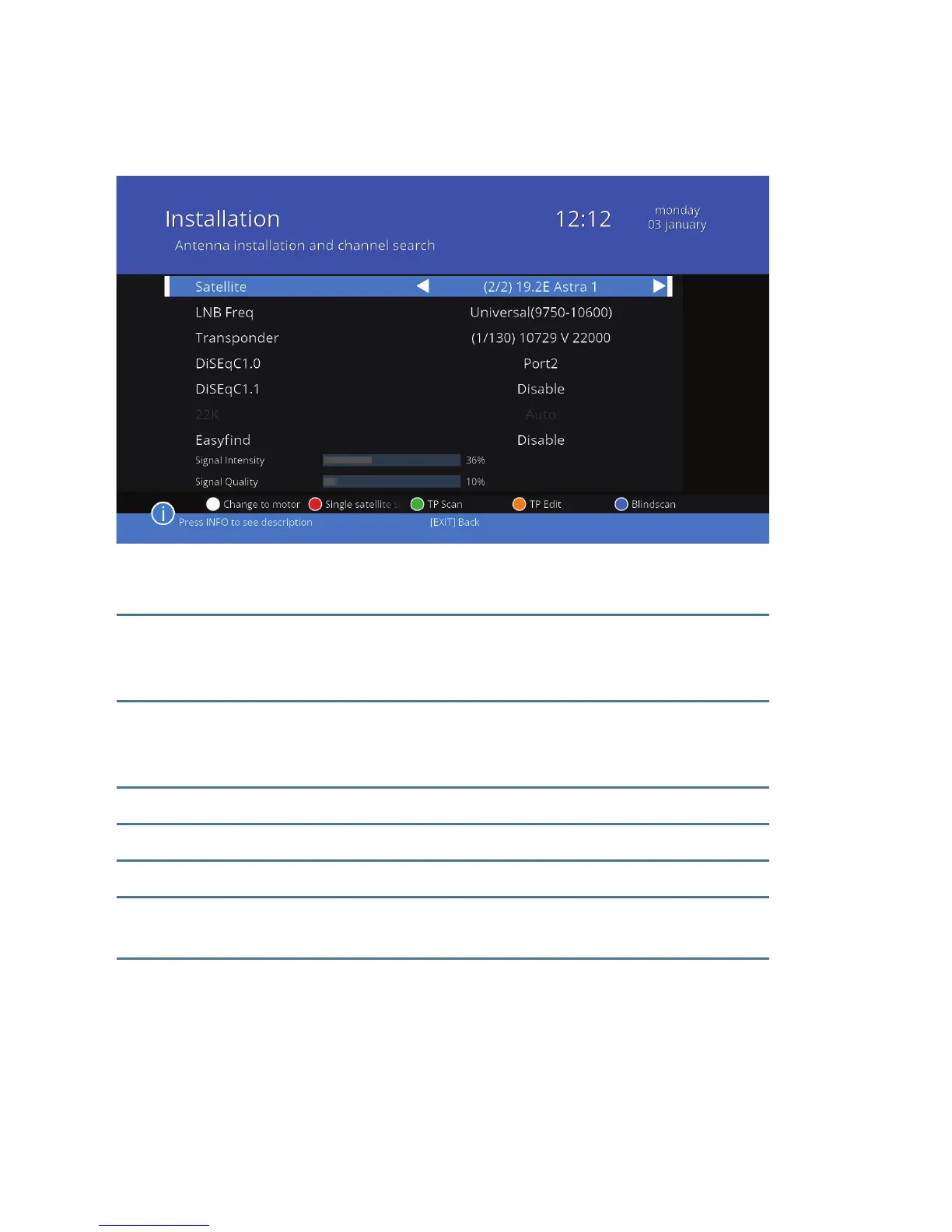
2.5.2 Scanning options – using the LNB
Press the white button to select how to set the antenna to the LNB.
Satellite Select the satellite you want to use. You can choose from
the satellites that were previously selected and marked
with a star on the list of satellites.
LNB Frequency Select the frequency at which the converter is working. This
choice has an impact on what further options are possible
to set in this menu.
Transponder Select a transponder according to your needs.
DiSEqC1.0 Select the port to which you have connected the DiSEqC.
DiSEqC1.1 Adjust the DiSEqC1.1 to receive signals from more sources.
22K Disable 22K for LNB with unusual frequency. With universal
values, the parameter is set to „Automatic”
Easynd Enable EasyFind, if you have a converter that supports it.
This function is described in section 2.6 on page 19.



 To Next Page