Operation
Version 1.0.2 dated 2018-03-02 Page 32 Translation of the original instructions
DH45VGB
DH45V_GB_4.fm
OPTIMUM
MASCHINEN - GERMANY
®
1.2 Control panel
INFORMATION
Pay attention to the correct phase sequence for the electrical connection of the machine.
Incorrectly connected, or rotating in counter clockwise direction, the spindle sleeve feed
does not switch on. The LED on control panel indicates the selected direction of rota
-
tion. The direction of rotation must correspond to the actual direction of rotation.
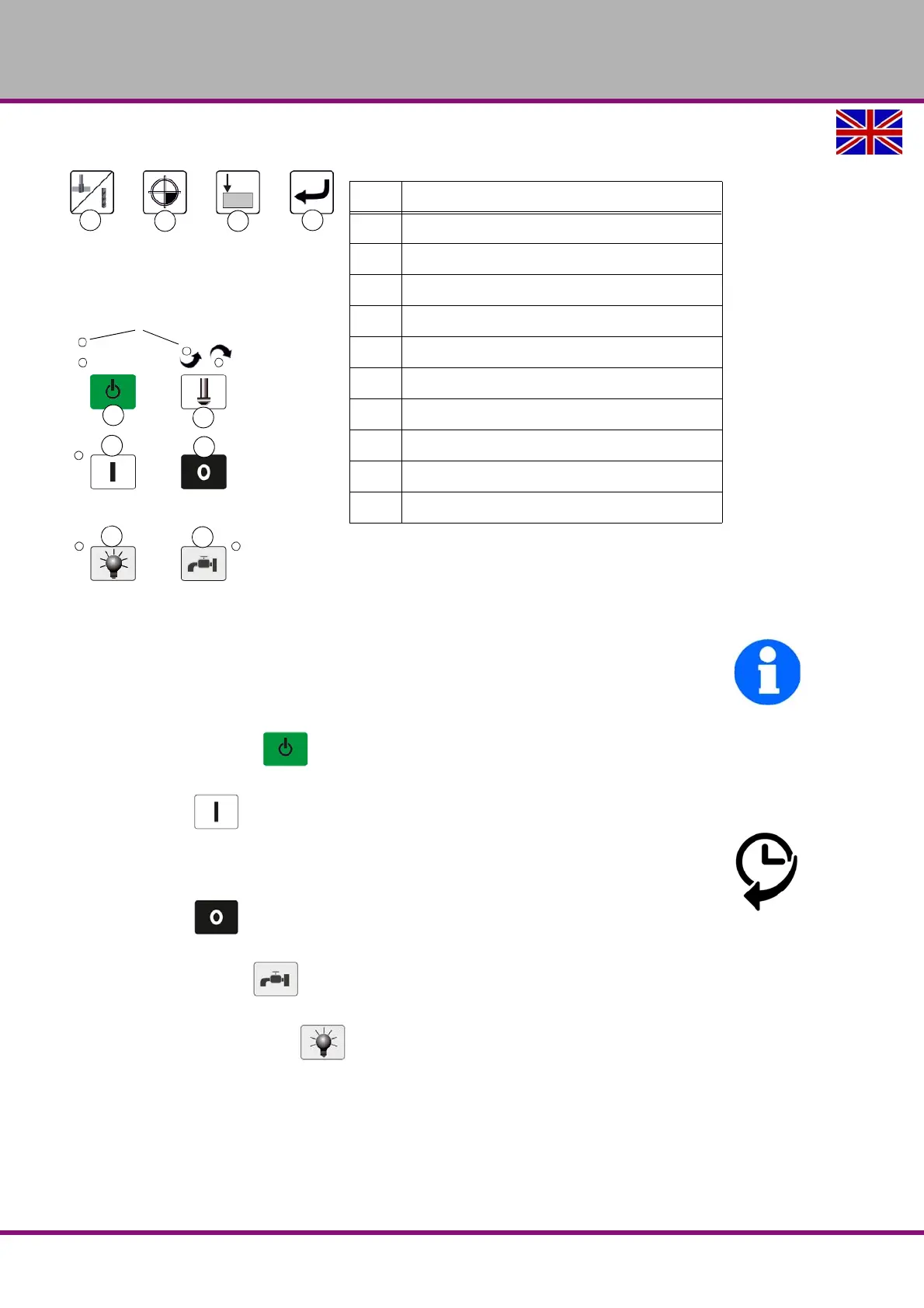
Push button control "On"
Turns on the control voltage.
Push button ON
Turns the rotation of the drilling spindle on.
With start-up the spindle starts the rotation in a clockwise direction. A changing to "left-hand
motion" (counter-clockwise) is only possible with rotating spindle.
Push button Off
Turns the rotation of the drilling spindle off.
Coolant pump ON / OFF
Switches the coolant pump.
Machine illumination ON / OFF
Switches the backlight on or off.
Master switch
Interrupts or connects the power supply.
Pos. Designation
11
Selector switch drilling / tapping
12
Setting the zero point
13
Selector switch drill depth / tapping depth
14
Menu button, piece counter setting
15
Push button control ON
16
Selector switch, direction of spindle rotation
17
Button spindle rotation ON
18
Button spindle rotation OFF
19
Machine illumination ON / OFF
20
Coolant pump ON / OFF
LED´s
11
12 13
14
15
16
17
18
19
20




 To Next Page