range Pi 用户手册 深圳市迅龙软件有限公司版权所有
www.orangepi.cn
97
www.xunlong.tv
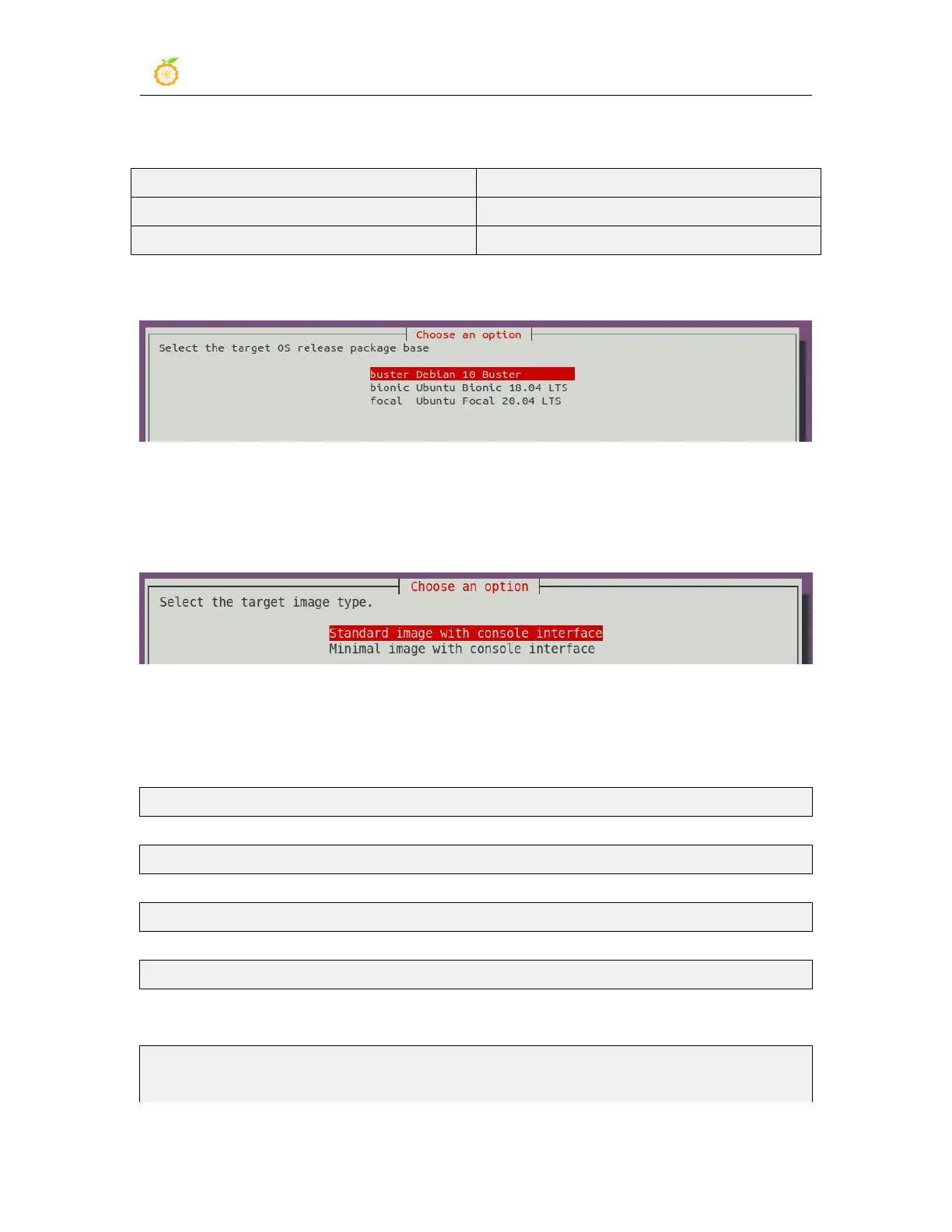
4) Then select the type of rootfs
The Linux distributions supported by linxu5.4 are as follows
5) If you are compiling the server version of the image, you can also choose to compile
the Standard version or the Minimal version. The pre-installed software of the Minimal
version will be much less than the Standard version.
6) After selecting the type of image, rootfs will be compiled, and some of the
information prompted during compilation are explained as follows
a. Type of rootfs
[ o.k. ] local not found [ Creating new rootfs cache for bionic]
b. The storage path of the compiled rootfs compressed package
[ o.k. ] Target directory [ external/cache/rootfs ]
c. The name of the rootfs compressed package generated by the compilation
[ o.k. ] File name [ bionic-cli-arm64.153618961f14c28107ca023429aa0eb9.tar.lz4 ]
d. Compilation time
[ o.k. ] Runtime [ 13 min ]
e. Repeat the command to compile rootfs, use the following command without
selecting through the graphical interface, you can directly start compiling rootfs
[ o.k. ] Repeat Build Options [ sudo ./build.sh BOARD=orangepir1plus
BRANCH=current BUILD_OPT=rootfs RELEASE=bionic



 To Next Page