range Pi 用户手册 深圳市迅龙软件有限公司版权所有
www.orangepi.cn
83
www.xunlong.tv
root@orangepir1plus:~# poweroff
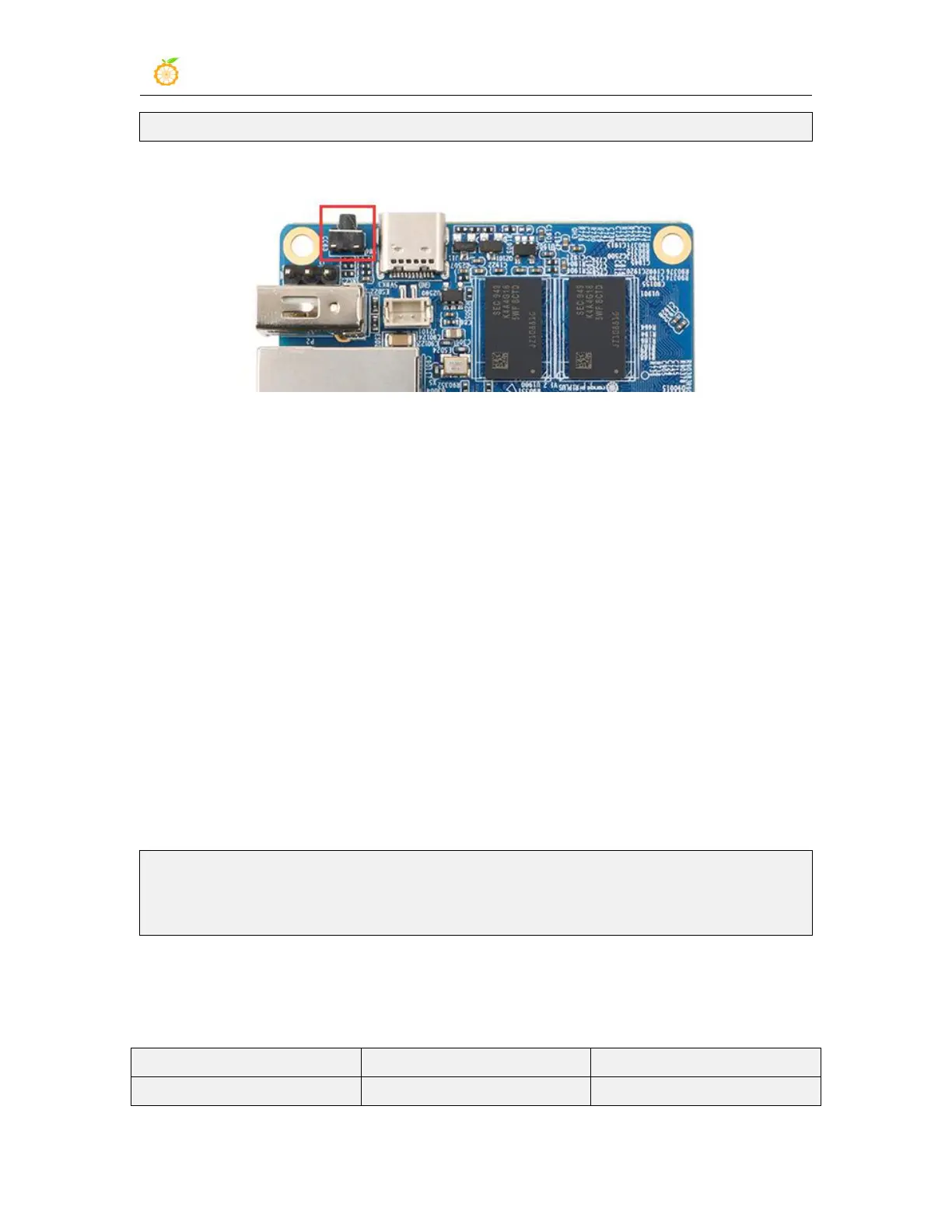
3) Short press the reset button on the development board to restart the system
6. Linux SDK instructions
The Linux SDK is compiled on a PC or virtual machine (VirtualBox or VMware)
with Ubuntu 18.04 installed. Please do not use other versions of Ubuntu or compile the
Linux SDK on WSL
6.1. Get the source code of linux sdk
6.1.1. Download orangepi-build from github
3) First download the code of orangepi-build. The code of orangepi-build is modified
based on the armbian build system. Currently, the rk3328 series development board
supports the current branch.
test@test:~$ sudo apt update
test@test:~$ sudo apt install git
test@test:~$ git clone https://github.com/orangepi-xunlong/orangepi-build.git
4) The current branch generally uses u-boot and kernel close to the mainline version. The
u-boot and linux kernel currently used by the rk3328 series development board are as
follows



 To Next Page